
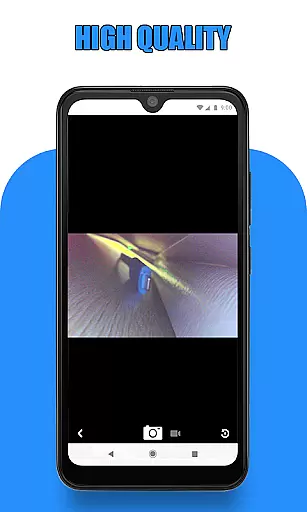
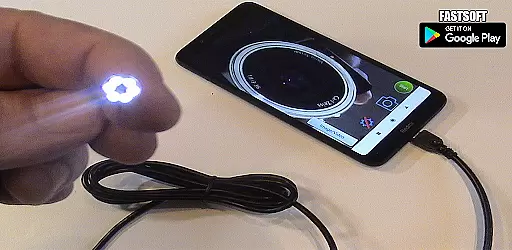
Endoscope Camera Connector is a specialized app designed to connect Android devices with external cameras such as endoscopes, USB cameras, or Borescope cameras. This versatile tool allows users to view live feeds from inspection cameras used in various fields like sewer maintenance and plumbing. The app functions similarly to an OTG viewer, enabling seamless integration with UVC-compatible cameras through USB OTG or Type-C connections.
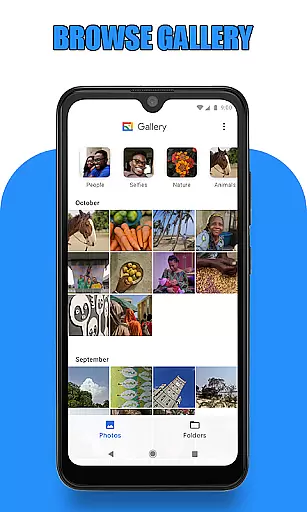
The application's core functionality revolves around its ability to record videos with sound and manage captured media through an integrated gallery system. Before using the app, users should verify their device's compatibility with USB OTG technology and ensure their camera is UVC-compatible. Once connected, users can effortlessly capture photos and record videos, accessing them later through the app's gallery feature.
This app proves particularly useful for professionals in plumbing and drain maintenance industries. By providing clear visuals of blocked drains and pipes, it eliminates the need for traditional drain unblocking methods or specialized plumbing cameras. The Endoscope Camera Connector transforms mobile devices into powerful inspection tools, offering significant value to those who require portable and efficient camera solutions.
The Endoscope Camera Connector offers several distinctive features that set it apart from other camera connection apps. First and foremost, its comprehensive compatibility checker helps users verify both their device's USB OTG support and their camera's UVC compatibility before attempting a connection. This proactive approach saves users from potential frustration and ensures smooth operation.
A key feature is its intuitive user interface that simplifies the connection process. Users can easily establish a connection by plugging their endoscope camera into their phone, tapping the camera icon, and confirming the connection. The app provides essential camera controls for capturing photos and recording videos, all accessible through a straightforward interface. Additionally, the integrated gallery system allows for efficient media management.
What makes this app particularly valuable is its practical application in professional settings. It serves as a cost-effective alternative to traditional inspection equipment, allowing users to visualize blockages in drains and pipes without requiring specialized tools. The ability to delete unwanted media directly within the app and choose preferred video players for playback enhances its usability and convenience.
Endoscope Camera Connector offers a comprehensive solution for connecting your mobile device with various external cameras, including endoscopes, USB cameras, and Borescope cameras. This app ensures that users can access the full functionality of their external devices directly from their smartphones.
The app supports essential features such as video recording with sound and photo capture, providing an all-in-one platform for managing media files. By integrating seamlessly with the phone's gallery, it allows users to store, view, and manage their captured images and videos efficiently.
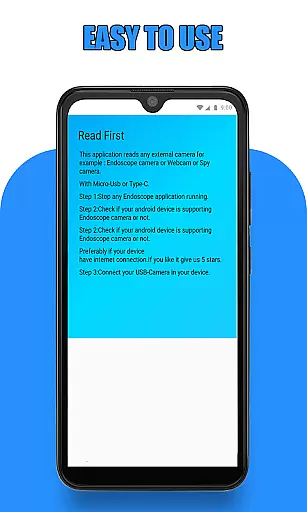
Before using the app, users are guided to verify their device's compatibility with USB OTG technology and ensure their camera is UVC-compatible. These preliminary checks guarantee a smooth user experience and optimal performance when utilizing the app's extensive feature set.
Endoscope Camera Connector prioritizes usability by offering an intuitive interface that simplifies the process of connecting and operating external cameras. Users can easily navigate through the app to access key functionalities without encountering complex procedures or confusing options.
Operational smoothness is evident in the app's ability to quickly recognize connected devices and facilitate immediate use. Whether capturing photos, recording videos, or reviewing media in the gallery, the app maintains a responsive and reliable performance, ensuring a seamless experience.
Additionally, the app provides clear instructions on managing media files, such as deleting unwanted photos or videos. This focus on streamlined operations enhances user satisfaction and makes Endoscope Camera Connector a dependable choice for various applications, from plumbing inspections to detailed examinations using external cameras.
User-friendly interface
Wide device compatibility
Efficient media management
Professional-grade utility
Cost-effective solution
Limited iOS availability
Device compatibility issues
Basic editing features
Occasional connection problems
No cloud integration

Game Booster GFX for smoother gaming experience. Enjoy 120 FPS and 4x Game Space
 4.20
4.20
Connect and find your Smart Tag 2 devices through our app.
3.60
Wireless reverse charging using phone now is possible
4.30
The Free Catholic Latin American Bible in complete Spanish
4.60
A great tool help you to format Micro SD memory Card
3.10
An essential GFX utility developed for specific FPS mobile games
4.50
charging your phone by other phone easly
4.00
Enjoy hours of entertainment with our Roblox mobile games app
4.4
CloudEye 365 is a easy-handling APP
3.60
Enjoy Minecraft Mod Scary Neighbor Granny for Minecraft PE.
4.30
Al QURAN-القرأن الكريم app to read Quran offline just like an actual Quran book
4.30
An impressive collection of tools, characters, weapons, skins and more!
4.30
Easily evaluate the performance of Scandit's barcode and ID scanning SDK
4.10
Connect and find your Smarttag devices through our app.
4.00
Connect your phone to any endoscope camera, USB camera, or borescope with ease.
3.70
Ps2 plugins for 64 bit artitechture
3.70
Now Available on Android ™
3.40
Collection of Maps and Mods for Dmod
3.30
DamonSx2 is the open Source LGPL Emulator
3.20


User Reviews