
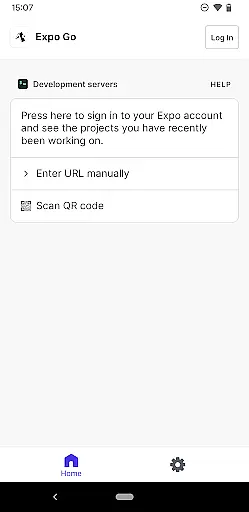
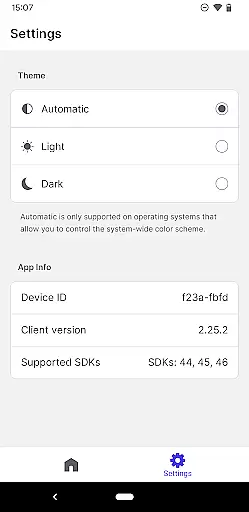

Expo Go is a powerful development tool that allows users to create rich, interactive mobile experiences directly from their Android device and computer. This app leverages JavaScript and React Native to enable developers to build applications with advanced features such as camera integration, background location tracking, audio and video playback, and SQLite database management.
Designed for both novice and experienced developers, Expo Go provides an accessible platform to experiment with coding and develop complex functionalities without needing extensive native development knowledge. Whether you're prototyping a new app idea or learning mobile development, this tool offers the essential resources to bring your concepts to life.
The app's value lies in its ability to streamline the development process while offering a comprehensive set of tools. By simplifying cross-platform app creation, Expo Go empowers developers to focus on creativity and functionality, making it an ideal choice for those looking to innovate in the mobile space.
Expo Go stands out with its robust feature set tailored for modern app development. The app supports a wide range of device functionalities including camera access, background location services, multimedia handling (audio and video), and SQLite integration for local data storage. These capabilities allow developers to implement complex features without dealing with native code intricacies.
Another key aspect is its seamless integration with development environments on your computer. Using Expo Go, developers can instantly preview changes made in their code on a connected Android device, significantly speeding up the debugging and testing process. This live-reloading feature ensures that creators can iterate quickly and efficiently.
Furthermore, Expo Go is backed by extensive documentation and a supportive community, making it easier for developers to learn and troubleshoot. With recommended programming experience, users can fully leverage the potential of this tool to create polished, production-ready applications across various categories.
Expo Go offers a comprehensive suite of tools that cater to the diverse needs of app developers. The application provides access to a wide array of features, including but not limited to Camera, Background Location, Audio and Video, and SQLite functionalities.
This extensive coverage allows developers to implement complex functionalities without the need for additional libraries or plugins. Whether you're looking to integrate multimedia elements or require access to device-specific capabilities, Expo Go ensures that all these features are at your disposal.
The importance of such completeness cannot be overstated. Developers can focus on crafting unique user experiences without worrying about the limitations of their development environment. With Expo Go, every tool needed to create interactive and engaging applications is included, streamlining the development process.
Ultimately, the value proposition of Expo Go lies in its ability to simplify the creation of rich, interactive mobile applications. By covering all essential bases, it empowers developers to bring their creative visions to life with minimal hassle and maximum efficiency.
When it comes to usability, Expo Go excels by offering an intuitive interface that simplifies the app development process. Its design prioritizes ease of use, ensuring that even those new to JavaScript and React Native can navigate and utilize its features effectively.
Operational smoothness is another hallmark of Expo Go. The application runs seamlessly on Android devices, providing a stable and reliable environment for developers to test and refine their projects. This reliability is crucial during the iterative process of app development, where consistent performance can significantly impact productivity.
Moreover, Expo Go's compatibility with both your computer and Android device means that developers can easily transition between coding and testing. This fluid workflow enhances the overall development experience, allowing creators to quickly implement and verify changes.
In essence, Expo Go not only equips developers with a vast toolkit but also ensures that these tools are presented in a manner that is accessible and efficient. This dual focus on functionality and usability makes it an invaluable asset for anyone looking to develop sophisticated mobile applications.
User-friendly interface
Wide feature support
Live code reloading
Comprehensive documentation
Active developer community
Requires coding knowledge
Limited native performance
No offline functionality
Dependent on internet connection
Steep learning curve

SmartCast mirrors Android phone to TV screen With Cast Screen, Chromecast.
 4.80
4.80
Connect your phone to any endoscope camera, USB camera, or borescope with ease.
3.70
A great tool help you to format Micro SD memory Card
3.10
charging your phone by other phone easly
4.00
Study Bible King James Version: the correct way to learn the Bible with audio
4.80
a wireless controller that provides a seamless and gaming experience for players
3.80
Al QURAN-القرأن الكريم app to read Quran offline just like an actual Quran book
4.30
Simulator of real black light
3.50
Phone Software Update Quick Checker helps you to keep your phone apps up to date
4.50
Game booster GFX may reduce interruptions and improve gaming experience.
4.50
An essential GFX utility developed for specific FPS mobile games
4.50
Enjoy Minecraft Mod Scary Neighbor Granny for Minecraft PE.
4.30
Wireless reverse charging using phone now is possible
4.30
Unlock the hidden menus of your phone with our mobile secret codes app.
4.20
Connect and find your Smarttag devices through our app.
4.00
A Pydroid Quick Install repository provider.
4.00
Sad ringtones full of feeling, sad music ringtones
3.90
With Endoscope Camera Connector you can connect your phone with endoscope cam
3.70
Mobile Connect To TV - HDMI USB & WiFi Screen Mirroring
3.70


User Reviews