
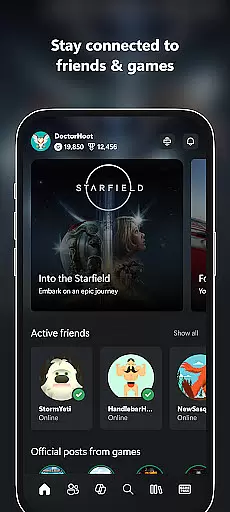
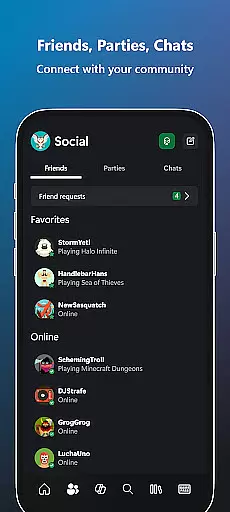
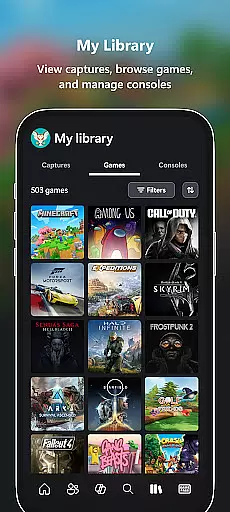
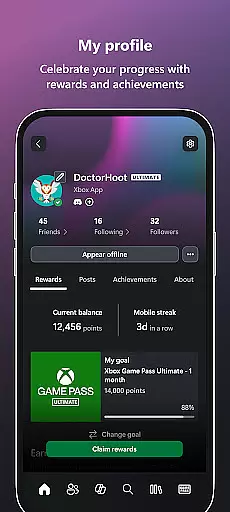
Xbox app is your ultimate entertainment companion, bringing the gaming ecosystem to your mobile device. It allows users to stay connected with friends through integrated voice and text chat, regardless of whether they're on console or PC. The app provides real-time notifications for achievements, messages, and game launches, ensuring you never miss important updates.
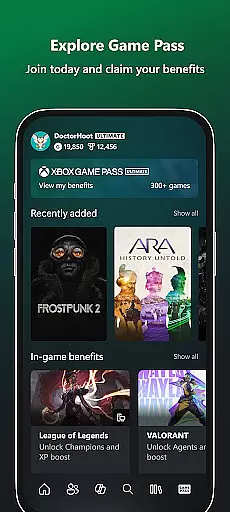
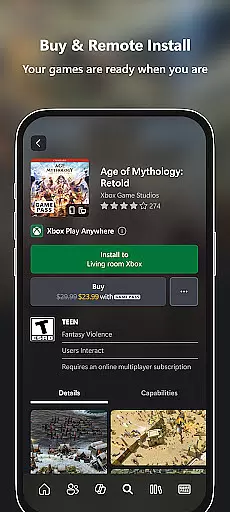
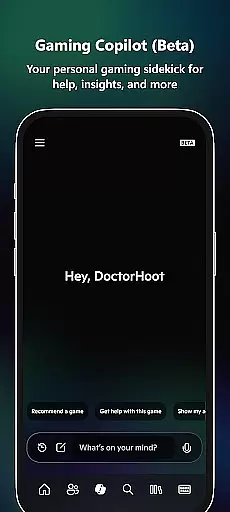
With Xbox, you can conveniently purchase games and add-on content directly from your phone. The built-in Game Pass catalog lets you explore and download new titles, while the Gaming Copilot feature offers personalized recommendations and in-game assistance. You can also share game clips and screenshots to popular social networks with ease. This comprehensive functionality makes the Xbox app an indispensable tool for modern gamers who want to stay engaged with their gaming community.
The app's cross-platform capabilities ensure a seamless experience across mobile, console, and PC environments. Whether you're managing your game library, connecting with friends, or discovering new content, the Xbox app keeps you at the center of the gaming universe. Its intuitive interface and robust features make it the perfect solution for gamers who demand flexibility and connectivity in their entertainment experience.
The Xbox app stands out with its comprehensive feature set that caters to every aspect of modern gaming. One of its key innovations is the cross-platform integration that maintains consistent communication between mobile devices, consoles, and PCs. This ensures that your gaming sessions remain uninterrupted regardless of your current platform.
A standout feature is the integrated voice and text chat system that works seamlessly across all devices. This allows you to maintain constant contact with your gaming community without being tied to your console. The app also includes a sophisticated notification system that alerts you to new game launches, party invites, and important messages from friends.
The inclusion of the Game Pass catalog within the app revolutionizes how users discover and acquire new games. With direct purchasing capabilities and the Gaming Copilot feature providing personalized recommendations and gameplay assistance, the app creates a complete ecosystem for game management and enhancement. The easy sharing functionality for game clips and screenshots to various social networks completes the package, making this app an essential tool for socially-connected gamers.
The Xbox app excels in delivering a diverse range of content that keeps users engaged. From the latest game releases to exclusive Perks and the expansive Game Pass catalog, there is always something new to explore. This constant influx of content ensures that users have access to the freshest gaming experiences without needing to leave the app.
Notifications for new game launches, party invites, and messages keep users informed and connected. The app's ability to provide real-time updates on friends' activities and achievements adds another layer of engagement. By integrating voice and text chat, the app ensures that users can maintain seamless communication with their gaming community, whether they are on console, PC, or mobile.
Moreover, the Gaming Copilot (Beta) feature offers personalized recommendations and insights, helping users overcome in-game challenges and enhance their gameplay. This personal assistant functionality not only enriches the user experience but also encourages prolonged app usage by providing tailored assistance and suggestions.
User engagement and retention are critical factors where the Xbox app truly shines. The app offers multiple features designed to keep users hooked for extended periods. Integrated voice and text chat capabilities allow users to stay connected with friends across different platforms, ensuring they remain active within the app ecosystem.
The ease of purchasing games and add-on content directly through the app enhances user convenience and encourages longer sessions. Users can download games to their console, making them readily available for play and reducing downtime. This seamless integration between the app and console creates a cohesive gaming environment that promotes sustained engagement.
Additionally, the ability to share game clips and screenshots to favorite social networks provides users with a platform to showcase their gaming achievements. This social sharing aspect not only boosts user satisfaction but also fosters a sense of community, further enhancing retention rates. With regular updates and new content, the app ensures that users always have a reason to return.
User-friendly interface
Cross-platform functionality
Integrated social features
Comprehensive game management
Personalized recommendations
Limited offline capabilities
Occasional connectivity issues
Requires Xbox subscription
Some features are console-specific
Can drain device battery

Tarot & Oracle Card Readings
 4.50
4.50
Exclusive Short Drama Video! All in HD. Bringe trending reels & enjoy drama time
3.80
Unofficial Game Companion App” “Guides • Builds • Tips • Progression
4.0
Rain and lightning effects for your Philips Hue lights
4.30
Classic dynamic pixel art from Mark Ferrari.
4.70
Chat with AI characters! Anime, games, roleplay & more.
4.50
Browse popular images and videos from Reddit on Android TV!
3.90
VR 360 Cinema Player is the ultimate VR player for playing videos on mobile
3.50
World's largest dedicated anime collection
4.70
Stream Live TV, News & Documentaries. Watch Full Seasons with PBS Passport.
4.80
Scan sets, track your builds, and enjoy intuitive digital instructions.
4.70
Stream Online TV - Watch Live IPTV Playlist & Channel with Built-In Player
4.50
Heroclix search units with multi filter , team builder, collection manager.
4.40
Best of icon for christmas
4.30
Explore the unknown!
3.00
Watch everything you want.
2.90
A wonderful collection of the most beautiful sounds of animals and birds
4.5
EVP Recorder / Voice Recorder for ghost hunting, to communicate with ghosts.
4.2
Collaboration with popular VTubers
4.5


User Reviews