
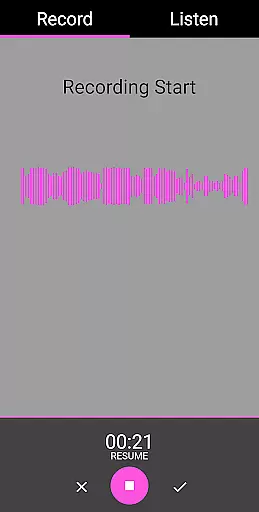
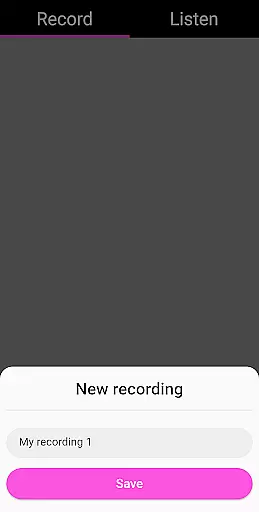
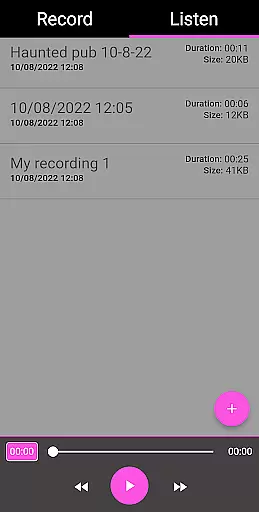
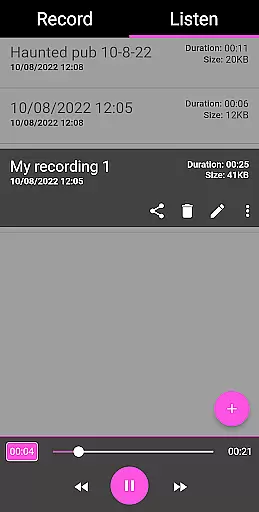
EVP Recorder is a specialized application designed for paranormal enthusiasts and ghost hunters. This app allows users to capture Electronic Voice Phenomena (EVP) using their device's built-in microphone. The core functionality includes recording, saving, and playing back potential spirit communications. With its user-friendly interface, EVP Recorder provides an accessible tool for both amateur and experienced investigators.
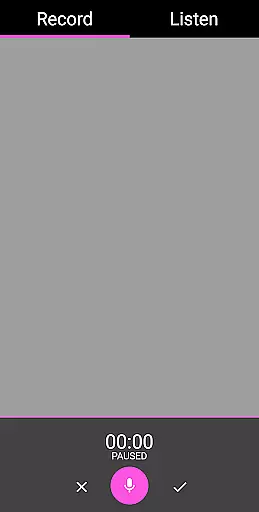
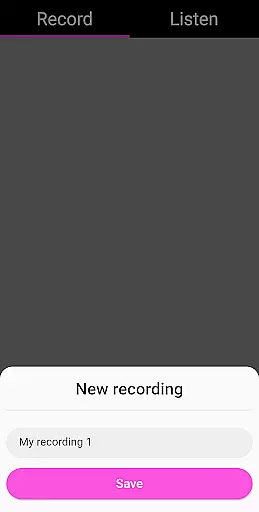
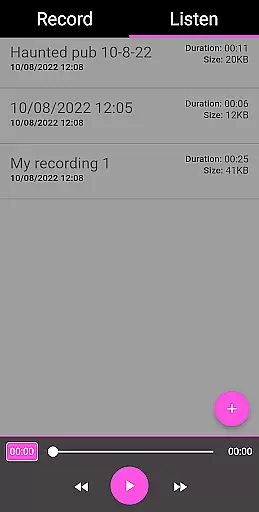
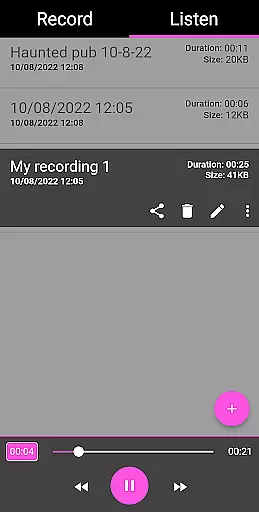
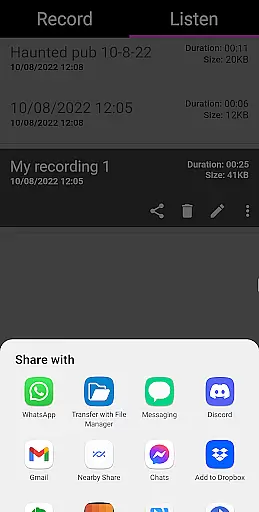
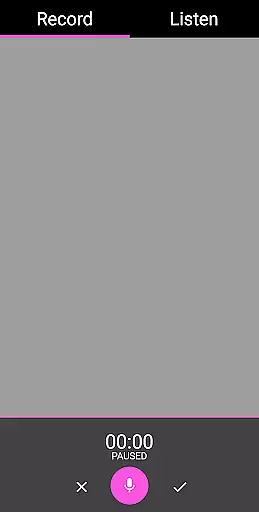
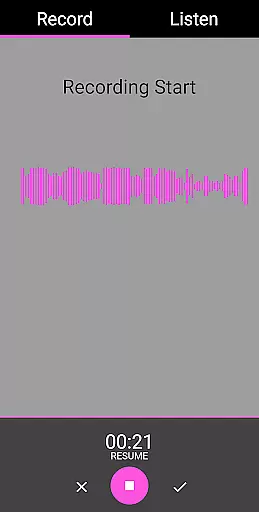
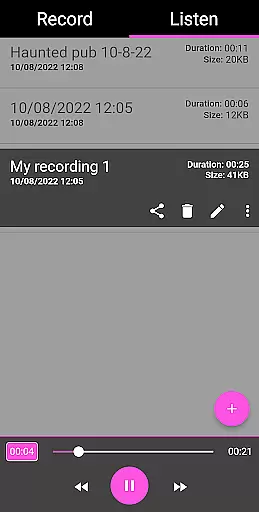
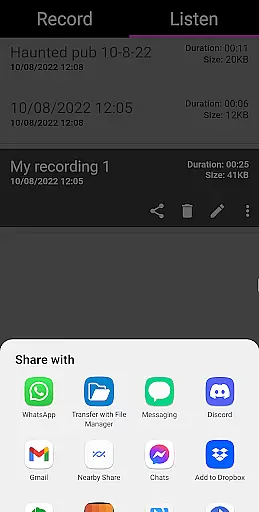
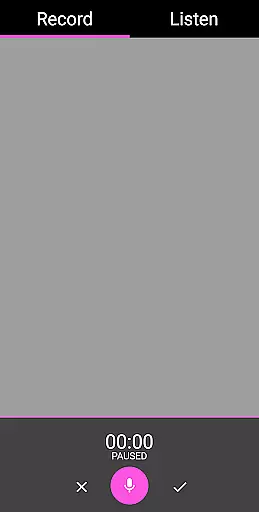
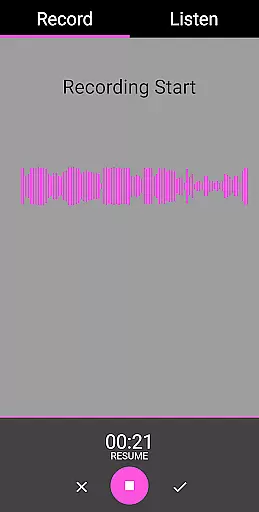
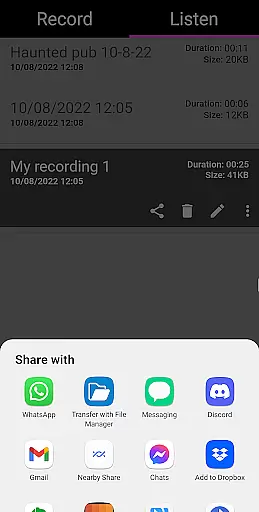
The app offers advanced features such as pause functionality during recording, audio visualization for visual feedback, and the ability to import existing recordings. Users can conveniently manage their recordings through renaming, deleting, and sharing options across various platforms. The inclusion of playback controls like fast forward and reverse enhances the analysis process. These capabilities make EVP Recorder a comprehensive tool for paranormal research.
One practical application scenario involves conducting sessions in reportedly haunted locations. Investigators can ask questions and review captured responses afterward. This methodical approach helps in identifying potential EVPs that may not be audible in real-time. By providing these specialized tools, EVP Recorder significantly contributes to the field of paranormal investigation by enabling more systematic and thorough data collection.
EVP Recorder stands out with its comprehensive feature set tailored specifically for paranormal research. The app's primary advantage is its specialized recording capability that captures Electronic Voice Phenomena (EVP). Unlike standard recording apps, it offers precise control over recordings with pause functionality and detailed audio visualization, allowing users to monitor potential responses in real-time.
A key differentiator is the app's robust file management system. Users can rename, delete, and organize recordings efficiently. The ability to import existing audio files enables researchers to consolidate their evidence collection within a single platform. Sharing capabilities across social media and messaging apps facilitate collaboration among investigation teams. These features collectively enhance the research process by streamlining data management and analysis.
The app's value proposition lies in its combination of professional-grade tools with user accessibility. The absence of ads and in-app purchases ensures uninterrupted investigation sessions. Lifetime free updates demonstrate the developer's commitment to maintaining and improving the app. These aspects, combined with technical features like recording metadata display and playback controls, position EVP Recorder as an essential tool for serious paranormal researchers seeking reliable and comprehensive investigation capabilities.
In the realm of ghost hunting, EVP Recorder stands out by offering a dynamic and engaging experience through its diverse content creation capabilities. This app is not just about recording; it's about capturing a wide array of electronic voice phenomena (EVPs) in various haunted locations.
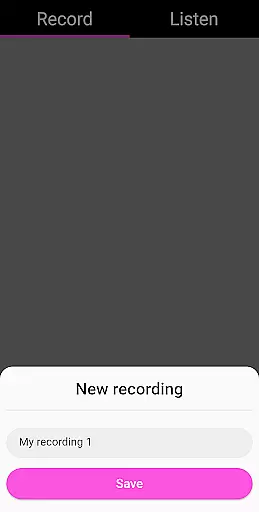
With features like the ability to save, pause, and even load existing recordings into the app, users can experiment with different types of sessions, ensuring that their content remains fresh and intriguing. The option to rename files adds another layer of personalization, allowing hunters to organize their findings effectively.
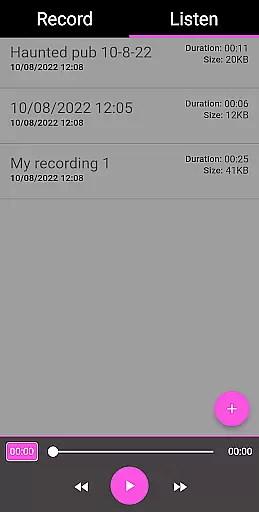
The inclusion of fast forward and reverse options during playback enhances the user's ability to analyze recordings efficiently, making sure that no detail is missed. This constant evolution and addition of new ways to interact with captured EVPs keep the content within the app varied and up-to-date.
By providing tools for both capturing and analyzing EVPs, this application ensures that enthusiasts have everything they need to maintain an engaging and continually refreshed library of supernatural audio experiences.
User engagement is crucial in applications designed for specialized activities such as ghost hunting, and EVP Recorder excels in maintaining high levels of interaction through its comprehensive feature set. By integrating essential functions like recording, playback, and sharing, the app encourages prolonged use during each session.
The intuitive interface allows users to easily navigate between 'Record' and 'Listen' tabs, promoting seamless transitions from capturing EVPs to reviewing them. This ease of use contributes significantly to longer engagement durations as users can focus more on their activity rather than figuring out complex controls.
Moreover, the ability to share recordings via social media platforms or messaging apps extends the user's connection with the app beyond individual sessions. Sharing discoveries fosters community interaction and discussion, which in turn boosts retention rates as users return to make more recordings to share.
By combining practical functionality with opportunities for community engagement, EVP Recorder successfully enhances both the duration and frequency of user interactions, ensuring that ghost hunters remain committed and engaged over time.
User-friendly interface
Comprehensive EVP tools
No in-app purchases
Free lifetime updates
Advanced file management
Limited to paranormal use
Requires quiet environment
Steep learning curve
Large file sizes
Occasional glitches

The OFFICIAL PeeWee Purpdrank Soundboard!
 4.80
4.80
Heroclix search units with multi filter , team builder, collection manager.
4.40
Music visualizer and party effects for Hue
3.90
Create and play realistic-looking mock Emergency Alert System messages.
4.30
Experience the video editing experience brought by our intuitive interface
4.10
Himnario LLDM - Fast and Easy to read , updated Hymnal 2019 Edition Official
4.20
Premium version to enjoy your favorite anime
4.60
Explore the unknown!
3.00
Hand-drawn, cartoon OC creator - original character creator
4.70
Colorful flows will relax and calm you down, or get you trippy and creative!
4.90
Chat with AI characters! Anime, games, roleplay & more.
4.50
Practice and master your ESP and intuition with five mode trainer.
4.20
Catch the latest episodes of The Voice or live stream NFL games with The NBC App
4.20
Realistic Baby Simulator App
4.00
Your choice of 350+ networks plus movies and full TV series on-demand.
3.70
Fool your friends & Family with Fake ultrasound test report
3.60
Stream videos to VIDAA & VEWD TVs from Hisense, Sharp, Skyworth, Vestel & TiVo
3.00
Neon Christmas Tree Animated: Festive Wear OS watch face with fitness info
4.4
Control your AWTRIX 3 easily
4.3


User Reviews