
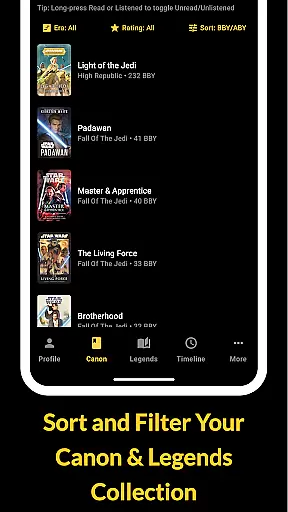
The Cantina Archive is a comprehensive tool for Star Wars book enthusiasts, enabling users to meticulously organize and explore their personal collections. This fan-built app caters to both Canon and Legends Expanded Universe readers, offering features like timeline view (BBY/ABY), search by title or author, and collection tracking.
With its robust functionality, the app allows users to browse books by era, track reading progress, and discover new releases. The secure Firebase sync ensures cross-device accessibility, making it an essential companion for managing your Star Wars library.
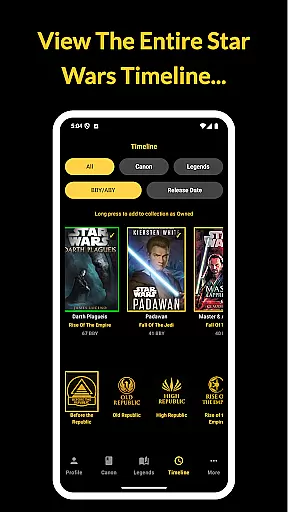
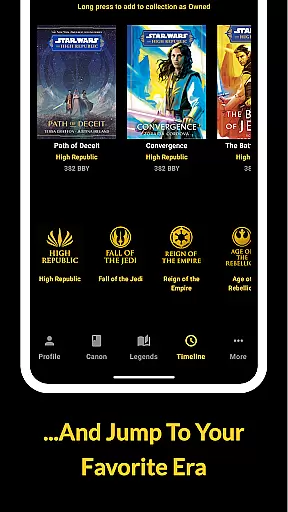
The Cantina Archive stands out with its specialized features tailored for Star Wars literature fans. The Timeline View lets users explore books in chronological order or by release date, providing a unique way to navigate the Star Wars universe.
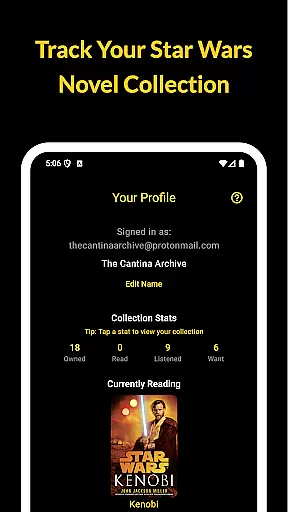
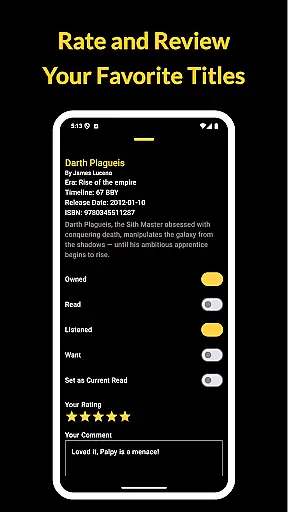
Readers can efficiently manage their collections using the app's tracking system, marking books as Owned, Read, Listened, or Want to Read. The Currently Reading feature highlights one title at a time, helping users focus on their ongoing literary journey while staying informed about upcoming novels.
The Cantina Archive offers an extensive collection of Star Wars books, ranging from the Canon timeline to the Legends Expanded Universe. This fan-built app meticulously catalogs titles, ensuring users have access to a vast galaxy of stories.
Each book is verified for copyright authenticity, providing peace of mind for readers who want to explore official content. The app's dedication to accuracy ensures that every entry corresponds to a legitimate publication, preserving the integrity of the Star Wars literary universe.
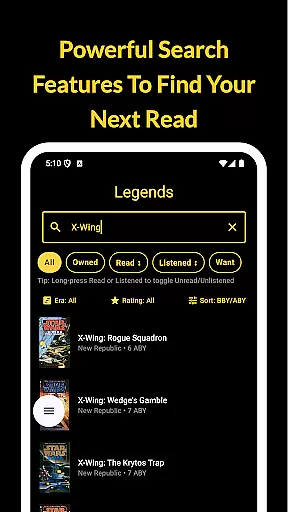
With features like ISBN search and author-based queries, users can manage their collections with precision. Whether revisiting favorite novels or discovering new ones, the app's comprehensive database supports an enriching reading experience.
The Cantina Archive excels in format compatibility, accommodating various ways to track and explore your Star Wars book collection. Users can browse titles by era, timeline (BBY/ABY), or release date, offering flexibility in how they interact with the content.
Sync with Firebase enhances accessibility, allowing secure cross-device management of your library. Whether on your phone or tablet, the app ensures your data remains consistent and up-to-date across platforms.
Additionally, features like tracking reading progress and marking books as Owned, Read, or Want to Read provide personalized engagement. This adaptability makes The Cantina Archive an indispensable tool for organizing and enjoying your Star Wars literary journey.
User-friendly interface
Comprehensive book database
Secure cross-device sync
No ads or tracking
Regular updates
Limited to Star Wars
Requires manual entry
No audiobook support
Few social features
Occasional bugs

Audiobook player with cross-device progress sync, playlists, and widget support.
 4.80
4.80
Read the KJV Bible with Strong’s offline: reading plans, audio Bibles, and more.
4.70
Read aloud texts, audiobooks, PDFs or any eBook with text to speech AI audio
4.60
Unlock more features in Lithium and show your support. Expand for details.
4.00
Holy Bible with verses and audio for studying and prayer
4.30
Unlock unlimited access to bestselling ebooks, novels, stories, and audiobooks
4.60
Discover, track, and share your reading with friends & our community of readers
4.60
Fast loot guide for ARC Raiders. Simple tips, stats, maps, and item details.
4.3
A lightweight reader for comics and mangas files (.cbr, .cbz, .cbt, .pdf, ...)
4.80
Daily thoughts, meditations, and prayers for living a sober life in recovery.
4.90
King James Bible read offline, AI Priest, Bible Quiz, Guiding Prayers & Plans
4.80
Contains the 365 daily readings and everything other thing needed for catholics
4.70
Translate into 100+ languages with the world’s most accurate AI translator.
4.70
Learn Electricians' Handbook PRO complete guide beginners to advance.
4.40
Zerobooks Light Novel Reader by GOLDENAGATO
4.20
“There was one last piece of cake. My little sister said ‘Me too!’”
4.00
Read Trending Romance Stories
4.00
Guide for dōTERRA® Products
3.60
University of North Carolina Herbarium presents the flora of TN, AL, & MS.
4.1


User Reviews