

T-Life is a comprehensive lifestyle app designed to enhance the digital experience of T-Mobile users. This versatile application serves as a one-stop solution for managing mobile services, accessing exclusive benefits, and exploring new opportunities. With its user-centric design, T-Life allows customers to effortlessly handle account-related tasks while discovering valuable perks.
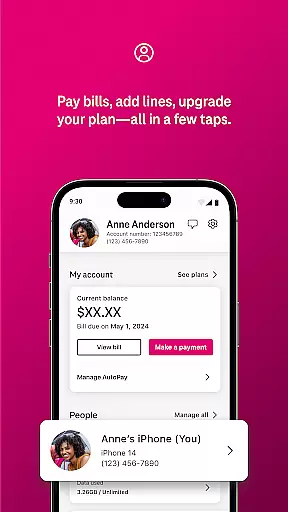
The app's core functionality revolves around seamless account management, exclusive rewards, and service optimization. Users can conveniently pay bills, monitor data usage, and configure home internet settings through an intuitive interface. Additionally, T-Life provides access to special benefits like Netflix On Us and significant savings on travel and dining, making it an essential tool for maximizing the value of T-Mobile services.
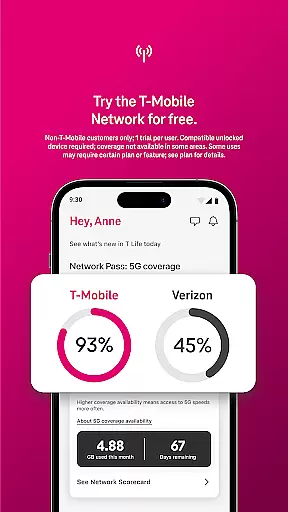
Whether you're considering switching to T-Mobile or already enjoying their services, T-Life offers a 30-day free trial of America's Best Network. This feature enables potential customers to experience T-Mobile's superior network quality and benefits without commitment. The app's ability to streamline both essential tasks and leisure activities makes it particularly valuable for users seeking to optimize their mobile lifestyle.
T-Life distinguishes itself through a diverse array of innovative features that cater to various aspects of mobile life management. The app's most notable characteristic is its comprehensive account management system, which allows users to handle billing, device configuration, and usage tracking with remarkable ease. This centralized control panel revolutionizes how customers interact with their mobile service provider.
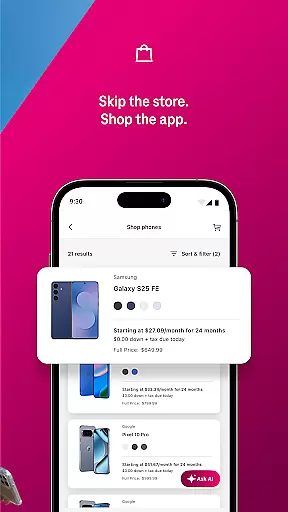
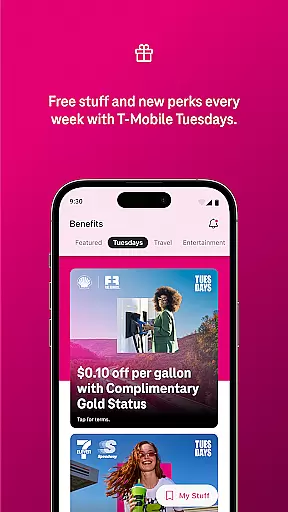
Another standout feature is the exclusive benefits program, which includes T-Mobile Tuesday rewards and Scam Shield protection. These elements work together to create a secure and rewarding user experience. The app also facilitates shopping for new devices and exploring rate plans without geographical constraints, effectively bringing the entire T-Mobile store to users' fingertips.
T-Life further enhances its value proposition by integrating financial services through T-Mobile MONEY® and T-Life VISA® accounts. The inclusion of SyncUP devices for home, car, and family connectivity demonstrates the app's commitment to comprehensive lifestyle management. Each feature is thoughtfully designed to save time, increase security, and provide tangible benefits to users, making T-Life an indispensable tool for modern mobile living.
T-Life offers an extensive range of services and features that cater to various aspects of everyday life, ensuring users have access to everything they need in one place. The app provides functionalities ranging from shopping for new devices, managing personal accounts, accessing exclusive benefits, to configuring home internet gateways.
With T-Life, users can explore a wide selection of products and services without leaving their homes. Whether it's about getting the best rate plans, snagging exclusive benefits like Netflix On Us, or enjoying savings on travel and dining, the app has it all covered. This comprehensive approach ensures that users can find and utilize services that enhance their lifestyle conveniently.
Additionally, T-Life integrates essential financial tools such as T-Mobile MONEYu00ae and T-Life VISAu00ae accounts, further broadening its scope in personal finance management. By incorporating these features, the app not only simplifies daily tasks but also enriches users' lives by providing valuable resources and benefits tailored to their needs.
The content provided within the T-Life app is carefully curated and authenticated to ensure users receive accurate and reliable information. Each feature and service available through the app is backed by T-Mobileu2019s reputation for quality and trustworthiness, guaranteeing that users are engaging with credible sources.
For instance, the app offers verified benefits such as Netflix On Us and special savings on travel and dining, which are directly sourced from trusted partners. These offerings are not only attractive but also assure users of their legitimacy and value. Furthermore, T-Life includes expert-reviewed content related to network performance and device compatibility, reinforcing its commitment to delivering dependable information.
By prioritizing content authenticity and leveraging expert insights, T-Life establishes itself as a reliable platform where users can confidently manage their digital lives, secure in the knowledge that they are receiving top-tier, vetted services and advice.
User-friendly interface
Comprehensive account management
Exclusive rewards program
Integrated security features
Wide device compatibility
T-Mobile network exclusive
Limited international features
Occasional connectivity issues
Some features require subscription
Device compatibility restrictions

Design and brew great homebrewing beer, mead, cider and wine recipes on the go!
 3.60
3.60
Earn points with every purchase with Moe Rewards.
4.20
The go to app for taking unlimited notes!
4.50
Paranormal Spirit Bell Trigger Device
4.30
Customize your Wear OS watch with festive Christmas figures and colors!
4.2
SmartHQ: Your Connected Home Command Center
4.10
Retro animated weather with hourly forecast Watch Face for Wear OS
4.60
PARAVOX 4 is a professional ITC paranormal research application.
4.50
Vehicle ownership simplified. Get the myChevrolet® app today.
4.60
My Diary - Daily Journal with lock: Diary journal app and secret diary with lock
4.80
Tap to the beat with interactive videos — warm up your reflexes & have fun
4.70
Make money, get paid cash rewards & gift cards for every survey. Earn today!
4.60
Zodiac & Horoscope Launcher: Daily Sign Predictions & Astrology
4.40
Chat, meet genuine singles in your area. Real connections start with being real.
4.30
Share opinions, get paid cash
4.30
This is a simple and highly functional alarm clock "Smart Alarm" paid version.
4.20
BILT interactive 3D instructions help you get the job done right
3.50
Unique Dual Colors with 6 Custom Complications for Wear OS watches!
3.40
Celebrate the holidays with Advent Calendar: daily surprises and festive fun!
4.2


User Reviews