
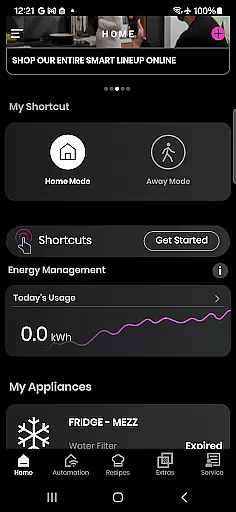
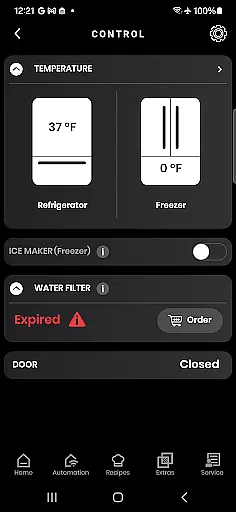
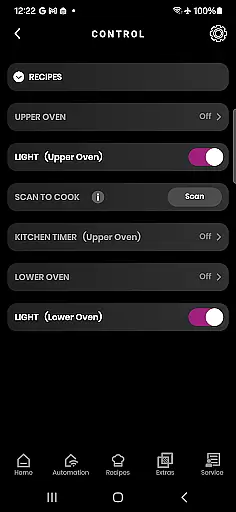
SmartHQ is a comprehensive smart home management application that allows users to effortlessly control and monitor their smart appliances from leading brands such as GE Appliances, Profile, Café, Monogram, Fisher & Paykel, and Haier. The app serves as a centralized hub for managing various smart devices, ensuring convenience and peace of mind.
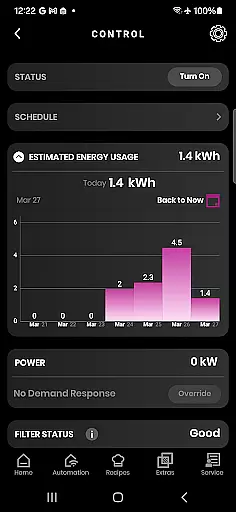
With its advanced features, SmartHQ enables remote control of appliances, voice integration with Amazon Alexa and Google Assistant, timely notifications, software updates, personalized shortcuts, energy and water usage monitoring, and an enhanced cooking experience through AI-generated recipes. Additionally, it offers convenient product registration, expert help via the SmartHQ Assistant, proactive service alerts, diagnostics tools, and scheduling for technician visits.
This app is particularly beneficial for homeowners who want to streamline their smart home experience by consolidating appliance management into one platform. By providing real-time insights and control options, SmartHQ empowers users to make informed decisions about their appliance usage, ultimately enhancing both convenience and efficiency in daily household tasks.
SmartHQ stands out with its extensive range of innovative features designed to enhance user interaction with smart appliances. One of its core functionalities is remote control, allowing users to monitor and manage their devices from anywhere, ensuring peace of mind and added convenience. This feature is complemented by seamless voice integration with popular virtual assistants like Amazon Alexa and Google Assistant, enabling hands-free operation.
The app also excels in keeping users informed through timely notifications regarding appliance status, alerts, and updates. It ensures that appliances run smoothly by delivering the latest software updates and unlocking new features as they become available. Personalization is another key aspect, where users can create shortcuts for frequently used functions and download new modes tailored to their specific appliances.
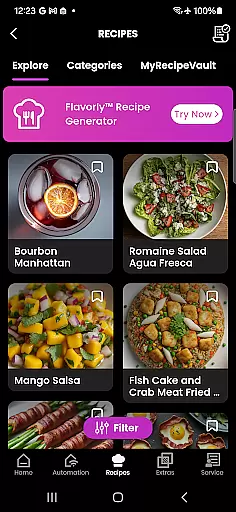
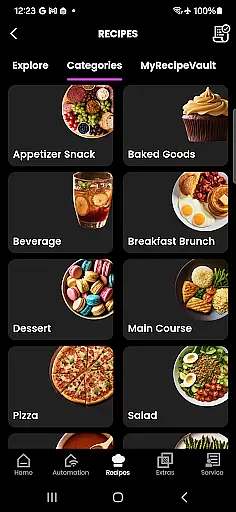
For those interested in optimizing resource consumption, SmartHQ provides detailed insights into energy and water usage, empowering users to make environmentally conscious choices. Additionally, the app enhances the cooking experience with AI-generated recipes via Flavorly and supports advanced functionalities like oven monitoring with built-in cameras and pairing with smart cookware and probes. These features collectively contribute to a more intuitive, efficient, and enjoyable smart home experience.
SmartHQ offers an extensive range of features that cater to various aspects of a connected home lifestyle. The app supports smart appliances from multiple brands including GE Appliances, Profile, Cafu00e9, Monogram, Fisher & Paykel, and Haier, ensuring broad compatibility.
Users can remotely control their appliances, receive timely notifications, and access software updates. This comprehensive approach ensures that users have a seamless experience with their smart home devices, regardless of the brand or model they own.
The app also provides personalized experiences by allowing users to create shortcuts for frequently used functions and download new modes for their appliances. Additionally, it includes features like energy and water usage monitoring, which helps users make informed decisions about their appliance usage.
SmartHQ ensures content authenticity and expert credibility through its integration with trusted services and tools. The app's SmartHQ Assistant feature provides users with reliable answers to their appliance questions, backed by expert knowledge.
For cooking enthusiasts, the Flavorly AI generates authentic recipes, enhancing the cooking experience. Users can also monitor their oven's progress with the built-in camera and pair accessories such as smart cookware and probes, ensuring accurate and expert-recommended cooking practices.
Furthermore, the app facilitates proactive service alerts and diagnostics, enabling users to address appliance issues promptly. By offering access to expert help and scheduling technician visits, SmartHQ maintains a high level of credibility and trustworthiness in its content and support services.
User-friendly interface
Comprehensive device support
Remote monitoring capabilities
Voice assistant compatibility
Proactive maintenance alerts
Limited to compatible devices
Some features require additional hardware
Dependent on stable internet connection
Premium features may incur extra costs
Occasional connectivity issues reported

Countdown to Christmas 2025 with festive games & activities in a virtual village
 4.80
4.80
Stay connected with your loved ones & vehicles | Share live GPS location updates
4.60
Unique Dual Colors with 6 Custom Complications for Wear OS watches!
3.40
Discover the "To Be a Christian" App: Your Guide to Deepening Faith!
5.00
Paranormal Spirit Bell Trigger Device
4.30
Smart & Healthy Living
4.60
Made To Order Faves
4.70
The cutest Autumn watchface featuring the adorable Mr. Squirrel
4.5
The Miracle Box includes methods used by Steve Huff of Huff Paranormal.
3.20
Good magnifier app to see tiny things bigger and more clearly!
4.80
Make money, get paid cash rewards & gift cards for every survey. Earn today!
4.60
A smart Siddur with halachic times
4.50
This is a simple and highly functional alarm clock "Smart Alarm" paid version.
4.20
Fly your Solo like a boss.
4.10
Use your device sensors to detect energy and convert it into spoken words.
4.10
Digital watch face design. Modern looking, hi-res & battery friendly.
4.00
Spirit Communicator is a real paranormal ghost hunting app with many fun modes.
3.90
A daily quote for success
4.2
Customize your Wear OS watch with festive Christmas figures and colors!
4.4


User Reviews