
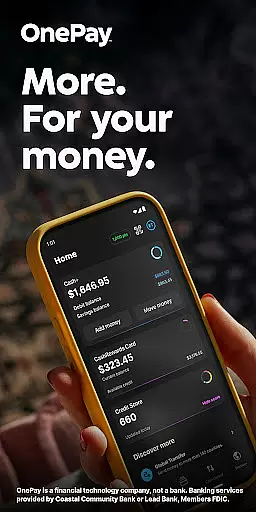
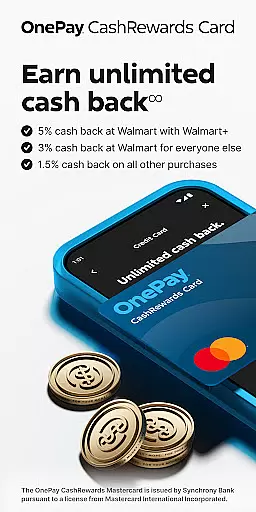
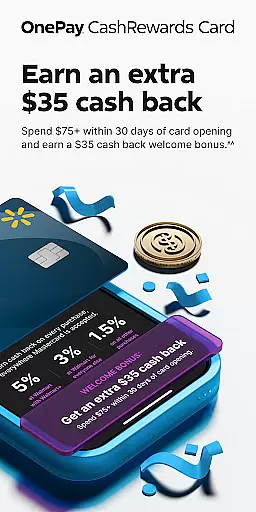
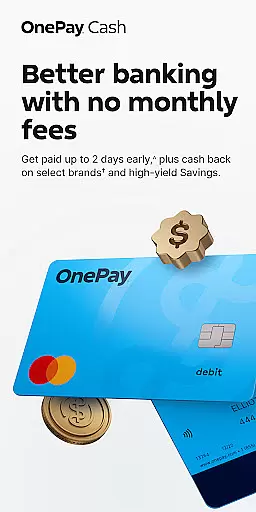
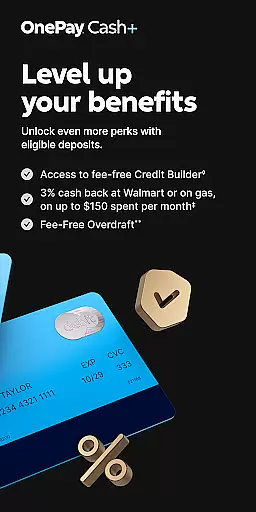
OnePay - Mobile Banking represents a new era of digital financial management, offering users an innovative way to handle their banking needs through a mobile app. As a financial technology company rather than a traditional bank, OnePay partners with established banks like Coastal Community Bank and Lead Bank to provide FDIC-insured banking services. The app's core functionality revolves around its CashRewards Mastercard and Debit Card programs, both issued under license from Mastercard International.
Beyond basic banking, OnePay provides sophisticated features such as cash back rewards earned as OnePay Points, redeemable into your account or other options. It also offers unique benefits like Savings Backup and Fee-Free Overdraft services, which are designed to optimize user experience and financial health. Whether you're looking to manage daily expenses, earn rewards on purchases, or build credit responsibly, OnePay caters to diverse financial goals.
The application is particularly beneficial for individuals who value convenience and flexibility in managing their finances. With eligibility requirements tied to direct deposits or maintaining minimum balances, it ensures that active users can unlock enhanced features. This makes OnePay ideal for tech-savvy consumers seeking comprehensive yet accessible banking solutions without compromising security or reliability.
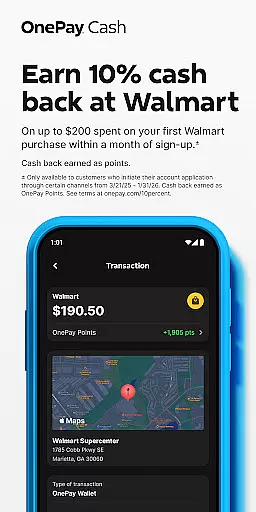
OnePay distinguishes itself through several key features that enhance the mobile banking experience. First and foremost is its robust rewards system, where users earn cash back as OnePay Points by making eligible purchases using their OnePay cards. These points are flexible, allowing redemption either as deposits into OnePay accounts or other available options, providing tangible value to everyday transactions.
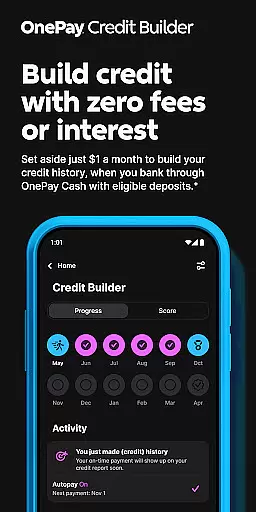
Another standout feature is the Credit Builder Program, which helps users establish or improve their credit scores responsibly. By setting personalized monthly payments starting at just $1, customers can gradually pay off loans while simultaneously building positive credit history. Additionally, OnePay's Savings Backup and Fee-Free Overdraft services offer peace of mind by covering unexpected expenses without incurring hefty fees, ensuring financial stability even during challenging times.
Lastly, OnePay emphasizes accessibility and control over personal finance management. Users have the ability to customize preferences, track spending across various categories, and access detailed transaction histories effortlessly. With secure partnerships backing its operations and adherence to regulatory standards, OnePay delivers not only convenience but also trustworthiness in handling sensitive financial data.
Account and fund security is a critical aspect of any financial application, ensuring the safety of user data and transactions. OnePay u2013 Mobile Banking employs advanced encryption protocols to protect sensitive information such as account details and personal data. This ensures that all communications between the app and banking servers remain confidential and tamper-proof.
In addition to encryption, OnePay implements multi-factor authentication processes. Users are required to verify their identity through multiple steps before accessing their accounts or performing significant transactions. This adds an extra layer of security, significantly reducing the risk of unauthorized access even if login credentials are compromised.
OnePay also provides real-time fraud monitoring and alerts. The system continuously analyzes transaction patterns and flags any unusual activities. Immediate notifications allow users to respond quickly to potential threats, providing peace of mind that their funds are constantly monitored and protected against fraudulent activities.
The transaction experience in a finance app like OnePay u2013 Mobile Banking encompasses the ease, speed, and reliability with which users can perform financial operations. OnePay offers a streamlined interface where users can effortlessly initiate payments, transfers, and deposits. The intuitive design minimizes the steps required for transactions, making it accessible even for those who may not be tech-savvy.
Real-time transaction processing is another highlight of OnePay's service. Whether it's transferring money between accounts or paying bills, users receive instant confirmations once actions are completed. This immediacy enhances trust in the platform as customers know exactly when their transactions are processed without delays.
Furthermore, OnePay provides comprehensive transaction histories that are easily accessible within the app. Users can view detailed records of their past transactions, including dates, amounts, and recipients. This transparency not only helps in managing finances effectively but also aids in tracking spending habits over time, empowering users to make informed financial decisions.
User-friendly interface
Flexible reward redemption
Secure banking partnerships
Innovative credit-building tools
Comprehensive financial tracking
Limited physical branch access
Eligibility restrictions apply
Potential delays in fund availability
Dependent on third-party issuers
Variable currency exchange rates

Currency Converter supports all currencies of the world.
 5.00
5.00
Bill Manager is a simple app to help you keep track of your upcoming bills.
4.4
Pay rent on your schedule.
4.70
No credit checked needed.
4.80
Money App - Earn Cash back, Fast Cash Advance, Personal Loan Offers, Banking
4.70
Loan Calculator, Mortgage Calculator, Compound Interest Calculator
4.70
The US Debt Clock .org App gives you a Real-Time glimpse of US Financial Stats
4.60
Manage budget, save money, or file tax. Build, track & improve your credit score
4.40
Make Real Cash by Playing Games! Fetch Playful Rewards, Win & Triumph
4.50
Secure, simple money transfer app. Send money to Mexico and worldwide fast.
4.80
PayMe helps you claim money from settlements on companies that harmed you.
4.80
The Citi Mobile® App lets you manage your accounts virtually anytime, anywhere
4.80
Keep track of your subscriptions with no limitations
4.80
Send money and bitcoin easily. Invest, bank and do more with your money
4.70
Get a cash advance instantly. File taxes & cover unexpected bills in minutes.
4.60
Put crypto to work & earn rewards. Stake crypto like Ethereum, Solana & Cardano
4.40
Secure Amex Account Access: View Balance, Make Payments, Redeem Rewards & more
3.60
Retirement plan, IRA, retail and HSA customers serviced by Empower.
3.10
StockTiles lets you view prices & charts of your favorite stock assets
2.30


User Reviews