
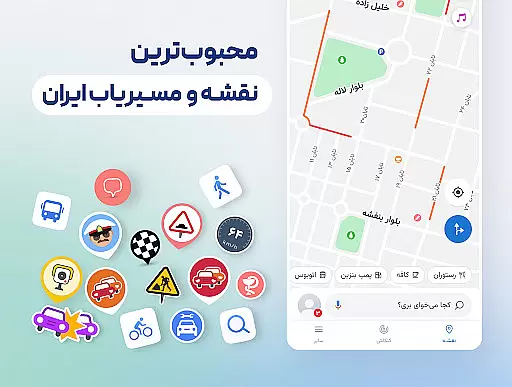
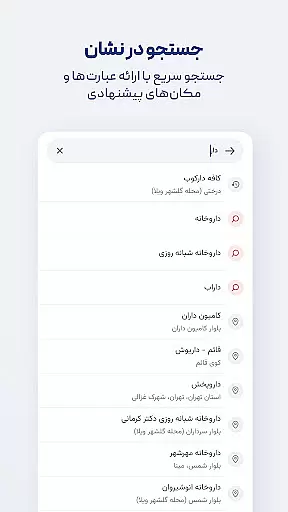

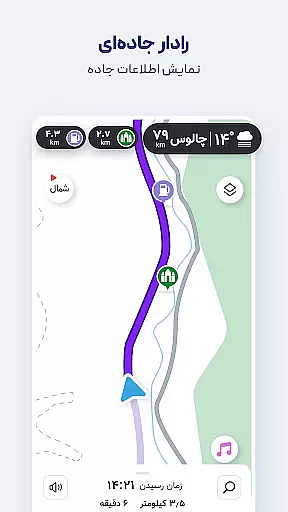
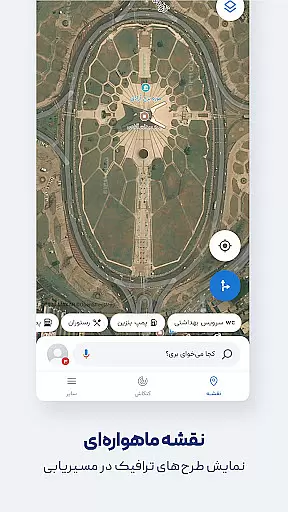
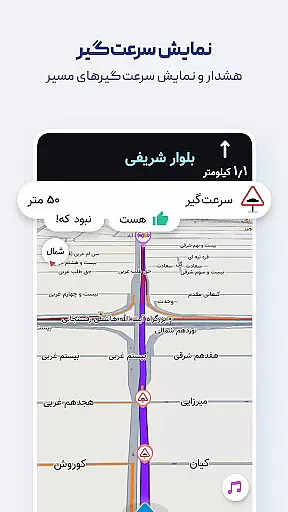
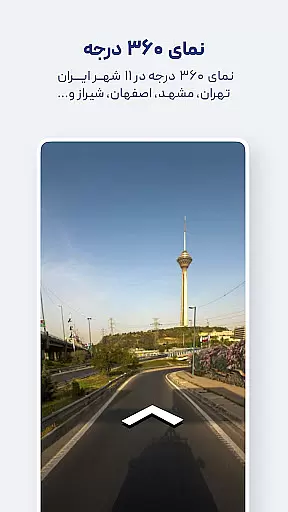
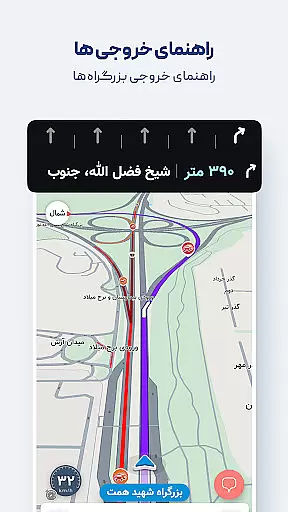
Neshan is a comprehensive navigation app that provides users with real-time traffic data and GPS functionality to suggest the fastest routes while avoiding congestion. The app stands out by offering unique features tailored to Iranian users, such as displaying air pollution levels in cities, warnings about speed bumps, and routing that considers traffic restrictions and low-emission zones. It also supports combined bus-and-metro navigation and motorcycle routing, making it versatile for various transportation needs.
With detailed offline maps, global navigation capabilities, and Persian voice guidance, Neshan ensures users can navigate confidently without needing to look at the map constantly. Additional features like search without typing (using Persian speech recognition) and alerts for police checkpoints or speed cameras enhance safety and convenience. These functionalities make Neshan an essential tool for drivers, including those working with ride-hailing services like Snapp and Tapsi.
Neshan offers a rich set of features designed to enhance the navigation experience. One standout feature is its ability to display air pollution levels in cities equipped with monitoring stations, providing valuable health-related information. The app's detailed offline maps ensure users have access to live traffic information even without an internet connection. Additionally, Neshan supports combined bus-and-metro routing, helping users find the most cost-effective way to reach their destination.
The app includes global maps powered by OpenStreetMap data, allowing navigation to any location worldwide. Persian voice guidance enhances user experience by speaking street names, which is particularly useful in areas where looking at the map might be unsafe. Neshan also helps users avoid restricted zones by accounting for traffic restriction areas and low-emission zones during route planning. Alerts for police presence, speed cameras, and speed bumps further contribute to safer driving conditions.
Map accuracy is essential for any navigation app, and Neshan excels in this area by providing detailed maps of all cities and countries worldwide. Powered by OpenStreetMap data, the app ensures that users have access to comprehensive and up-to-date geographical information.
Neshan stands out with its offline map functionality, allowing users to access live traffic information without an internet connection. This feature is particularly beneficial in areas with limited connectivity, ensuring that users can navigate confidently and efficiently.
The app also offers accurate location detection using GPS, which is crucial for providing reliable directions. Whether you're driving in the bustling streets of Tehran or exploring remote areas, Neshan's precise mapping technology helps you reach your destination safely and on time.
Effective route planning is a core component of Neshan's navigation system. The app suggests the fastest and least congested routes by utilizing real-time traffic data, similar to leading international navigation apps.
One of Neshan's unique features is its ability to account for traffic restriction zones and low-emission zones, helping drivers avoid unintentional violations. Additionally, it provides alerts for speed cameras, police checkpoints, and speed bumps, enhancing driver awareness and safety.
For those who rely on public transportation, Neshan offers combined bus-and-metro routing, making it easier to plan efficient journeys across different modes of transport. These capabilities ensure that users experience seamless and stress-free travel, regardless of their preferred mode of transportation.
User-friendly interface
Real-time traffic updates
Detailed offline maps
Persian voice guidance
Health-related air quality info
Limited international focus
Occasional GPS inaccuracies
Heavy on battery usage
Requires constant updates
Some features region-specific

Explore the world with Live Satellite View, 3D Maps, GPS Navigation & Earth Map.
 2.90
2.90
Offline maps & GPS for hiking, travel, fieldwork & outdoor adventures
4.70
OpenCPN is a full featured ChartPlotter and Navigator for Android.
3.60
Voice GPS with driving directions, offline maps navigation GPS for safe travel
4.50
Navigate confidently with our precise Digital Compass app & Direction Compass!
4.70
NJ TRANSIT information and ticketing at your fingertips
3.70
Find radar, speed camera, flight tracker. Use hud, location tracker, speedometer
4.20
Park in Chicago, NYC, Boston, SF, Houston & more!
4.70
Avoid delays. Get real-time GPS navigation, safety alerts and live traffic.
4.10
This app is military GPS coordinate systems helper. (MGRS, UTM & DMS Maps)
4.80
Parcel map, property lines, owner, acres, land use, zoning and more from Regrid.
4.60
Track accurate speed & distance with GPS Speedometer. Check speed limit & time.
4.50
Route tracker, Speedometer, Odometer, Fuel, HUD mode, save route as .GPX
4.40
Maps, Driving Directions & GPS navigation using directions app & GPS App
4.30
Simple & easy to use a compass app. Get accurate directions.
4.20
Get route, find shortest path, near by places and weather update
3.90
MapQuest is your go-to app for maps, GPS, voice navigation & live traffic.
3.80
Navigate via GPS Maps of GPS Voice Navigation, driving directions to find routes
3.60
Explore Earth with live GPS, satellite view & street navigation
3.60


User Reviews