
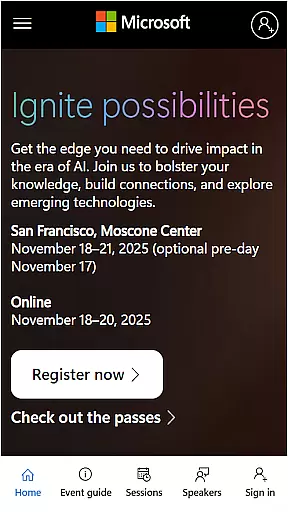
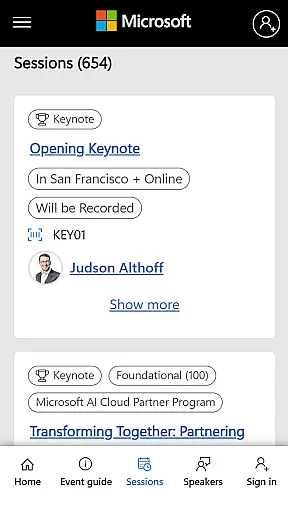
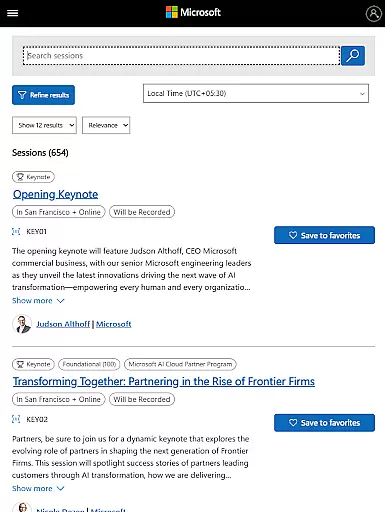
Microsoft Ignite is a premier annual event hosted by Microsoft, designed to showcase the latest advancements in technology. The app serves as an essential companion for tech enthusiasts, developers, and industry leaders attending the event. It provides comprehensive access to event schedules, session details, speaker information, and networking opportunities.
With features tailored for maximizing engagement, attendees can create personalized agendas, participate in interactive sessions, and connect with like-minded professionals. Whether you're looking to enhance your skills in AI, cloud computing, or productivity tools, the Microsoft Ignite app ensures you make the most of this key industry event.
The Microsoft Ignite app offers a robust set of features to enhance the event experience. Users can browse through a detailed agenda, including session timings, descriptions, and venue information. The app also supports advanced filtering, allowing attendees to find sessions based on their interests and professional needs.
Networking is made easy with integrated social features that enable participants to connect with speakers and fellow attendees. Additionally, the app provides real-time updates and notifications about schedule changes, special announcements, and social engagement opportunities. These capabilities ensure that users stay informed and engaged throughout the event.
Task creation and detail customization are essential features for any event management app, allowing users to tailor their schedules according to personal or professional interests. Microsoft Ignite offers a comprehensive suite of tools that enable attendees to create detailed tasks based on sessions, keynotes, and networking opportunities.
The app provides an intuitive interface where users can easily add new tasks with specific details such as time, location, and priority level. This ensures that participants can efficiently organize their agendas and make the most out of the event without missing important sessions or meetings.
Moreover, the customization options extend beyond basic task creation. Users can set reminders, attach notes, and even link related sessions, making it easier to manage complex schedules. These features not only enhance user experience but also contribute significantly to productivity during the event.
By leveraging these robust task management capabilities, attendees can focus more on learning and networking rather than worrying about logistics. The ability to customize every aspect of one's itinerary is invaluable in maximizing the benefits of attending a premier technology conference like Microsoft Ignite.
Reminder settings play a crucial role in ensuring that attendees do not miss out on important sessions, meetings, or networking opportunities at large-scale events like Microsoft Ignite. The app offers flexible reminder options that cater to various preferences and needs, enhancing overall event participation.
Users can configure reminders for each session or activity they plan to attend, choosing from multiple notification timings such as 10 minutes before, one hour prior, or even a day ahead. This flexibility allows individuals to prepare adequately and arrive punctually for their scheduled activities.
In addition to timing options, the app supports different types of notifications including push alerts, emails, and calendar integrations. Such diversity in reminder settings ensures that all participants receive timely updates through their preferred communication channels, thus improving engagement rates.
Ultimately, well-designed reminder settings help transform a potentially overwhelming event schedule into a manageable and enjoyable experience. By keeping attendees informed and prepared, Microsoft Ignite fosters an environment conducive to learning, collaboration, and innovation within the tech community.
User-friendly interface
Comprehensive event coverage
Real-time updates
Advanced session filtering
Integrated networking tools
Limited to event dates
Requires stable internet
Some features are event-specific
No offline functionality
Restricted user customization

Create Birthday Cards in Birthday Invitation Maker and Birthday Card Creator App
 3.00
3.00
PheedLoop Go! is the mobile event app for events powered by PheedLoop.
4.40
Audio guide companion APP for SEE's Michelangelo's Sistine Chapel
3.50
Rocket Monkey - Space rocket launch schedule for launch sites around the world
4.20
The KRUU app - plan, celebrate, remember
4.80
RAISE-365 makes fundraising easy and fun!
3.20
Birthday Greetings provides Birthday Card, Frames, Gifs & Father's day Wishes
4.80
Design Invitations & Cards for Any Occasion
4.80
Save money on concert, sport, and theater tickets, and discover upcoming events.
4.80
Create invitation cards for birthdays, weddings, Christmas and more.
4.80
Plan your wedding for free on the go: vendors, budget, website and checklists!
4.80
Discover events, experiences, and things to do near you - Anytime, Anywhere!
4.70
Buy and Sell Tickets for Concerts, Sports, and Theater.
4.70
Discover events & experiences in NYC, LA, Chicago, DC, Miami and more!
4.70
Fast Scans. Happy Fans. For Every Hometown!
4.60
Events, Meetings, Photo Shoots
4.50
No invest, Easy way to earn USDT through crypto cloud mining
3.80
ETH Mining provides secure way to mine Ethereum & earn ETH in Cloud mining app
3.50
TV.Garden is a video player to play your own TV streams from around the world!
3.40


User Reviews