
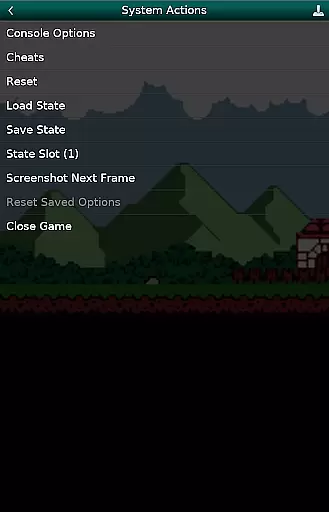
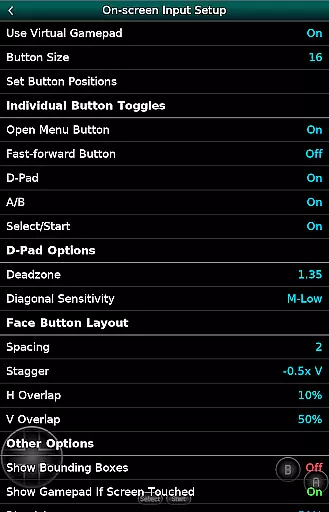
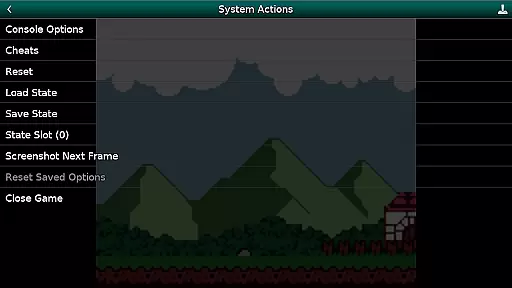
GBC.emu is an advanced open-source Gameboy emulator that offers a minimalist UI with a focus on low audio and video latency. It supports a wide range of devices, from the original Xperia Play to modern devices like the Nvidia Shield and Pixel phones. The app allows users to enjoy classic GB & GBC games with features such as multiple color palettes for original GB games, cheat codes in Game Genie & Gameshark formats, and support for .gb and .gbc file formats.
With configurable on-screen controls and Bluetooth/USB gamepad & keyboard support, GBC.emu provides a versatile gaming experience. It is compatible with any HID device recognized by the OS, including Xbox and PS controllers. Users must supply their own ROMs, which can be accessed via Android's storage access framework, supporting both internal and external storage options.
GBC.emu stands out with its advanced feature set tailored for Gameboy enthusiasts. One of its key features is the support for multiple color palettes, allowing users to customize the visual experience of original GB games. Additionally, the inclusion of cheat codes in popular formats like Game Genie & Gameshark enhances gameplay flexibility.
The app supports .gb and .gbc file formats, even when compressed with ZIP, RAR, or 7Z, providing convenience for users with large game libraries. Configurable on-screen controls offer a personalized interface, while Bluetooth/USB gamepad & keyboard support ensures compatibility with a variety of HID devices. This makes GBC.emu a top choice for those seeking a seamless and customizable emulation experience on Android devices.
Arcade authenticity and nostalgia are essential elements for any gaming emulator, and GBC.emu delivers this by providing a genuine Gameboy experience. The app is based on the Gambatte emulation core, which is renowned for its accuracy in replicating the original hardware's behavior.
GBC.emu supports both GB and GBC file formats, ensuring that users can relive their favorite classic games with fidelity. With multiple color palettes available for original GB games, players can enjoy an authentic visual presentation that harks back to the handheld console era.
By including features such as cheat codes in Game Genie and Gameshark formats, GBC.emu not only preserves the nostalgic value but also enhances gameplay through options that were popular during the height of arcade gaming culture.
Control responsiveness is crucial for an optimal gaming experience, especially when emulating classic arcade games. GBC.emu offers configurable on-screen controls that allow users to customize their layout for intuitive navigation and interaction with their favorite titles.
In addition to touch controls, GBC.emu supports Bluetooth and USB gamepads, including popular HID devices like Xbox and PS controllers. This compatibility ensures that players can enjoy precise input recognition akin to traditional arcade setups or home console play.
The focus on low audio/video latency further enhances control responsiveness, providing gamers with immediate feedback from their inputs. Such performance optimization results in a seamless gaming session where actions translate directly into gameplay without noticeable delay.
Low audio/video latency
Wide device compatibility
Multiple color palettes
Cheat code support
Configurable controls
No included ROMs
Limited to GB/GBC
Requires technical knowledge
Occasional crashes
Device-specific issues

Use superpower in your magic hands. Defeat the enemies in a fun elemental game.
 4.50
4.50
A Ball Bouncer With Depth
4.00
Infinite Arcade
4.4
Meet Snake Run Race! Slither through an obstacle course in our fun running game!
4.70
Venture into the galaxy to fight against the invasion of space invaders.
4.60
Premium version. Save the galaxy from alien shooter in this classic game
4.50
Play all your favorite Playstation games in your android device!!
4.50
Jump and fly your way through danger in this rythm-based action platformer!
4.70
Save the galaxy from alien shooter in classic galaxy shooter-classic arcade game
4.80
Create your restaurant story & make food on a crazy kitchen in this cooking game
4.70
Nostalgia.GBC is a high quality GBC emulator.
4.50
Play, Craft and Share your Endless Runner Levels on Kooply Run: Subway Craft
4.50
Suck the other’s blood and be the longest surviving mosquito!
4.40
It's quite possibly the world's hardest game!
3.90
John GBC is GB/GBC emulator. This emulator is easy to use.
3.80
John GBA is GBA emulator. This emulator is easy to use.
3.10
Play retro games with ease – NES, SNES, PSX, PSP & more supported
4.4
Machine Gun Fire Rumbles in the Jungle
4.1
Reach high, and shine in the neon world in 3D!
4.0


User Reviews