
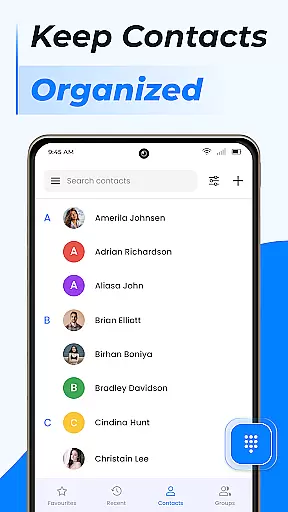
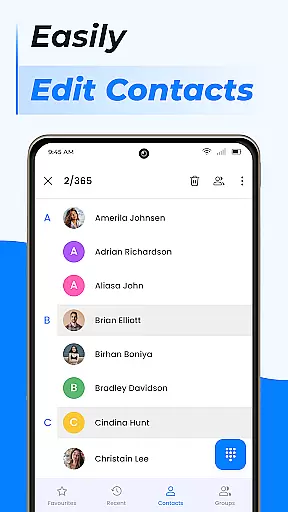
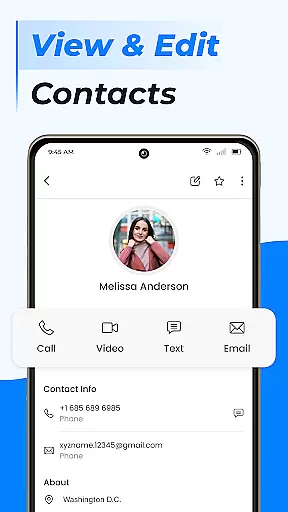
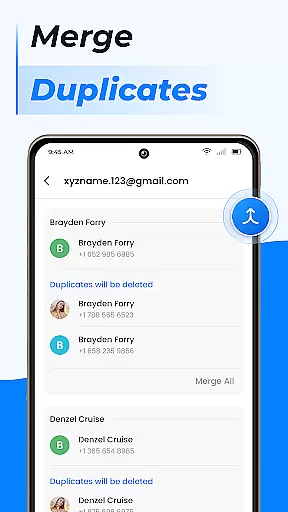
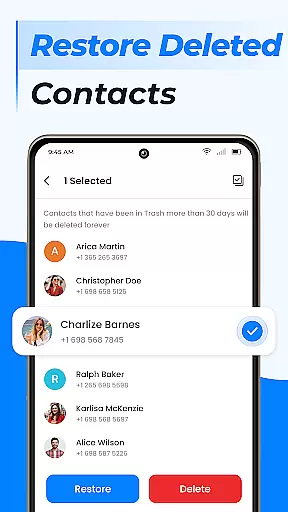
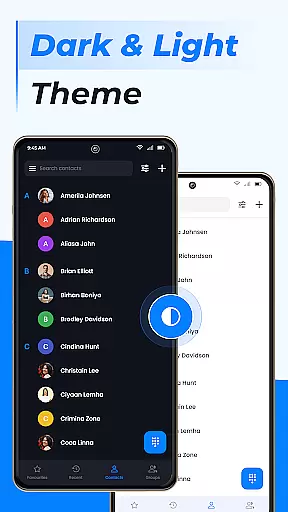
Contacts is a comprehensive communication management tool designed to streamline and enhance the way you handle your contact list on Android devices. The app allows users to efficiently manage their contacts by providing essential features such as adding new contacts, editing existing ones, and handling duplicate entries. Its intuitive interface ensures that users can easily organize their address book, create custom groups for better segmentation, and manage storage options.
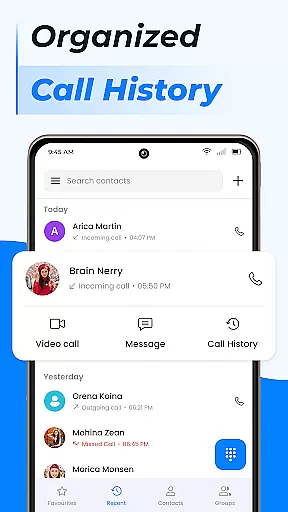
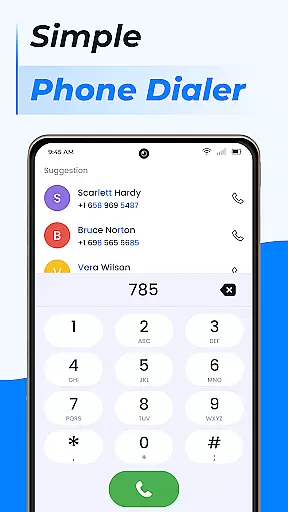
Beyond basic contact management, Contacts offers advanced functionalities including call blocking, caller ID services, and smart contact search capabilities. These features collectively elevate the standard phone calling experience by integrating a fast dialer system with an intelligent call log history. Whether for personal or professional use, Contacts ensures that important information is always accessible and well-organized, making it an indispensable tool for anyone looking to maintain a tidy and efficient communication hub on their mobile device.
Contacts stands out due to its rich feature set tailored to improve user interaction with their contact lists. One of the key highlights is the ability to add, edit, and manage contacts with remarkable ease. Users can swiftly update contact details, merge duplicate entries, and categorize contacts into distinct groups, ensuring a clutter-free address book. This level of control extends to managing how and where contact information is stored, offering flexibility between device memory and SIM card storage.
In addition to contact management, the app incorporates a powerful suite of communication tools. The integrated call blocker and caller ID provide an added layer of security and convenience, allowing users to screen and manage incoming calls effectively. Furthermore, the smart contact search and detailed call log history make it simple to find and connect with frequently contacted individuals. By combining these robust features with an easy-to-navigate interface, Contacts delivers a seamless experience that transforms the conventional phone app into a sophisticated communication platform.
Real-time messaging speed and reliability are crucial for any communication app, ensuring that messages are delivered instantly and without fail. The Contacts app excels in this area by providing a seamless experience where users can reach out to their contacts with just a tap.
This application employs advanced algorithms to ensure message delivery is not only fast but also reliable, maintaining a stable connection even under poor network conditions. This means you can trust the app to deliver your important communications without delays or failures.
For users, this translates into peace of mind knowing that whether they're sending an urgent work email or simply checking in with family, their messages will be delivered promptly. The ability to communicate efficiently enhances productivity and keeps personal relationships strong.
Moreover, the app's robust infrastructure supports high volumes of messages, making it suitable for both individual and business use. With features like call blocking and caller ID, it further enriches the communication experience, offering more than just basic messaging capabilities.
Media sharing support is another vital feature of modern communication apps, allowing users to exchange photos, videos, and other files effortlessly. The Contacts app offers comprehensive media sharing capabilities, enabling users to share various types of content directly from their contact list.
With this app, sharing media isn't limited to just images or videos; it extends to contact information, locations, and more. This versatility ensures that users can send exactly what they need, when they need it, enhancing the overall communication experience.
The app's intuitive interface makes media sharing straightforward, even for less tech-savvy individuals. By integrating these features seamlessly into the contact management system, users can quickly attach files to messages or emails without navigating away from the conversation.
Furthermore, the Contacts app supports multiple file formats, ensuring compatibility across different devices and platforms. Whether you're sharing a quick snapshot with friends or sending detailed reports to colleagues, the app provides a reliable and efficient way to do so, keeping all your communications organized and accessible.
User-friendly interface
Advanced call management
Efficient contact organization
Flexible storage options
Comprehensive feature set
Limited cross-platform support
Occasional sync issues
Ads in free version
Some features require premium
Heavy on battery

Call Forwarding is easy and simple application to use.
 3.80
3.80
Enables Plus features of Quick Search.
4.4
Adblock & VPN Browser: Blocks banners, pop-ups and video ads, fast downloader!
4.60
Enjoy secure messaging & calling. Safe Messenger: group chats, calls, messages.
4.20
Save 10% automatically on your first international mobile top up.
4.60
Messenger for SMS - texting message app, faster, simpler & safer, for you.
4.70
A Browser with powerful ad blocker to help focus on what really matters.
3.00
Fast and mini browser with Ad Blocker,Video Downloader and Video Player
4.40
Fast, Simple And Secure Application That Provides SMBv3 Server On Your Device
3.30
Manage your data, talk & text - affordable phone plans & data usage made simple
4.30
HD Video Meeting app is a fast & unlimited video conferencing app across world.
4.30
RemoteHams.com Android RCForb Client Pre-Release
4.30
Chill zone on your phone: relax with fun reels & hype shorts!
4.20
Messages is Private SMS Messenger 2023 with text message, instant messaging.
4.00
Fun, free app that lets kids video call and message family and close friends.
3.80
Quickly and easily identify and block unknown callers
3.70
Manage and Fund Calling Accounts and Schedule and Join Video Sessions
3.60
Weargram is an unofficial Telegram Client for Wear OS.
3.50
Official NDI app: turn your phone into a professional live-streaming IP camera.
3.20


User Reviews