
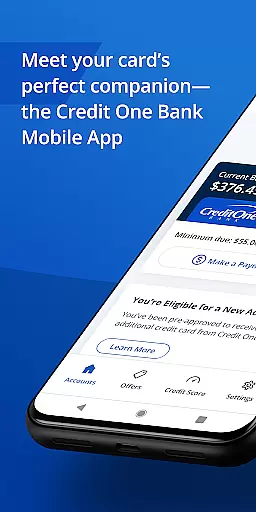
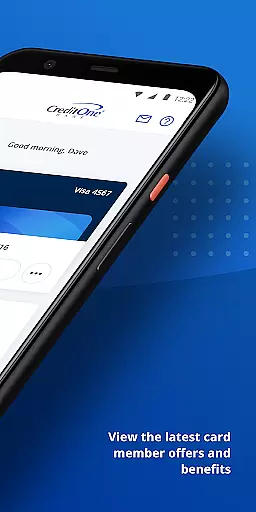
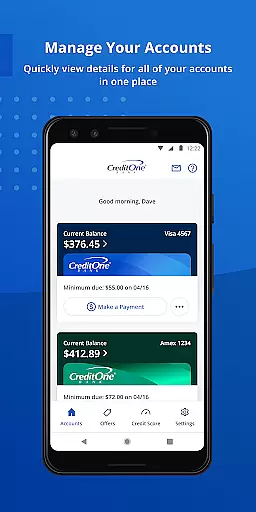
Credit One Bank Mobile is a comprehensive financial management tool designed specifically for Credit One Bank cardholders. This app allows users to manage their accounts, activate new cards, and view statements with ease. With advanced security features like fingerprint login and card locking capabilities, users can ensure their accounts remain protected at all times.
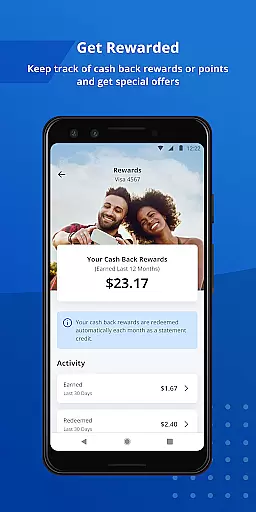
Beyond basic account management, the app offers reward tracking, allowing users to monitor cash back or points earned through their spending. It also provides convenient payment options, including AutoPay and Google Pay integration, making transactions seamless both online and in-store. Additionally, users can track their credit scores and access detailed credit reports, empowering them to make informed financial decisions.
The Credit One Bank Mobile app stands out with its robust security measures. Users can sign in securely using fingerprint authentication and receive customized fraud alerts and transaction notifications. These features not only enhance account protection but also keep users informed about their financial activities in real-time.
Another key feature is the app's rewards management system. Cardholders can instantly see when they're eligible for credit line increases and accept them directly through the app. They can also track their rewards, ensuring they maximize the benefits of their Credit One Bank card. The app's payment flexibility is another highlight, offering quick scheduling, AutoPay functionality, and Google Pay support, which streamline the payment process significantly.
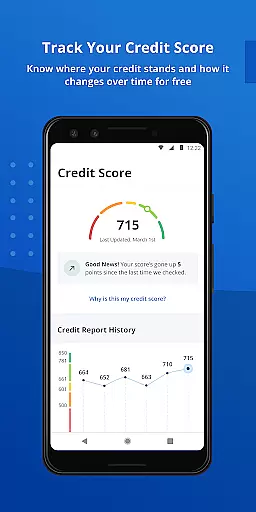
Finally, the app provides valuable credit monitoring tools. Users can check their credit scores monthly for free and review detailed credit reports that explain factors influencing their scores. This feature helps users understand their financial health and take steps to improve it over time.
Account and fund security is a critical aspect of any financial application, ensuring that users' sensitive information is protected. Credit One Bank Mobile offers robust security features designed to safeguard your accounts against unauthorized access. The app allows you to sign in quickly and securely using fingerprint authentication, providing an additional layer of protection.
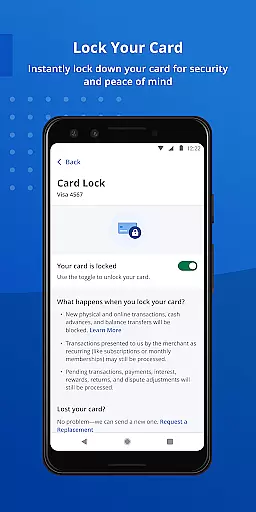
Beyond biometric login options, the app enables users to lock and unlock their cards instantly. This feature is particularly useful if your card is lost or stolen, as it lets you prevent any unauthorized transactions immediately. Additionally, the ability to set customized fraud alerts ensures that you are promptly notified of any suspicious activities related to your account.
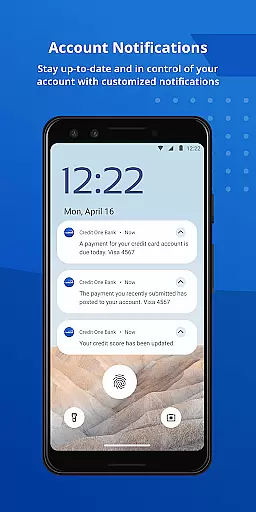
Transaction and balance notifications further enhance the security framework by keeping you informed about all account activities. These proactive measures empower users with real-time updates, allowing them to respond swiftly to any potential threats. By integrating these comprehensive security protocols, Credit One Bank Mobile not only protects your funds but also provides peace of mind knowing that your financial data remains confidential and secure at all times.
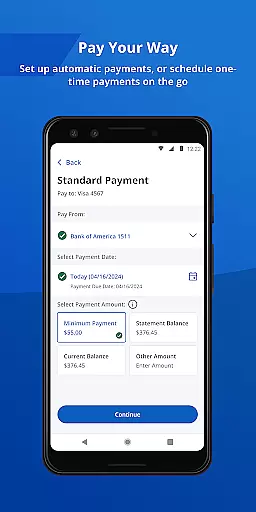
A seamless transaction experience is essential for any banking app, and Credit One Bank Mobile excels in this area by offering intuitive features that simplify financial management. Users can effortlessly schedule payments anytime, ensuring that bills are paid on time without hassle. The AutoPay feature adds convenience by automating monthly payments, reducing the risk of missed deadlines and late fees.
In addition to traditional payment methods, the app supports integration with Google Pay for easy online or in-store purchases. This functionality streamlines the checkout process, making transactions faster and more efficient. Furthermore, users have quick access to view statements and track cash back rewards or points earned through their card usage.
The app's user-friendly interface enhances the overall transaction experience by providing clear navigation paths and straightforward tools for managing finances effectively. Whether checking balances via Quick View without signing in or monitoring credit scores with detailed reports, every feature is crafted to deliver a smooth and responsive interaction. With these capabilities, Credit One Bank Mobile ensures that users enjoy a reliable, efficient, and satisfying transaction experience tailored to meet modern banking needs.
User-friendly interface
Advanced security features
Comprehensive account management
Reward tracking system
Free credit score monitoring
Limited to Credit One customers
Occasional bugs reported
No investment tracking
Some features require enrollment
Dependent on internet connectivity

 4.50
4.50
Secure, simple money transfer app. Send money to Mexico and worldwide fast.
4.80
BA Financial Calculator PRO – Perfect for CFA/FRM/CPA and finance professionals
4.90
Manage your Discover account conveniently from anywhere.
4.80
Managing your money just got easier. Get the new Mobile app.
4.70
Currency Converter (200+ currencies) with live exchange rates and offline mode.
4.70
Military retirement pay estimation calculator
4.70
Cash Advance, Credit Cards, Credit Lines, Score Monitoring, Saving, Budgeting
4.70
Pay, bank & build credit.
4.70
Check EBT, SNAP, WIC balances, manage food stamps, and save money with benefits
4.80
No credit checked needed.
4.80
All expenses at a glance.
4.80
Money transfer made easy. Send money to friends and family with great rates.
4.70
“Money Manager” is an optimized application for personal asset management.
4.70
Payday cash advance & Instant cash advance: Borrow money instantly, Get cash now
4.60
Get, Earn, and Save Money
4.30
BTC, Crypto, Stocks & Options.
4.20
View BSC Transactions for multiple accounts
3.90
Bitcoin gpu app helps you remote mine using your cell phone easily .
3.60


User Reviews