
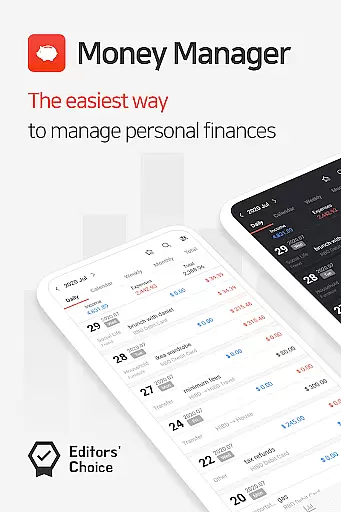
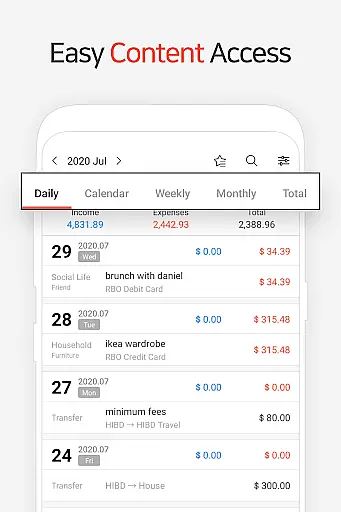
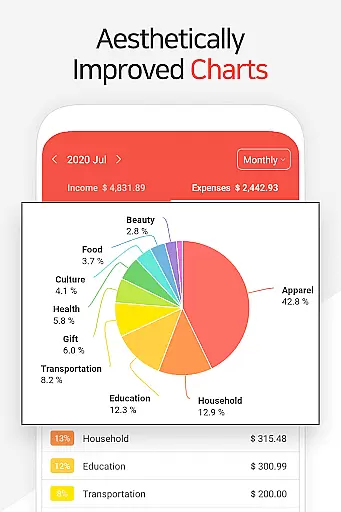
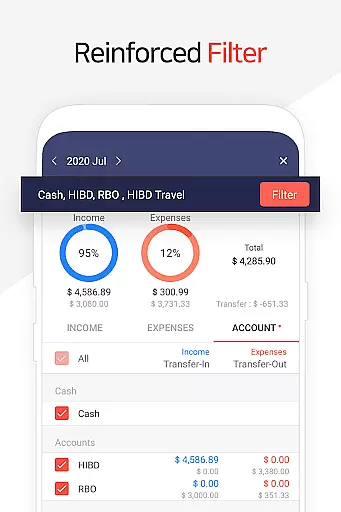
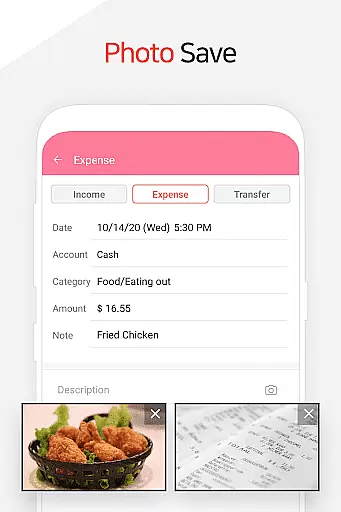
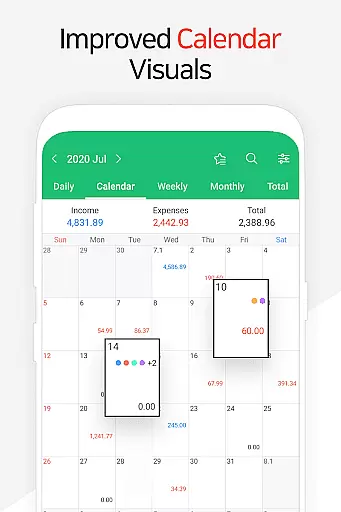
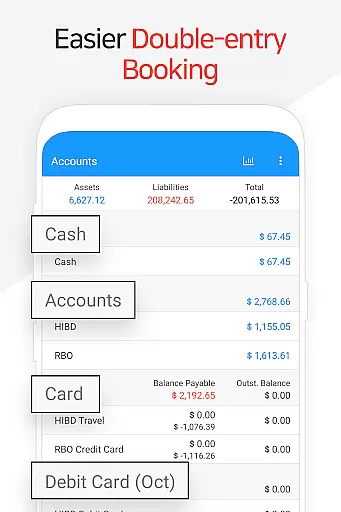
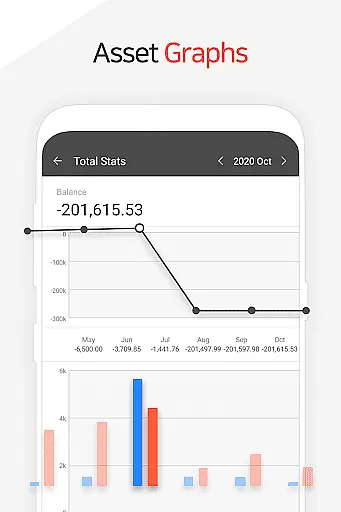
Money Manager is a comprehensive personal finance application designed to help users efficiently manage their assets and track financial activities. The app incorporates double-entry bookkeeping, ensuring accurate recording of income and expenses while automatically updating account balances. With its budget management feature, users can easily monitor spending against predefined budgets through intuitive graphs.
The application also offers advanced tools for managing credit and debit cards, including automatic payment tracking and scheduling. Users can benefit from the instant statistics feature that provides real-time insights into monthly expenses and asset changes. Additional functionalities like passcode protection, bookmarking frequent transactions, and backup options make Money Manager a secure and user-friendly solution for personal finance management.
Money Manager stands out with its PC synchronization capability, allowing users to manage data via Wi-Fi on larger screens. The app's double-entry system ensures precise accounting by automatically adjusting account balances upon entry of transactions. Its budget tracking feature provides visual representations of spending patterns, helping users maintain financial discipline.
One of the key innovations is the card management system that tracks payment schedules and outstanding balances. The app supports complex financial operations including transfers between accounts, recurring payments, and direct debits. With instant analytics, users can access detailed reports and visual charts showing category-based expenses and monthly trends, all while maintaining security through passcode protection and Google Drive backups.
Account and fund security is a critical aspect of any financial management application. Money Manager ensures this through multiple layers of protection.
The app provides a passcode feature, allowing users to set up an additional layer of authentication. This ensures that only authorized individuals can access sensitive financial data.
Furthermore, the application supports secure data backup and restoration options. Users can create backups in Excel format and even utilize Google Drive for cloud storage, ensuring their financial information is safely stored and easily recoverable.
These security measures give users peace of mind, knowing their personal and financial data is protected against unauthorized access while maintaining easy accessibility for legitimate use.
A seamless transaction experience is essential for effective personal asset management, and Money Manager excels in this area.
The app employs double-entry bookkeeping, which not only records transactions but also updates accounts in real-time as income or expenses are entered. This approach provides an accurate reflection of financial status at any given moment.
Additionally, features such as instant statistics and graphical representations of account fluctuations enhance the user's ability to monitor and understand their financial activities effortlessly.
With these capabilities, Money Manager offers a comprehensive and intuitive transaction experience, empowering users to manage their finances with confidence and ease.
User-friendly interface
Comprehensive budget tracking
Secure passcode protection
Instant transaction analytics
Google Drive backup support
Limited investment tracking
No multi-currency support
Occasional sync issues
Basic reporting options
Premium features locked

Play for fun, earn for real. Collect rent by owning virtual land & get cashback
 4.60
4.60
Download the MySynchrony App to manage your accounts securely and conveniently!
4.60
Earn cash & save money daily. Access instant cash advances* - no credit check!
4.50
Easily invest, save, and plan—all in one app.
4.60
Get 250$ Cash Advance to solve emergencies instantly in loan app called LendMe
4.70
No credit check, no interest, no worries.
4.70
Manage budget, save money, or file tax. Build, track & improve your credit score
4.40
Make your paycheck work harder for you with Perpay.
4.10
Insurance that's quick and easy to buy and use—anytime, anywhere.
4.60
PayMe helps you claim money from settlements on companies that harmed you.
4.80
The Citi Mobile® App lets you manage your accounts virtually anytime, anywhere
4.80
Check EBT, SNAP, WIC balances, manage food stamps, and save money with benefits
4.80
Send money and bitcoin easily. Invest, bank and do more with your money
4.70
Earn cash back. Build credit.
4.60
Access State Farm accounts, policies, ID cards and more
4.60
The simplest way to budget, bank, save and invest.
4.50
Car Insurance Made For You.
4.50
Change the way you money with Credit Genie
4.30
Secure Amex Account Access: View Balance, Make Payments, Redeem Rewards & more
3.60


User Reviews