
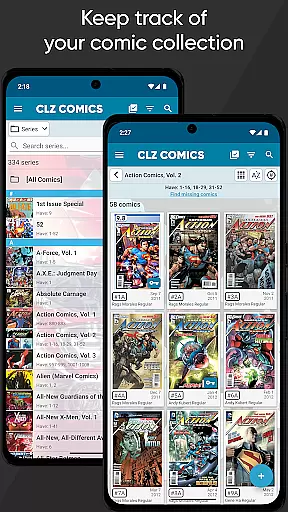
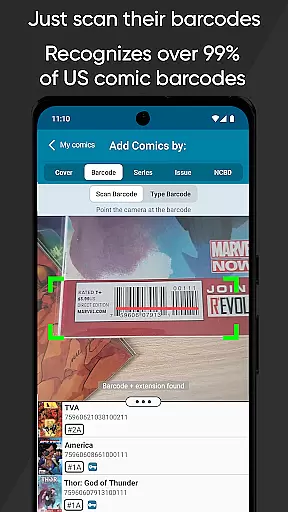
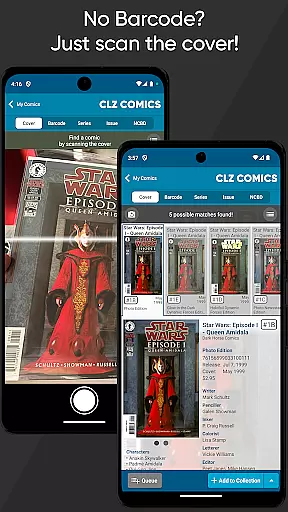
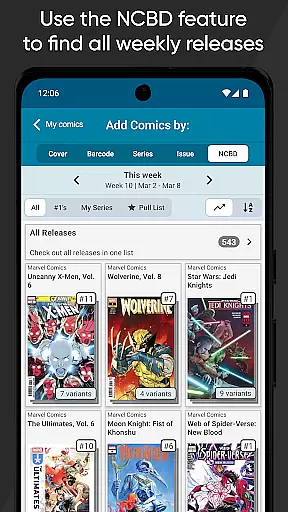
For comic enthusiasts, the size and variety of a comic library are crucial factors when choosing an app. CLZ Comics offers an extensive database that caters to a wide array of comic genres and series. By simply taking pictures of comic covers, users can effortlessly add a vast collection of comics to their personal library within the app.
The app's recognition technology is not limited to modern comics; it also includes classic and rare editions, ensuring that all collectors can find value in its offerings. This diversity allows users to explore different comic universes and discover new favorites without limitations.
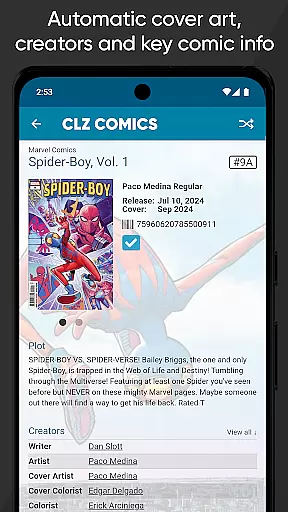
Moreover, CLZ Comics provides detailed issue information, including cover art, creator lists, and character appearances. This level of detail enriches the user's experience by offering insights into each comicu2019s background and significance, making it more than just a cataloging tool but a comprehensive resource for comic aficionados.
Authenticity and proper licensing are paramount in the world of digital comic collections. CLZ Comics ensures that all content available through its platform is properly licensed and authenticated. This commitment to legitimacy reassures users that they are accessing official and accurate comic book data.
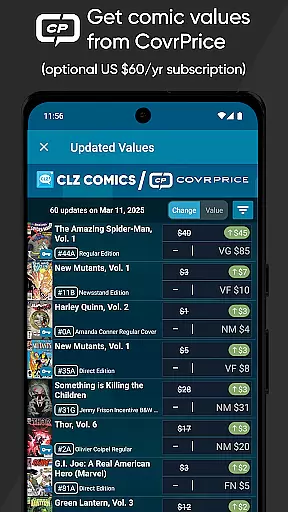
By integrating with reputable sources like CovrPrice, CLZ Comics further solidifies its stance on content authenticity. Users have the option to obtain up-to-date values for both raw and slabbed comics, enhancing the credibility of their collection's worth. This feature is particularly beneficial for collectors who require precise valuation for insurance or resale purposes.
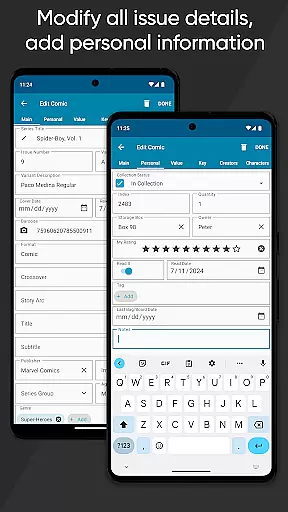
In addition to authentic content, CLZ Comics offers users the ability to edit and personalize details provided by the CLZ Core database. This flexibility ensures that collectors can maintain the integrity of their collection while adding personal touches such as notes, purchase history, and custom cover art. Such features underscore the app's dedication to providing a trustworthy and customizable comic cataloging experience.

Dive into creative online comics, short video, graphic novels and web novels!
 4.60
4.60
You can create comics, manga and manwha using AI with Arcstory comic book maker
2.70
Arabic manga reader
4.00
File management and show images, comics and pictures in compressed cbr, pdf file
4.70
Pose Tool 3D for the Artists, create any human figure pose quickly for your art.
4.00
Comic Book Identifier Value - Scan comics & prices. Your comic book price guide!
4.50
Read comics, manhwa, manga & novels Official webtoons with daily updates
4.30
SQUARE ENIX's official Manga app!
4.40
Official from Japan
4.80
A gathering place for a massive collection of genuine comics.
4.50
Read Manga, Comics & Manhwa of Romance, Action, Fantasy, Drama, BL and more!
4.40
Instantly create comic-style art with AI.
3.90
AsuraScans read manga, manhua, manhwa, and webtoon
3.90
Anime TV App: Watch all anime online,anime tv subtitles online with big anime tv
3.80
Comic Scanner - Book Value - Identify and sell your comic collection with AI.
3.80
Create your personalized cartoon comic strips & comic books.
3.20
Comic reader app: open ZIP, RAR, CBZ, CBR, and PDF files
3.00
A free paradise specially built for comic lovers. When you step into this comic universe full of surprises, it is like opening a door to endless joy. You are immediately immersed in the wonderful world brought by reading and enjoy the infinite charm of reading.
4.2
Welcome to SnapSaga - your ultimate manga and novel destination!
4.0


User Reviews