
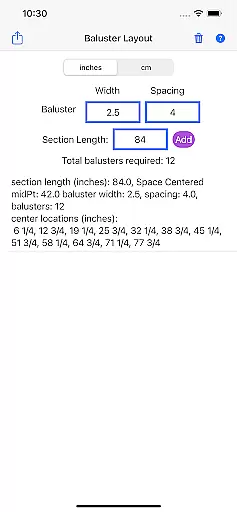
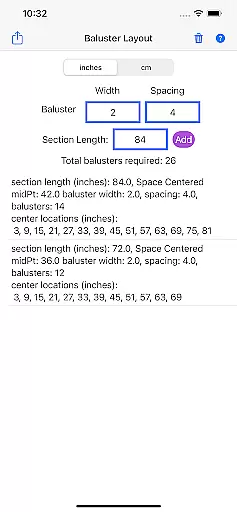
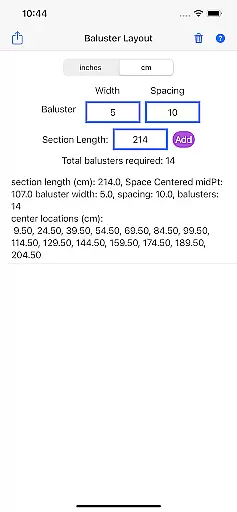
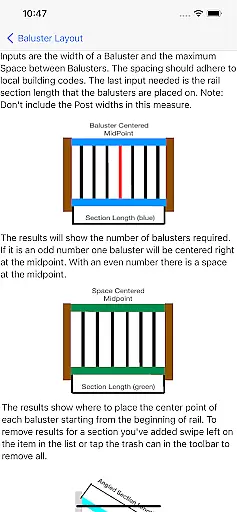
Baluster Layout is a specialized application designed for deck and stair builders, providing an efficient solution for calculating baluster spacing. The app's core functionality lies in its ability to precisely determine the number of balusters required and their exact placement to comply with building codes. Users simply input the railing length, baluster width, and desired spacing, and the app performs the necessary calculations.
One notable feature is its support for projects with multiple railing sections, each having unique dimensions. Additionally, users can choose between inches or centimeters, offering flexibility to match project specifications. This makes Baluster Layout not only a time-saving tool but also one that ensures safety and code compliance, making it invaluable for both professionals and DIY enthusiasts.
Baluster Layout stands out with several key features that cater specifically to the needs of deck and stair builders. First and foremost, the app offers precision spacing, ensuring that all baluster placements meet the stringent requirements of building codes. This precision eliminates the risk of human error in manual calculations, thereby enhancing the overall safety and stability of the structures.
Another significant feature is the app's ability to handle complex projects involving multiple rail sections. Each section can have its own unique dimensions, and the app provides detailed results on the number of balusters needed and their exact placement. Furthermore, unit flexibility allows users to switch between inches and centimeters, accommodating various project specifications. These capabilities make Baluster Layout an indispensable tool for anyone involved in baluster installation projects.
In the realm of home improvement and construction, having reliable measurements and calculations is crucial for ensuring that all components fit perfectly and meet safety standards. Baluster Layout offers a dependable solution for calculating baluster spacing with precision.
By inputting specific parameters such as railing length, baluster width, and desired spacing, users can trust that the app will generate accurate results tailored to their project's needs. This ensures that each baluster is placed correctly, adhering to building codes and regulations.
The accuracy provided by Baluster Layout not only saves time but also prevents costly mistakes. Builders and DIY enthusiasts can confidently proceed with their projects, knowing that the app has taken care of the complex calculations.
Ultimately, this tool provides peace of mind by guaranteeing that every baluster installation project is both visually appealing and structurally sound, meeting all necessary compliance requirements.
Beyond just calculating baluster spacing, Baluster Layout incorporates features that enhance overall project management for deck and stair builders. The ability to handle multiple rail sections, each with unique dimensions, makes it an invaluable tool for complex projects.
Users can choose between inches or centimeters, accommodating different measurement systems and ensuring flexibility across various project specifications. This adaptability streamlines the planning process and allows for seamless integration into any workflow.
Detailed results provided by the app offer a comprehensive breakdown of the number of balusters needed for each section and their exact placement. This level of detail aids in better resource allocation and budgeting, preventing over-purchasing or shortages of materials.
By integrating these advanced home management features, Baluster Layout not only simplifies calculations but also enhances the efficiency and effectiveness of entire construction projects, making it an essential companion for professionals and hobbyists alike.
Time-saving
Code compliant
Unit flexibility
Detailed results
User-friendly
Limited to balusters
No 3D visualization
Basic interface
Few customization options
Requires manual input

Draw house plans, floor plans 3d & house design with house plan drawing 3d app
 3.60
3.60
An awesome mobile app for Home Security Surveillance - uses ZoneMinder
3.20
Draw your floor plan smartly. Make house design blueprint with home planner app
3.60
Universal TV Remote for TV, control all Smart TVs with your mobile phone.
4.4
Rent on-the-go with TurboTenant’s app made just for renters
4.50
Resident Center, powered by Buildium, is designed with simplicity in mind.
4.50
Find your next home, house, apartment, condo, casa, flat, rental, studio, or bed
4.70
Search for Homes, Rentals, Agents & Schools
4.70
3D House Design and AI Room Planner - from floor plans to full interior design.
4.40
View houses and apartments for rent, updated daily.
4.80
Home Ideas | Renovation Advice | Local Pros. Go From Dream to Home with Houzz.
4.70
A Smarter Home in Seconds
4.70
Plan your remodel AI home renovation easily using planner 5D and home decor AI.
4.40
The official app for Home Assistant. Control your home anywhere in the world.
4.30
Find the perfect paint color with advanced tools to explore and visualize color.
3.80
This Fire TV Remote control's your Fire TV Device and Insignia Fire TV Remote
3.70
IP camera view and playback, for your WiFi cam or home security cctv system.
3.70
Find paints using a Color Muse & ColorSnap® Match
3.60
An easier way to make payments and maintenance requests from anywhere.
3.50


User Reviews