
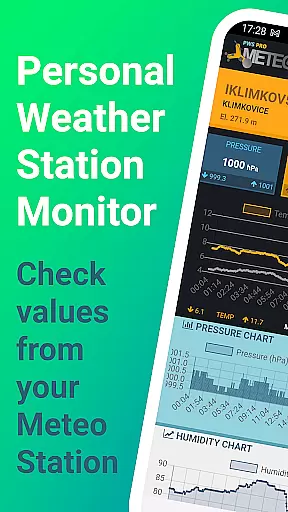
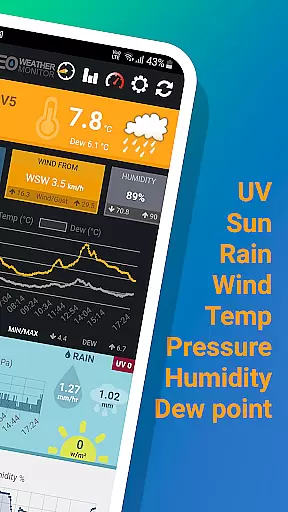
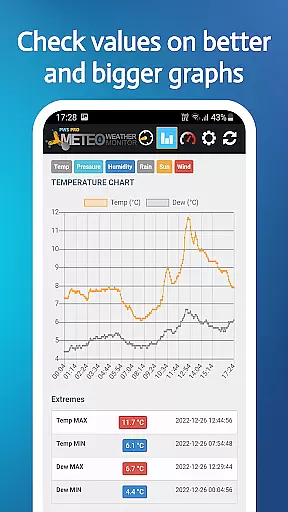
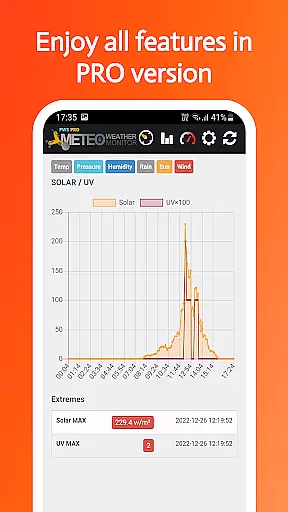
PWS Meteo Monitor PRO is a specialized weather monitoring application designed for personal weather station (PWS) owners. This app provides real-time and daily data from your PWS, offering charts to track various meteorological parameters. With support for multiple units of measurement and compatibility with numerous PWS brands, it delivers comprehensive weather insights without any advertisements.
Key functionalities include live updates on temperature, dew point, pressure, wind speed, humidity, and more. The app also features detailed daily charts for tracking changes in weather patterns over time. Whether you're a weather enthusiast or need precise local weather data, this app serves as an essential tool for monitoring and analyzing environmental conditions.
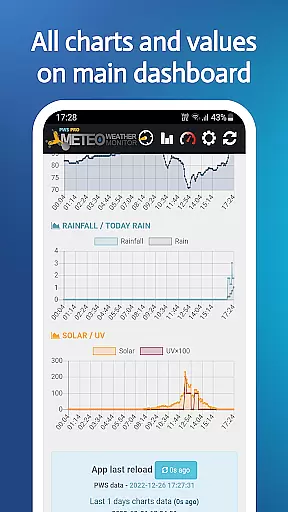
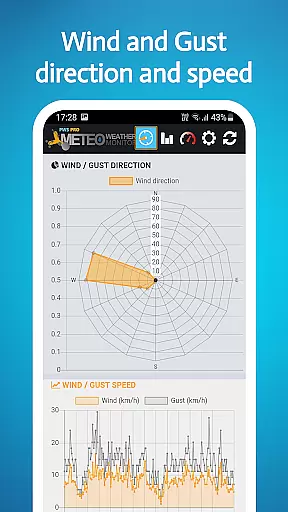
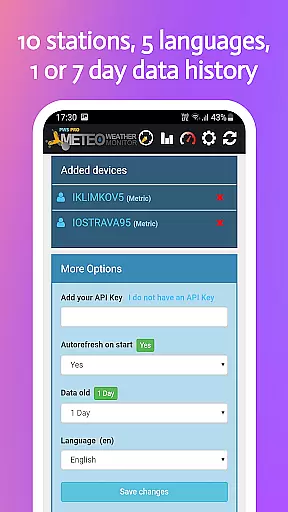
The app boasts an array of features tailored for weather enthusiasts. It supports up to 10 different weather stations, providing live data on essential parameters such as temperature, dew point, pressure, wind speed, and solar radiation. Users can access daily charts that display trends in temperature, pressure, wind, rainfall, and humidity.
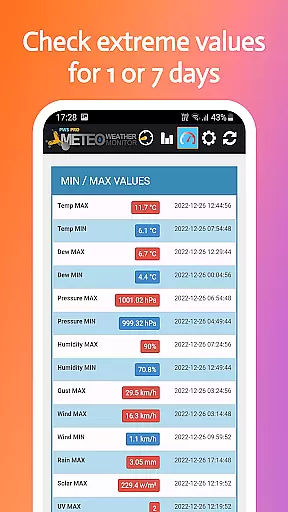
Additional functionalities include MIN/MAX values for key metrics, autorefresh options, and multi-language support. The app is compatible with a wide range of PWS manufacturers, ensuring broad usability. With its no-ads policy and customizable settings, PWS Meteo Monitor PRO offers a seamless and focused user experience for those interested in detailed weather analysis.
For weather monitoring applications, the accuracy of forecasts and credibility of data are crucial. PWS Meteo Monitor PRO ensures that users receive precise information from their Personal Weather Stations (PWS). This app provides real-time data on temperature, dew point, pressure, wind speed, humidity, and more, ensuring that you have reliable and accurate weather information at your fingertips.
The application supports a wide range of PWS hardware brands, including Airmar, Davis, and Ambient Weather, among others. By integrating with these devices, it guarantees that the meteorological data presented is sourced directly from professional-grade equipment. This compatibility enhances the reliability of the information displayed within the app.
Users benefit from not just current conditions but also detailed daily charts for various parameters like temperature, pressure, and rainfall. These visual aids allow for easy tracking of weather patterns over time, empowering users to make informed decisions based on credible historical and current data.
PWS Meteo Monitor PRO offers an extensive temporal and spatial forecast range, which is essential for comprehensive weather analysis. The app provides detailed charts for up to seven days, allowing users to track changes in weather conditions over time. Whether you need hourly updates or daily summaries, this application covers a broad spectrum of forecasting needs.
In addition to temporal coverage, the app excels in spatial data representation. It includes GPS functionality if available, showing the exact location of your PWS. Furthermore, elevation data in feet can be viewed when provided by the station, adding another layer of geographical context to your weather monitoring.
This combination of time-based and location-based forecasting makes PWS Meteo Monitor PRO a versatile tool for both casual observers and professionals who require detailed insights into localized weather phenomena. With its robust feature set, users can effectively monitor and predict weather trends specific to their area.
User-friendly interface
Comprehensive weather data
No ads version
Multi-language support
Wide device compatibility
Premium version only
Limited to PWS users
No advanced analytics
Requires API key
Occasional refresh delays

NOAA radar, weather forecasts, hurricane tracking & customizable alerts.
 4.50
4.50
Super-res, real-time weather radar. Be prepared for extreme weather.
4.50
Your local weather app with storm radar, rain tracker, weather maps & AQI.
4.0
Your ultimate app for accurate local weather information!
4.60
Accurate Local Weather Forecast, let you easily understand the nearby weather!
4.20
Accurate, beautiful weather with landscapes depicting weather, sky, season.
4.50
Download now and give your smartwatch a fresh, premium look!
4.20
Track lightning strikes with our thunderstorms map, radar and lightning alarm.
4.70
My Aurora Forecast Pro is the app for the Northern Lights and Aurora Borealis.
4.70
A professional, comprehensive and accurate weather forecast app
4.90
Check room temperature with this indoor thermometer. thermostat & hydrometer
4.70
Powerful US and worldwide earthquake feed with earthquake alerts and maps.
4.60
Accurate Thermometer: indoor & outdoor temperature, humidity, pressure, and wind
4.50
Weather watch face for Wear OS 5+
4.40
Live NOAA weather app to track storm, rain, wind, lightning & real local updates
4.20
Stay ahead of the weather with Daily Weather
4.10
Weather watch face for Wear OS 5+
4.10
An unofficial app version of the National Weather Service (Weather.gov)
3.90
Moon phase calendar with live wallpaper, lunar widget, & 3D simulation.
3.60


User Reviews