


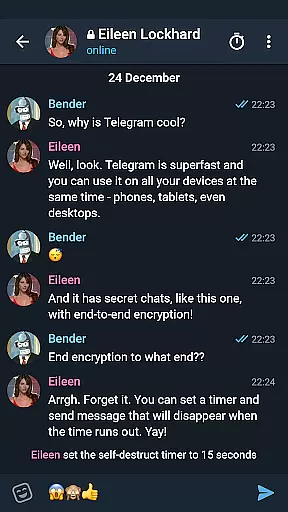

Telegram X represents a streamlined alternative client for the popular Telegram messaging platform, leveraging the TDLib library to deliver enhanced performance. This application is specifically optimized to provide faster speeds and smoother animations compared to its predecessor, making it an ideal choice for users who prioritize efficiency in their daily communications.
In addition to speed enhancements, Telegram X introduces experimental features that are not yet available in the standard Telegram app. These cutting-edge functionalities allow users to experience new ways of interaction and customization within their chats. Whether you're a power user seeking advanced tools or simply looking for a more responsive messaging experience, Telegram X offers a compelling solution across both Android and iOS platforms.
One of the standout characteristics of Telegram X is its implementation of TDLib, which significantly boosts the app's operational speed and reliability. Users will notice instant message delivery and seamless navigation through chat histories, even with large volumes of data. The improved animation framework adds a layer of polish to transitions and interactions, creating a visually pleasing environment for conversations.
Beyond performance upgrades, Telegram X serves as a testing ground for innovative features that push the boundaries of traditional messaging apps. From unique chat themes to experimental privacy settings, this client empowers users to tailor their experience like never before. Furthermore, the app maintains full compatibility with existing Telegram accounts, ensuring uninterrupted access to your contacts and messages while exploring these novel capabilities.
User profile customization is a crucial aspect of any social application, allowing users to express their identity and preferences. Telegram X offers a range of options for personalizing profiles, from choosing profile pictures to setting custom statuses.
The authenticity verification process ensures that users are who they claim to be, which is particularly important for public figures and organizations. This verification adds a badge to the profile, signifying its authenticity and helping other users trust the source of information.
Telegram X's approach to profile customization and verification enhances user engagement by providing tools for self-expression while maintaining platform integrity through verified badges. This balance encourages genuine interactions within the community.
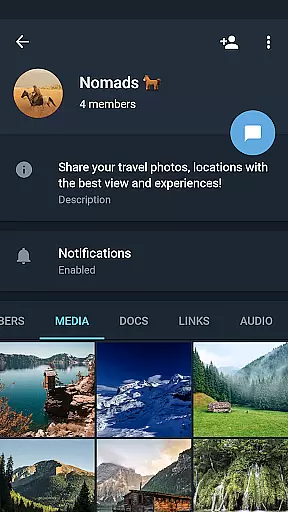
Connection discovery in social apps refers to the ability to find and connect with other users who share similar interests or are part of one's social circle. Telegram X facilitates this through advanced search features and recommendation algorithms.
Users can discover connections not only through contacts but also via channels, groups, and bots that align with their interests. The app suggests relevant communities and individuals based on user activity and preferences, making it easier to expand networks meaningfully.
This feature significantly improves the user experience by fostering a sense of belonging and enabling users to engage with content and people that matter most to them. It transforms Telegram X into more than just a messaging app; it becomes a dynamic social ecosystem.
Lightning-fast performance
Sleek modern interface
Experimental feature set
Enhanced privacy options
Cross-platform support
Limited official support
Occasional bugs present
Not all devices optimized
Higher battery consumption
Learning curve for new users

Global short video platform: epic effects, trending videos & vibrant community!
 4.40
4.40
Online group games like Mafia, Word War, Scattergories, Ludo, Uno, and many more
4.30
FREE calling and texting (SMS texts + MMS) in US & Canada with FREE phone number
4.30
Chill and Chat with Tagged Live Video with millions of peeps
4.10
SuperLive is a super popular video-streaming social network
4.60
This version of Facebook uses less data and works in all network conditions.
4.60
Reddit is where you’ll find your people and feel at home in every conversation.
4.60
Connect and share ideas
4.10
TikTok Lite - Designed for speed, simplicity, and saving your phone’s space!
4.40
The hottest live chat app so far. Video chat and meet great people...
4.60
Live pics from your friends - Only the photos you want to see
4.60
Second phone number for phone calls & texts. Text & SMS me now with a 2nd number
4.20
A warm, simple dating app for adults seeking real connection.
4.20
Meet local people, make friends & network: Join a community, group, host events
4.00
Dive into diverse fandoms. Connect, create, reblog.
3.90
The video chat to meet people in the blink of an eye!
3.90
Random chat & meet online. Find your soulmate or someone special and have fun!
3.90
Instant video chat with cool people. Live video call & make friends with Monkey!
3.80
Go Live, Chat & Meet New People! Friends. And more than friends.
3.80


User Reviews