

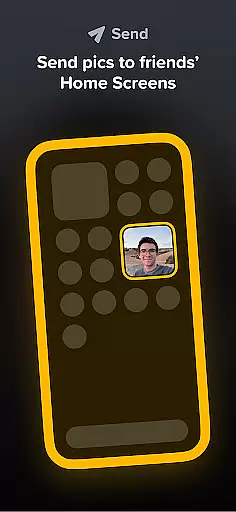



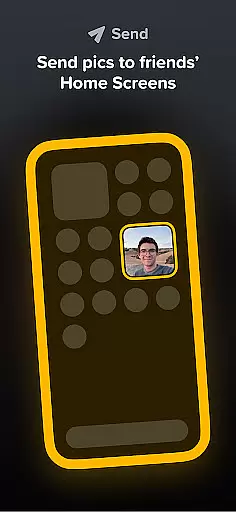


Locket Widget is a social application that brings you closer to your best friends and family by displaying live photos directly on your Home Screen. The app allows users to instantly share images with their closest connections, creating a real-time photo stream of each other's daily lives. This unique approach to photo sharing eliminates the pressure of social media metrics, focusing instead on meaningful interactions between a small circle of trusted friends.
The widget's core functionality lies in its simplicity - users can add the Locket widget to their Home Screen and immediately start receiving photos from approved friends. Each time you unlock your phone, you'll see new pictures from your network, creating an intimate window into their world. The app's thoughtful design limits connections to just 20 people, ensuring that interactions remain personal and authentic.
Locket Widget stands out through its innovative approach to private photo sharing. The application enables users to create a personal photo network where images appear instantly on friends' Home Screens through the widget interface. Unlike traditional social media platforms, Locket focuses on quality over quantity by restricting the number of connections to 20 verified friends or family members.
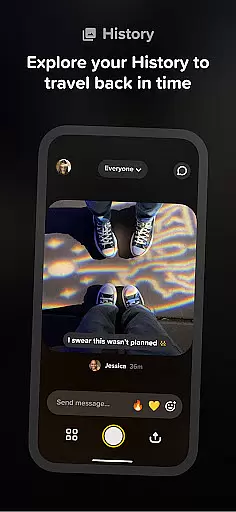
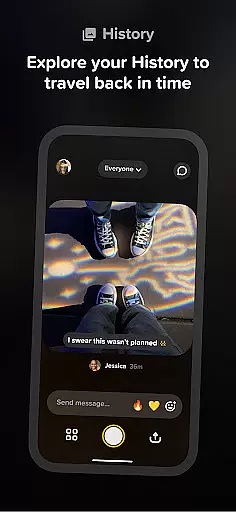
A key feature is the reaction system, where users can respond to photos with emojis that rain down on the image. These reactions are purely for personal enjoyment and aren't tracked or displayed publicly, encouraging genuine interactions without the pressure of public validation. Additionally, the app automatically builds a chronological history of shared photos, creating a meaningful timeline of memories between friends.
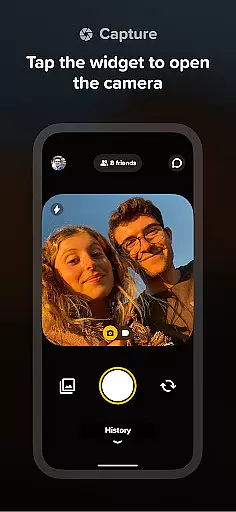
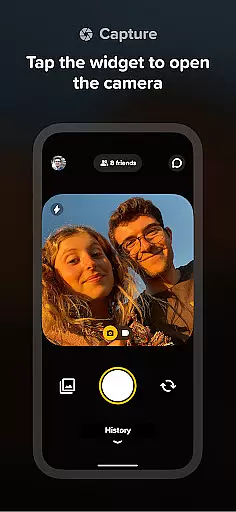
The widget's seamless integration with the device's camera makes photo sharing intuitive and immediate. Users can capture and send images directly through the widget interface, ensuring that moments are shared spontaneously and without elaborate editing. This straightforward approach to photo sharing emphasizes authenticity and real-time connection.
User profile customization and authenticity verification are essential features in any social application, ensuring both personalization and trustworthiness. Locket Widget allows users to create personalized profiles that reflect their unique identities while connecting with close friends and family.
Within Locket, profile customization is streamlined yet meaningful. Users can tailor their experience by adding the Locket widget directly to their Home Screen, a central place where live photos from their inner circle appear. This setup not only enhances user engagement but also simplifies interactions with friends through instant photo sharing.
The app emphasizes authenticity by limiting friend connections to a small, trusted group of 20 people. This approach eliminates concerns about follower counts or popularity metrics, focusing instead on fostering genuine relationships. By keeping interactions within a tight-knit community, Locket ensures that every shared moment is both real and significant.
Overall, Locket's emphasis on curated connections and real-time photo sharing creates an environment where users feel confident in the authenticity of their interactions. This focus on quality over quantity makes it easier for users to maintain meaningful relationships without the distractions often found in larger social networks.
Connection discovery in social apps refers to the mechanisms through which users find and establish meaningful relationships with others. In Locket Widget, this process is thoughtfully designed to prioritize close friendships and familial bonds over broader social networking.
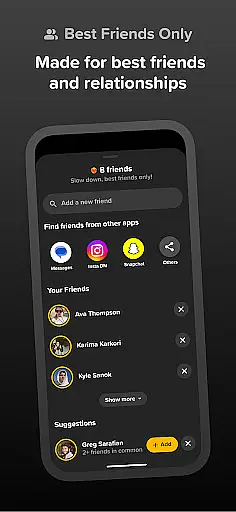
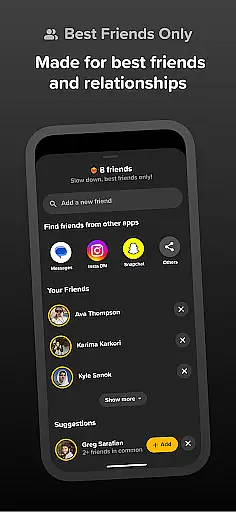
Locket encourages users to add only their best friends and family members, creating a private space for intimate sharing. The appu2019s design intentionally limits the number of connections to 20, promoting deeper engagement with a select group rather than superficial interactions with many.
When a user adds the Locket widget to their Home Screen, they immediately begin receiving live photos from their chosen connections. This direct line of communication fosters a sense of closeness and immediacy, as new images appear instantly whenever friends send them. Additionally, the ability to react to photos with emojis adds another layer of interaction, enhancing emotional connection.
By focusing on a small network of trusted individuals, Locket transforms the typical social media experience into something more personal and engaging. Its connection discovery system ensures that every interaction feels authentic and valued, making it easier for users to stay connected with those who matter most.
User-friendly interface
Instant photo sharing
Private connections
No social pressure
Authentic interactions
Limited to 20 friends
iOS only feature
No advanced editing
Requires constant connection
Notification dependency

Watch, Edit, Upload and Share Gaming Clips
 4.00
4.00
Watch 24/7 live stream, and make real friends nearby
4.30
Live video chat to connect with people around the world. Video chatting on Olive
4.40
Find your next obsession.
3.50
Chill and Chat with Tagged Live Video with millions of peeps
4.10
The official Skool app. Stay connected to your communities on the go.
4.20
live inside your fandom
4.60
SuperLive is a super popular video-streaming social network
4.60
Connection Beyond Content
4.50
Video call and chat, live stream and making friends around the world!
4.60
Unlimited calls & texts | WiFi voice line plus group txt | Call & text now
4.50
Calling and texting app. 2nd virtual line plus new phone number. Txt & talk now.
4.40
FREE calling and texting (SMS texts + MMS) in US & Canada with FREE phone number
4.30
Looking for a date or a friend? Swipe to match and meet open-minded singles.
4.20
A warm, simple dating app for adults seeking real connection.
4.20
The world's leading social networking app for gay, bi, trans, and queer people.
4.10
Meet local people, make friends & network: Join a community, group, host events
4.00
Meet online & chat with people! Talk, have fun, make connections in real time!
4.00
Chat and make new friends around the world!
3.90


User Reviews