
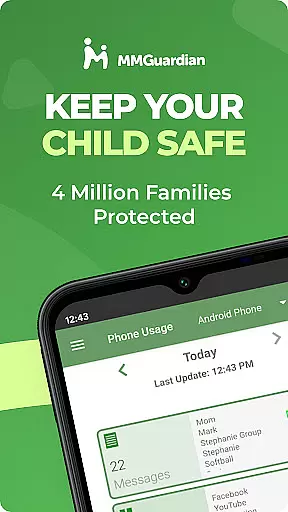
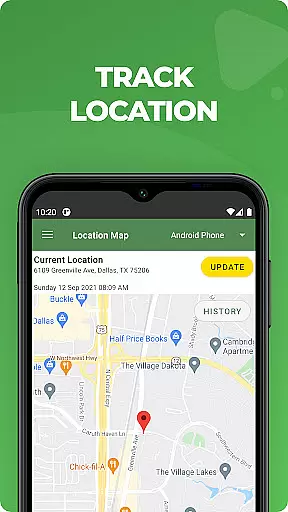
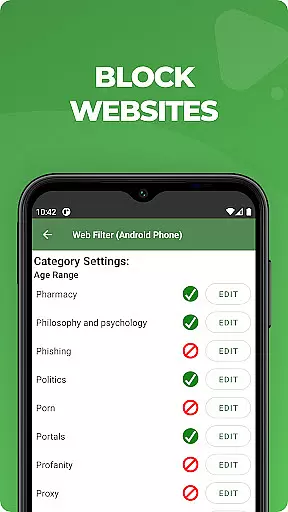
MMGuardian Parental Control is a comprehensive parental monitoring solution designed to ensure children's online safety. This app, intended for parents, works in tandem with a corresponding child app that must be installed on the child's device. It allows parents to remotely monitor and manage their child's smartphone activity, including setting screen time limits, blocking inappropriate apps and games, filtering web content, and receiving safety alerts. The app also features GPS location tracking to help parents keep tabs on their child's whereabouts.
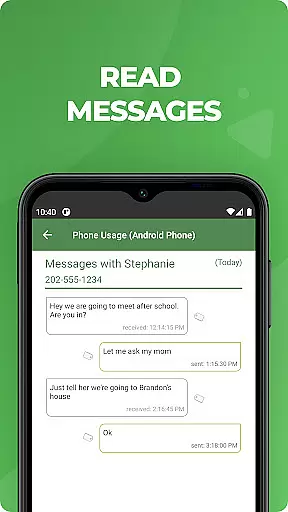
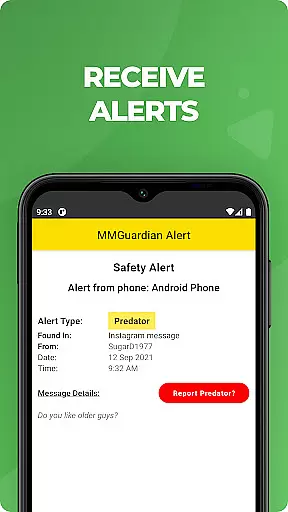
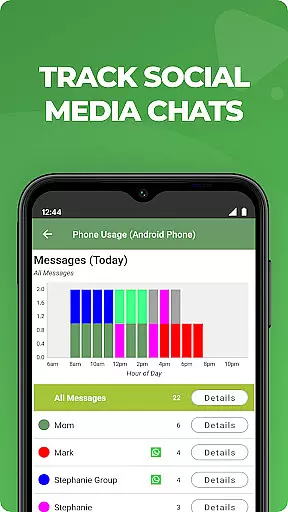
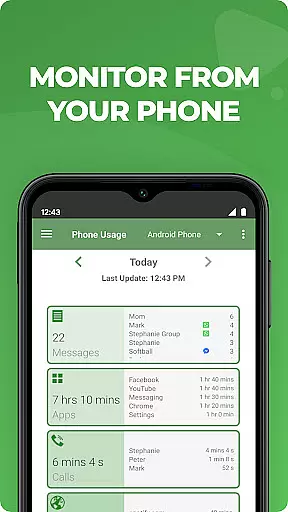
With advanced monitoring capabilities, MMGuardian provides reports on SMS text messages, web browsing history, application usage, and phone calls. Parents receive alerts when there are potential risks detected in their child's text messages or social media interactions, such as signs of drugs, sexting, cyberbullying, and more. This empowers parents to take timely action and have important conversations with their children about digital safety.
The app is suitable for families looking to safeguard their children from online threats while fostering responsible device use. By offering tools for both Android and iPhone, MMGuardian ensures cross-platform compatibility, making it an invaluable resource for modern parenting.
MMGuardian Parental Control stands out with its robust feature set tailored for vigilant parents. One of its key functionalities is the ability to monitor and block various types of communication, including SMS texts, web browsing activity, application usage, and phone calls. Additionally, the app extends its monitoring to popular social media platforms like Facebook Messenger, WhatsApp, Snapchat, Instagram, Kik, TikTok, and Discord, providing alerts based on nine specialized categories such as sexting, cyberbullying, and suicidal thoughts.
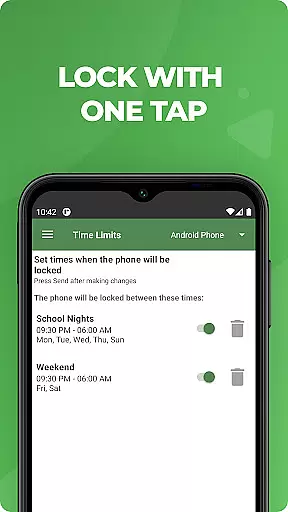
Beyond communication monitoring, MMGuardian offers practical tools for day-to-day parental oversight. Parents can locate their child's phone using GPS tracking, quickly lock or unlock the device remotely, and set specific limits for screen time, app usage, and web filtering. These features collectively contribute to creating a safer digital environment for children while allowing parents to maintain control over their child's online activities.
Another significant aspect of MMGuardian is its reporting system. Comprehensive reports provide insights into text messages, app usage, web browsing patterns, and voice calls. Furthermore, the app alerts parents when potentially harmful images are detected on the child's phone or sent via MMS. This proactive approach helps mitigate risks associated with adult content and sexting, ensuring parents are always informed and can intervene when necessary.
When it comes to parenting applications, the credibility of content and expert validation are paramount. MMGuardian Parental Control excels in this area by providing features that are designed and endorsed by child safety experts. The app's ability to monitor text messages, social media chats, and web searches for potential risks like cyberbullying, sexting, and suicidal thoughts is backed by a comprehensive understanding of modern digital threats.
The application goes beyond simple monitoring by offering alerts based on sophisticated algorithms that identify problematic content. These algorithms are regularly updated and reviewed by experts in child psychology and digital safety, ensuring that the alerts parents receive are both relevant and necessary. This level of expert validation provides peace of mind, knowing that the app's interventions are guided by professional insights.
Parents using MMGuardian can be confident in the app's reports and safety alerts, which are crafted to not only inform but also educate. By receiving detailed reports on their child's digital activity, parents gain valuable insights into potential behavioral issues or dangerous trends. This educational aspect empowers parents to have meaningful conversations with their children about online safety.
The true value of MMGuardian lies in its dual role as both protector and educator. While keeping children safe from immediate dangers, it also equips parents with the knowledge they need to guide their children through the complexities of the digital world. This combination of expert-validated monitoring and educational resources makes MMGuardian an indispensable tool for modern parenting.
Growth tracking in the digital age extends beyond physical development to include a child's online behavior and maturity. MMGuardian Parental Control offers accurate growth tracking by monitoring various aspects of a child's digital life. From SMS text messages to social media interactions, the app provides a comprehensive view of a child's online activities, enabling parents to track developmental milestones in digital literacy and responsibility.
The app's accuracy in growth tracking is enhanced by its multi-platform compatibility. Whether a child uses Android or iOS, MMGuardian ensures consistent data collection and reporting. This cross-platform functionality allows parents to maintain a complete picture of their child's digital growth, regardless of the device being used.
MMGuardian's GPS location tracker adds another layer of accuracy to growth tracking. By knowing where their children are and how they use their devices in different locations, parents can better understand their children's environmental influences. This feature helps identify patterns in behavior that may require guidance or intervention.
Ultimately, the accuracy of growth tracking provided by MMGuardian enables proactive parenting. Instead of reacting to problems after they occur, parents can use the app's detailed reports and real-time alerts to guide their children's digital development. This preventative approach, combined with expert-validated content, creates a robust system for tracking and supporting healthy growth in the digital age.
Advanced monitoring
GPS tracking
Social media alerts
Comprehensive reports
Remote controls
Paid subscription
Complex setup
Requires data
Limited without child app
Privacy concerns

Find unique + popular baby names for your little peanut.
 4.30
4.30
Keep Your Family Safe with Pollog Family Assistants
4.10
Real-time family location with consent, check-ins & SOS—private by default.
4.40
A simple way to track your baby’s breastfeeding, diaper changes, sleep patterns.
4.90
Track your labor contractions
4.90
Save money on diapers. Get the Pampers Rewards app.
3.90
Parental control App for Location, Remote Camera, Screen Mirroring, Block Apps.
4.60
GPS tracker app: Simple GPS phone tracker for fast family location tracking
4.60
FamilyAlbum helps you share, save, and remember your child's special moments.
4.80
Pregnancy+ App has helped 80m moms track their pregnancy with info & support!
4.80
Introduce real food to baby with First Foods® Database, baby led weaning BLW
4.80
The Most Trusted Co-Parenting App.
4.60
Join over 1MM parents & professionals who've used OFW to navigate co-parenting
4.40
GeoLog - Real-Time Location Tracker
4.40
Cherish every beat - capture your baby's heart sounds with our app
4.30
Limit screen time, Block Apps & Games, Monitor with Parental control app
4.20
Little loved one's monitoring, Sleep tracking and Parenting content.
3.80
Play activities, milestones, expert-led classes, baby tracker, and more!
3.00
AI Motion Video Maker & Ideas
4.3


User Reviews