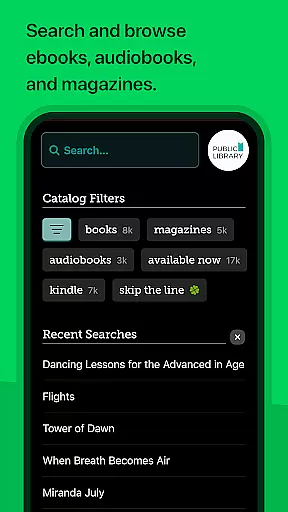
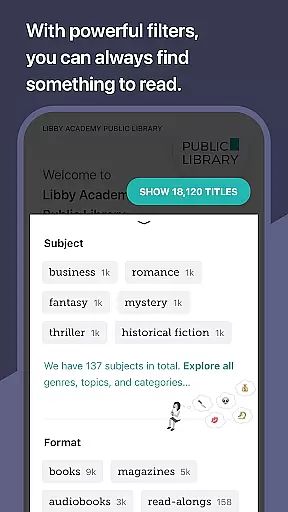
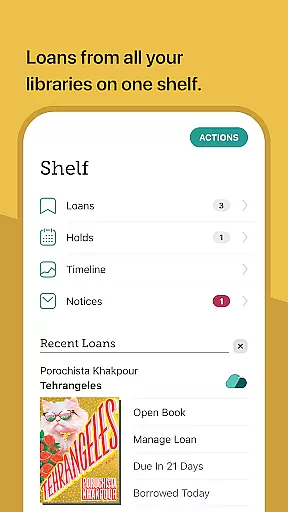
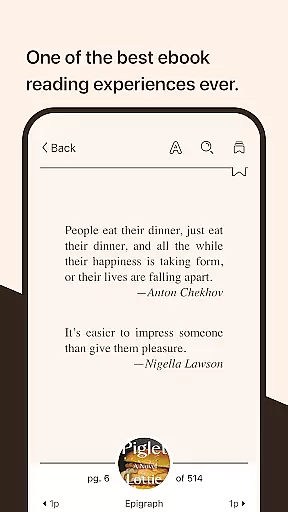
Libby is an award-winning app designed for library enthusiasts who want instant access to millions of ebooks, audiobooks, and magazines. With a simple library card, users can borrow these resources for free, making it an essential tool for avid readers. The app offers a seamless experience across devices, allowing you to download titles for offline reading or stream them to save space.
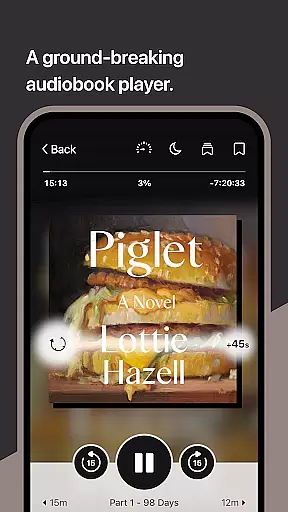
One standout feature is the ability to send ebooks directly to your Kindle (U.S. libraries only) and listen to audiobooks via Android Auto. Libby also provides a beautiful ebook reader and groundbreaking audio player, ensuring that users have all the tools they need to enjoy their favorite books and media. Whether you're commuting or relaxing at home, Libby makes accessing library resources easier than ever.
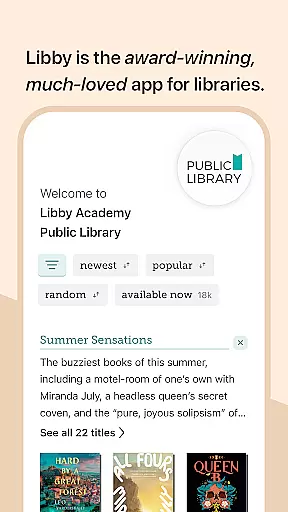
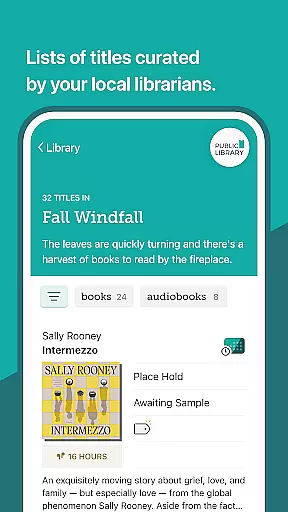
Libby stands out with its intuitive design and powerful features tailored for book lovers. Users can browse their library's digital catalog, which includes everything from classic literature to New York Times best-sellers. The app supports borrowing and enjoying various formats like ebooks, audiobooks, and magazines, providing flexibility in how content is consumed.
The built-in ebook reader allows users to adjust text size, background color, and even zoom into magazines and comic books. Additionally, the groundbreaking audio player lets users slow down or speed up playback, set sleep timers, and easily navigate through content. These features ensure that Libby caters to diverse reading preferences while maintaining ease of use.
Libby offers an extensive e-book library that includes a wide range of genres and titles from classics to New York Times best-sellers. This vast collection is made available through local libraries worldwide, ensuring users have access to millions of e-books and audiobooks for free.
The app guarantees the copyright authenticity of its content by partnering directly with libraries and publishers. Users can confidently borrow and enjoy materials knowing they are legally obtained and distributed. Libby's collaboration with reputable sources ensures that all content adheres to strict copyright laws.
By providing such a comprehensive and authentic selection, Libby enables readers to explore diverse topics and authors without any cost. The ability to send e-books directly to Kindle (for U.S. libraries) further enhances accessibility, making it easier than ever for book lovers to indulge in their next great read.
User-friendly interface
Wide selection of books
Offline reading capability
Syncs across devices
Free resource access
Limited to library holdings
Kindle support restricted
Dependent on library membership
Occasional loading delays
No direct purchase option

"Five Dr. Seuss titles in one omBook!"
 4.60
4.60
Offline translator from english to spanish, and from spanish to english.
4.50
Enjoy your favorite books
3.50
“It is fun to have fun, but you have to know how!”
4.40
8 Dr. Seuss short stories in 1 app!
4.70
Enjoy daily devotionals, Bible verses, audio courses, and more.
4.80
My Bible offers a comprehensive app by providing offline access, daily verses.
4.80
A lightweight reader for comics and mangas files (.cbr, .cbz, .cbt, .pdf, ...)
4.80
Follow complex state CCW permit laws and lawfully carry firearms in each state.
4.80
"When tweetle beetles fight, it's called a tweetle beetle battle."
4.90
“I am the Lorax. I speak for the trees.”
4.80
Holy Bible, a KJIV Bible study, audios & daily verses, talk with God now.
4.80
Read unlimited novels, audiobooks, stories & Unlock ebooks, fanfiction and more!
4.70
Powerful Bible study tools linked to every verse in an easy-to-use Bible reader!
4.60
Knots 360 Pro ( 3D ) shows you animated 192 knots in 3D perspective
4.10
“There was one last piece of cake. My little sister said ‘Me too!’”
4.00
A story reading app: Read stories, novels and books, or write your own.
3.90
Guide for dōTERRA® Products
3.60
Novels, audiobooks, ebooks & fanfiction. Read anytime, anywhere!
3.40


User Reviews