
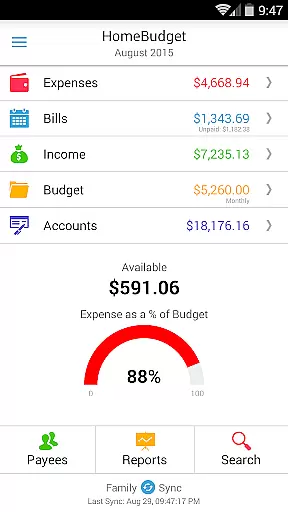
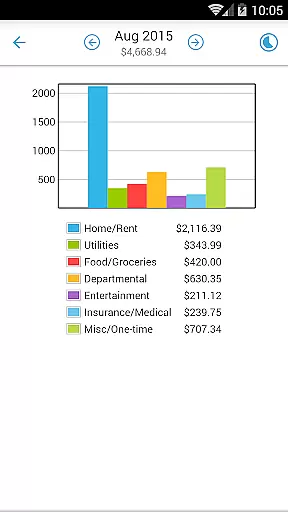
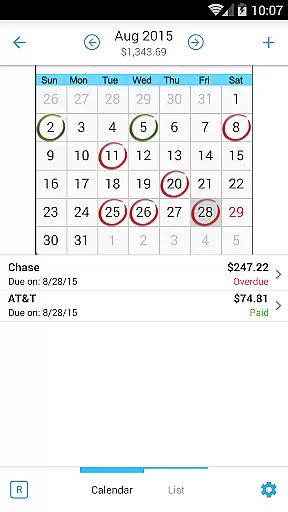
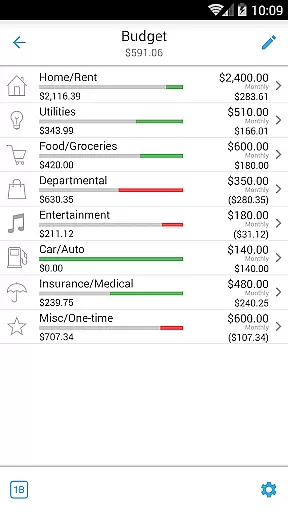
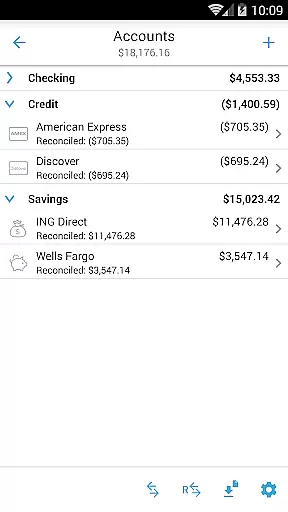
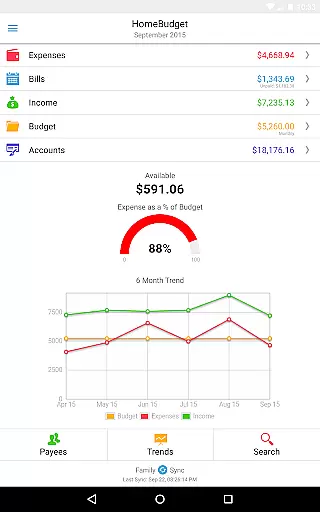
Home Budget with Sync is a comprehensive financial management application designed to help users track expenses, income, bills-due, and account balances across multiple platforms. Available on Android, iPhone/iPad, Windows, and Mac OS, this app offers instant data synchronization between devices, ensuring seamless access to your financial information wherever you are. The app stands out with its integrated feature set that allows bills to become expenses while adjusting account balances simultaneously, providing a holistic view of your finances.
One of the key highlights of Home Budget with Sync is its Family Sync functionality. This advanced feature enables multiple devices within a household to exchange expense and income information automatically over the air. Whether you're managing personal finances or coordinating a family budget, this app provides the tools necessary for effective financial planning and analysis. With support for budgeting, detailed reports, and customizable categories, Home Budget with Sync empowers users to take control of their financial future.
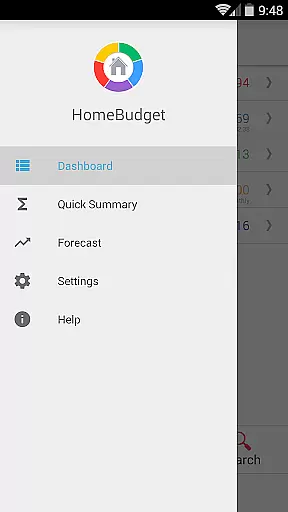
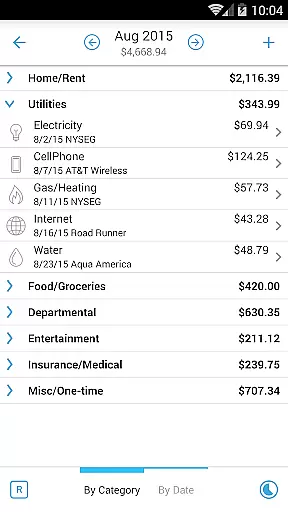
Home Budget with Sync boasts an extensive array of features tailored to simplify and enhance personal finance management. Users can create, edit, and delete expenses, income, and bills, including recurring entries, with ease. The app supports browsing by month, category, or date, and even allows attaching photo images of receipts for record-keeping. Its sophisticated bill management system includes reminders, calendar views, and the ability to make payments as either expenses or transfers, avoiding double accounting.
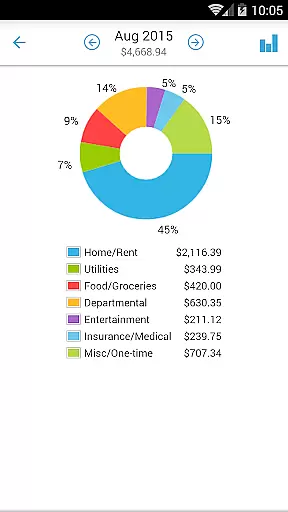
The app's reporting capabilities are equally impressive, offering trend charts for expenses, budgets, and income over the last six months. Pie and bar charts provide visual breakdowns of spending patterns, while export options allow sharing data via email or WiFi. With support for various account types like checking, savings, and credit, users can accurately track balances and transactions. Additional features include a home screen widget for quick entries, backup/restore functionality, password protection, and localization settings that adapt to your region's date and currency formats.
Account and fund security is a critical aspect of any financial management application, ensuring that users' sensitive data remains protected. Home Budget with Sync employs advanced security measures to safeguard your financial information. The app supports password protection, allowing only authorized access to your budgeting data and transaction details.
In addition to password protection, the app provides backup and restore functionality for complete application data, including all attached receipts. This ensures that even if your device is lost or damaged, your crucial financial records remain safe and can be easily restored on a new device. The ability to upload custom category icons also adds an extra layer of personalization while maintaining security protocols.
The app follows locale and region-specific settings, displaying appropriate date formats and currency symbols. This localization feature not only enhances usability but also minimizes errors in data entry, contributing to overall account accuracy. With these robust security features, Home Budget with Sync offers peace of mind to users who want to manage their finances without compromising on safety.
A seamless transaction experience is essential for effective financial management, and Home Budget with Sync excels in this area by offering intuitive tools for tracking expenses and income. Users can create, edit, and delete transactions, including recurring ones, with ease. The app's integrated set of features allows a bill to become an expense when paid, simultaneously adjusting the account balance, which streamlines the transaction process.
Home Budget with Sync supports various account types such as Checking, Savings, Credit, Debit, and Cash, enabling accurate tracking of account balances. Transactions can be associated with specific accounts, providing a clear overview of your financial status. Additionally, the app offers a large numeric keypad for easy data entry, with automatic decimal point placement according to your locale or region.
To further enhance the transaction experience, the app provides visual aids like charts and graphs for analyzing expenses and income trends over the last six months. These reports help users make informed financial decisions. With instant data sync across mobile and desktop versions, users can enjoy a consistent and up-to-date transaction experience on any device, making financial management more accessible and efficient than ever before.
User-friendly interface
Comprehensive budgeting tools
Real-time data sync
Family sync functionality
Detailed financial reports
Separate purchase per platform
No free full version
Limited cross-platform integration
Premium pricing
Complex for beginners

Secure, simple money transfer app. Send money to Mexico and worldwide fast.
 4.80
4.80
Earn cash & save money daily. Access instant cash advances* - no credit check!
4.50
Money transfer made easy. Send money to friends and family with great rates.
4.70
Get 250$ Cash Advance to solve emergencies instantly in loan app called LendMe
4.70
Simple & secure international money transfers - for personal & business needs.
4.80
Mine Bitcoin in the cloud! Earn BTC daily with high-speed mining power.
4.30
Easy budgeting planning on a calendar!
4.80
Amazing Financial Calculator. Based on HP 10bII, but easier to use!
4.40
Venmo is the fun and easy way to pay and get paid.
4.10
Your Big Financial Friend
4.70
Manage your credit card account with the Credit One Bank mobile app.
4.70
Powerful Money Manager, Expense & Savings Tracker, Budget Planner - Pro Version
4.70
Download the MySynchrony App to manage your accounts securely and conveniently!
4.60
The US Debt Clock .org App gives you a Real-Time glimpse of US Financial Stats
4.60
Insurance that's quick and easy to buy and use—anytime, anywhere.
4.60
Get up to 500, get paid early, earn interest and find work with no hidden fees.
4.40
Get, Earn, and Save Money
4.30
Your insurance, anytime, anywhere
4.00
View BSC Transactions for multiple accounts
3.90


User Reviews