


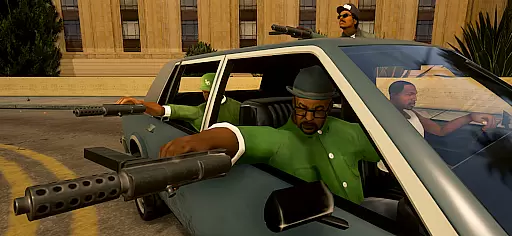
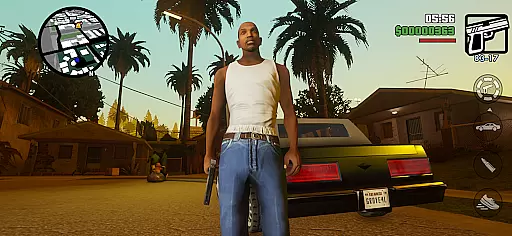
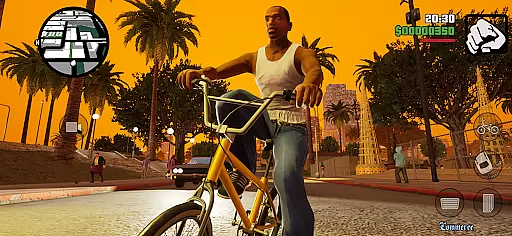


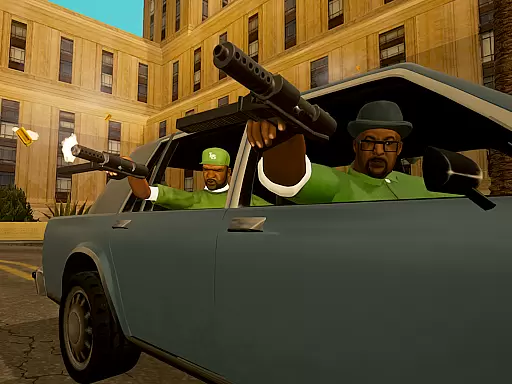
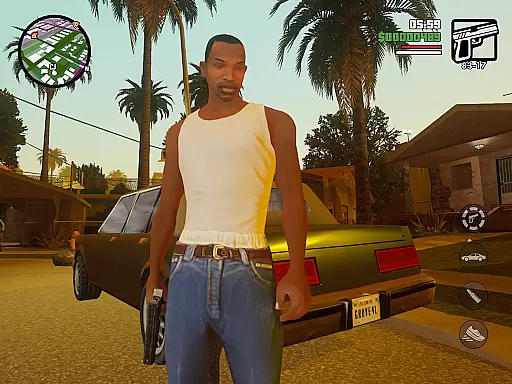
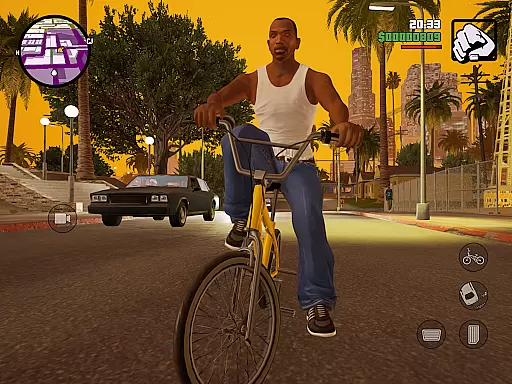


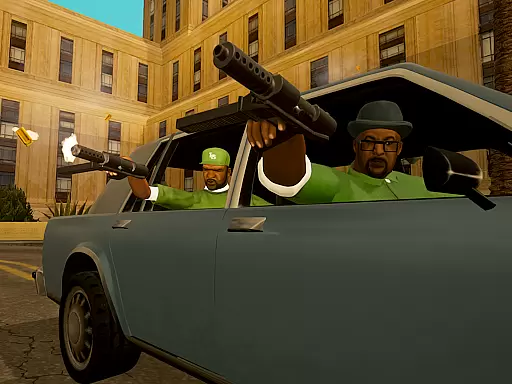
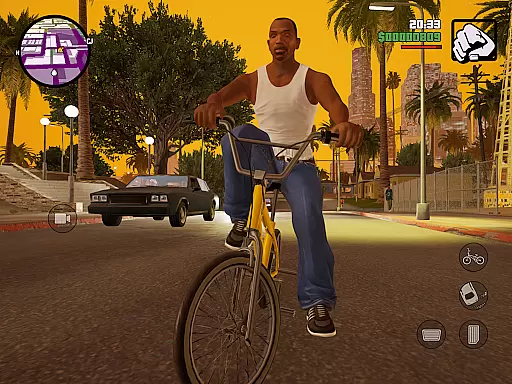
GTA: San Andreas - Definitive is an action-packed game that takes players back to the early 90s in the fictional state of San Andreas. Built with Unreal Engine, this edition brings enhanced graphics and refined gameplay while retaining the original's essence. The story follows Carl 'CJ' Johnson as he navigates a world rife with gang wars, crime, and corruption.
Players will experience CJ's journey from his return to Los Santos following his mother's murder, through his efforts to reunite his family and reclaim the streets. With its open-world design, gamers can freely explore three major cities, each with unique environments and challenges. This definitive version offers both veterans and newcomers a chance to engage with one of the most iconic chapters in gaming history.
This game stands out due to its expansive open-world environment, allowing players to roam freely across cities like Los Santos, San Fierro, and Las Venturas. Each area presents distinct landscapes and cultural influences, enhancing immersion. The title also boasts improved textures, lighting, and character models thanks to Unreal Engine technology.
Gameplay mechanics include diverse missions ranging from car chases to stealth operations, ensuring dynamic experiences. Players can customize CJ’s appearance, acquire various vehicles, and interact with numerous NPCs. Additionally, the mobile version supports controller compatibility for a console-like experience. These features collectively deliver an engaging narrative-driven adventure filled with action and exploration.
In action games like GTA: San Andreas - Definitive, control responsiveness is crucial for an immersive experience. The game ensures that every button press translates immediately into in-game actions.
The developers have optimized the control scheme to minimize input latency, allowing players to execute complex maneuvers with precision. This is particularly important during high-speed chases and intense gunfights.
Players can customize control layouts to suit their preferences, ensuring a personalized and comfortable gaming experience. These customization options enhance the overall gameplay, making it more intuitive and enjoyable.
Combat feedback is essential in action-packed games, providing players with immediate responses to their actions. In GTA: San Andreas - Definitive, every punch, kick, and gunshot delivers a satisfying impact.
The game employs advanced physics to simulate realistic combat interactions. This attention to detail makes each encounter feel dynamic and engaging, heightening the sense of immersion.
Visual and audio cues are meticulously crafted to offer precise feedback. Players can accurately gauge their performance and adjust strategies accordingly, leading to a more rewarding and responsive combat experience.
Enhanced Graphics
Open-World Freedom
Rich Storyline
Variety Of Missions
Controller Support
High System Requirements
Occasional Bugs
Long Loading Times
Limited Offline Modes
In-App Purchases

EIGHT open-source Quake 1-3 engines brought to your Android device!
 4.70
4.70
The fast-paced FPS that changed gaming forever.
4.40
Epic Fantasy RPG & Arena
4.30
Play through 45 action-packed missions with over 90 iconic Marvel characters!
3.00
Welcome to the 1980s.
3.50
Memorize Scripture and climb through a vibrant hand-drawn Bible adventure!
5.00
Throw shurikens and cut through your enemies!
4.60
There was never just one.
4.50
Master shooting games as a hitman sniper in this ultimate action FPS
4.50
Plan. Adapt. Assassinate.
4.80
The ULTIMATE collection of Doom engine source ports in one app!
4.80
Brotato: The Ultimate Bullet Hell Experience!
4.80
Battle in! Gunship Helicopters vs Tanks! Fast PVP Combat in Modern War Vehicles!
4.70
Whack, smash, and toss the puppet! Let’s destroy the ragdoll in this funny game
4.40
Aim the arrow and become a legendary archer! Multiplayer action & shooting games
4.40
Command your army, crush the enemy, and reclaim the nation!
4.30
Dive into Jurassic World in this dinosaur simulation game
4.30
NEOGEO's masterpiece game is now available in the app!
4.10
Run and jump through the depths of the jungle!
4.1


User Reviews