
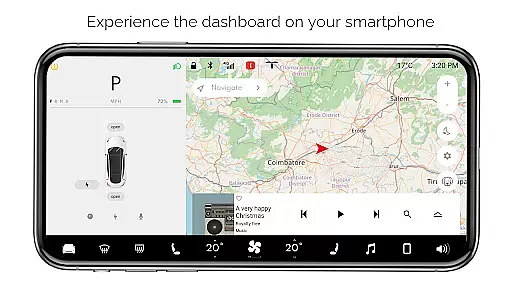
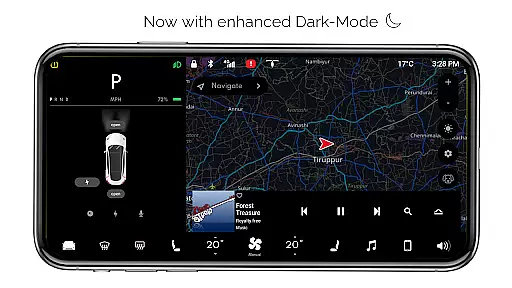
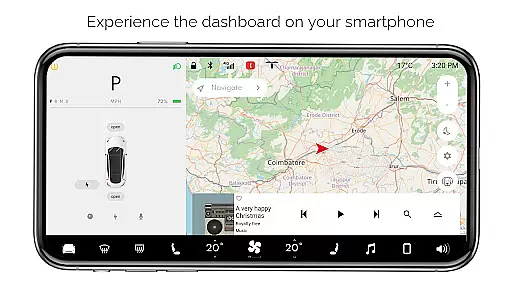
For Tesla is a premium simulator app that recreates the native dashboard experience of a Tesla vehicle on your smartphone. Designed exclusively for Tesla enthusiasts, it offers an interactive touchscreen interface that mirrors the car's system without requiring an actual vehicle connection.
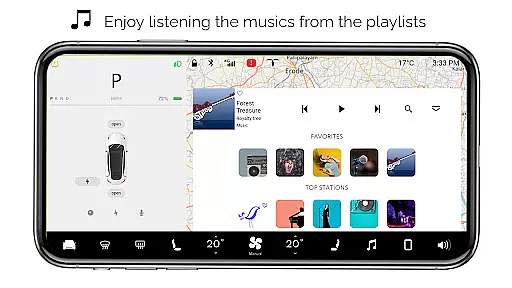
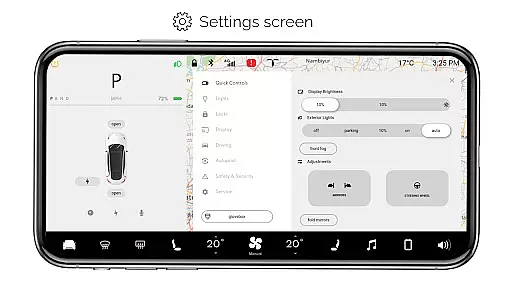
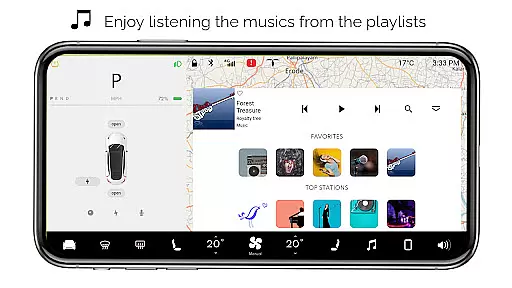
The app provides a comprehensive preview of Tesla's dashboard features, including interactive maps, temperature controls, and battery monitoring. Users can explore various functions like driving mode, music player with playlists, and multiple settings options. Its detailed simulation makes it an ideal tool for experiencing Tesla's innovative interface firsthand.
This application is particularly valuable for Tesla fans who want to familiarize themselves with the vehicle's user interface or simply enjoy interacting with Tesla-inspired features on their mobile devices.
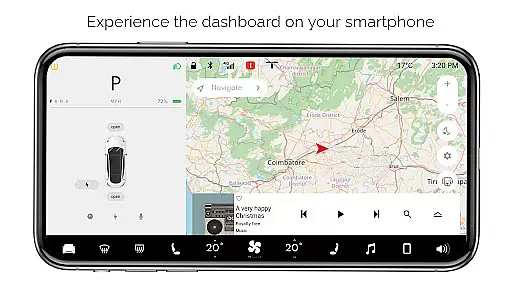
For Tesla stands out with its extensive range of simulated features that capture the essence of Tesla's dashboard system. The app includes interactive maps that display live location tracking, allowing users to simulate navigation experiences.
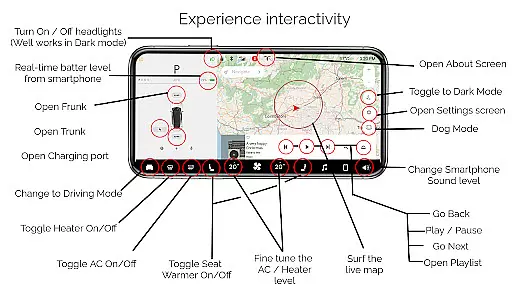
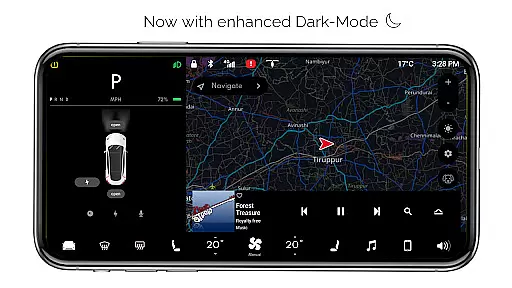
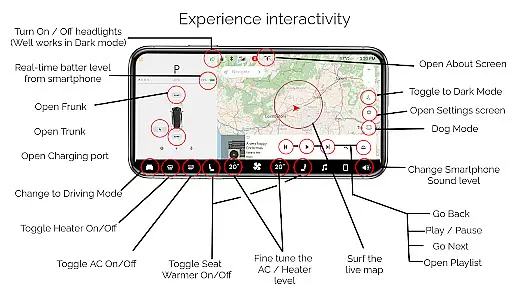
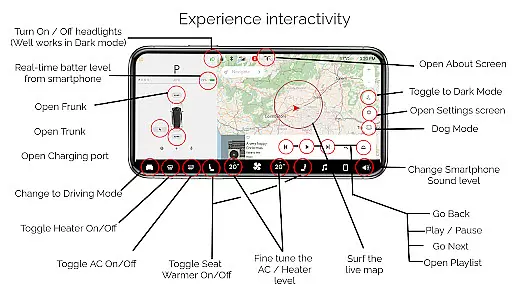
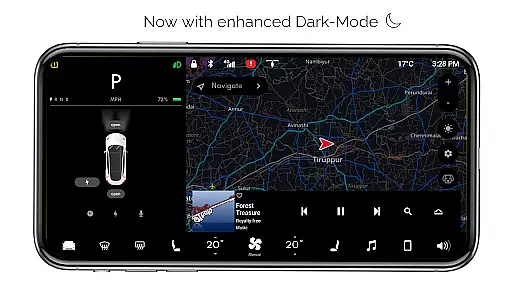
A key highlight is the ability to control virtual vehicle functions such as turning headlights on/off, adjusting temperature settings, and managing trunk/frunk/charging port operations. The app also features different modes including driving mode, dark mode, and dog mode, each providing unique interface experiences.
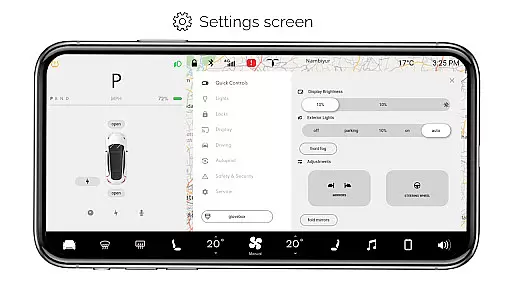
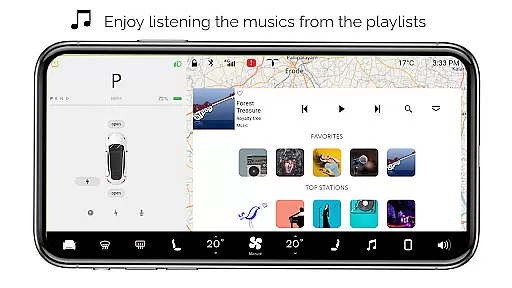
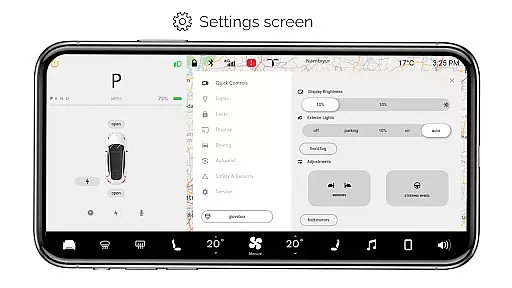
Additional notable features include a functional music player with playlist support, battery level monitoring, and a comprehensive settings screen. While these features are simulated, they demonstrate impressive attention to detail in replicating Tesla's native user experience.
In the realm of digital entertainment, content variety and freshness are paramount to maintaining user engagement. For Tesla app brings an array of simulated features inspired by the Tesla vehicle's dashboard, ensuring that users have a diverse set of interactive options at their fingertips.
From interactive maps to a music player with playlists, the app simulates the native user experience of a Tesla's control system. Users can explore different facets of the Tesla dashboard such as adjusting settings, fine-tuning temperature, or engaging with driving modes, all of which provide a fresh and dynamic interaction each time the app is used.
The regular updates and new feature simulations guarantee that the experience does not become stale, offering users novel ways to interact with the Tesla-inspired environment on their smartphones. This commitment to variety ensures that every session is unique, keeping users intrigued and engaged.
User engagement duration and retention are critical metrics for apps in the Entertainment category. The For Tesla app captivates its users by providing a realistic simulation of a Tesla car's dashboard, encouraging longer usage periods as users explore and interact with its many features.
By incorporating elements like real-time battery level tracking, turning headlights on/off, and opening/closing the trunk or frunk, the app offers a compelling and immersive experience that invites users to spend more time engaging with it. These simulated interactions are designed to retain users by continually offering new ways to simulate the Tesla experience.
Moreover, the app's dedication to quality and attention to detail in replicating the Tesla system fosters a loyal user base. Fans of Tesla can regularly find value in the app, thus promoting higher retention rates as it consistently delivers an entertaining and educational representation of Tesla's innovative technology.
User-friendly interface
Comprehensive feature set
Realistic simulation
Regular updates
Entertaining experience
No real car connection
Limited functionality
Some features inactive
Only for entertainment
Basic graphics

Create, chat & bond with AI souls who truly listen.
 4.50
4.50
Air Horn - Siren Sounds Prank, Fun way to wake up your Friends and Family
4.2
Browser for Chromecast to stream webvideos, online movies, IPTV & HD livestreams
4.40
Stories that spark in seconds.
4.80
Earn gift cards for playing games. Become a real game tester!
4.40
Come and watch short dramas, reels with diverse genres!
4.40
Christmas Globe: Transform your Wear OS device into a festive timekeeper!
4.1
Raise Christmas Magic with daily missions, magical scanners, and kindness.
4.1
Companion app for Elden Ring to track quests, bosses, progress and more.
4.70
Wodfix Air aggregates popular online content for you.
4.80
Direct access to the most complete Guitar Tab Archive in Spanish: LaCuerda.net
4.60
Your Avatar, Endless Fun
4.60
Tarot & Oracle Card Readings
4.50
Triple A is a highly complex, kinetic, and interactive visualizer.
4.50
Create melty bead designs by numbers, photos or your imagination
4.40
A companion app for the game Elite Dangerous
4.10
Binaural Brainwave Doses for Every Imaginable Mood
3.60
Create your Songs. Cover Maker with any Voice, Song Generator
3.30
With the Steam Mobile App, you can take Steam with you anywhere.
3.00


User Reviews