
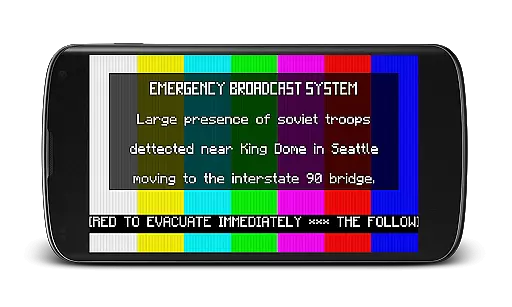
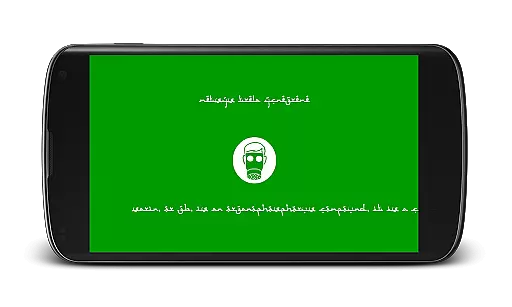
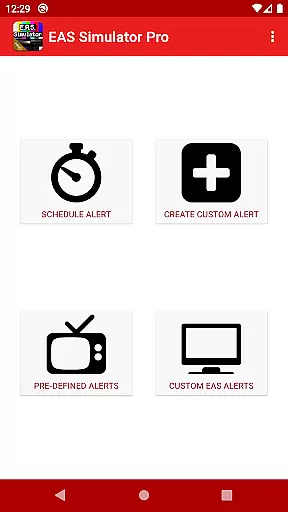
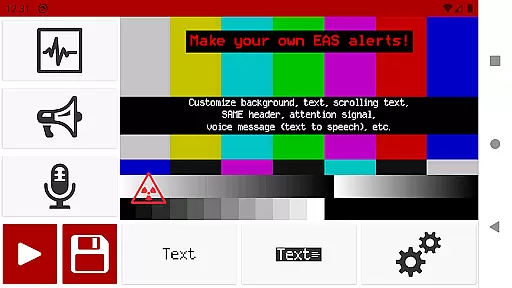
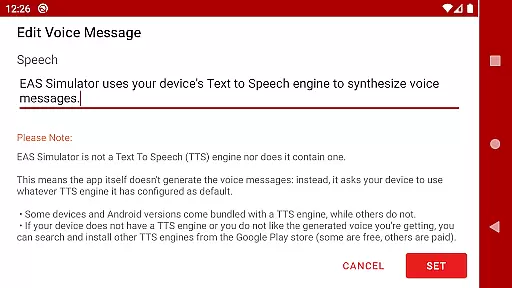
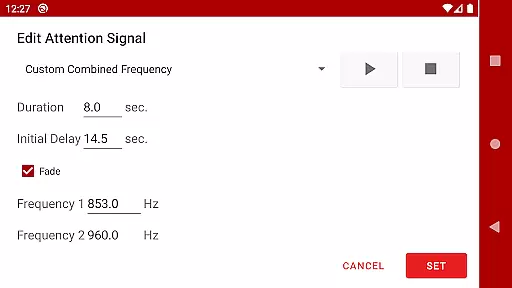
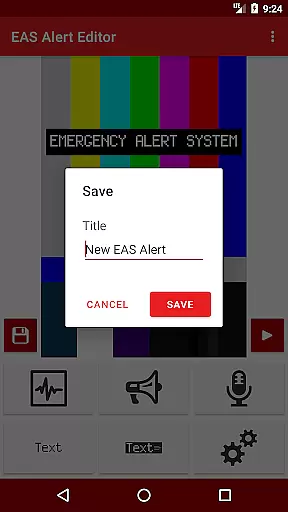
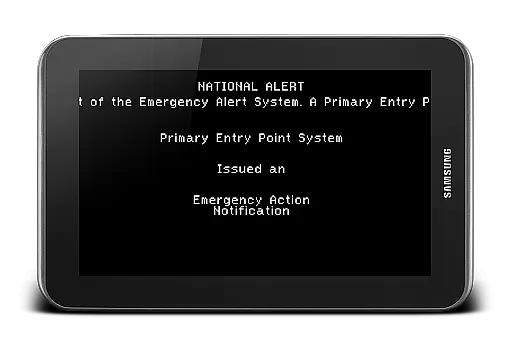
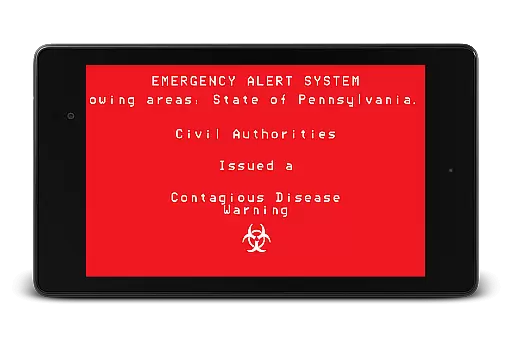
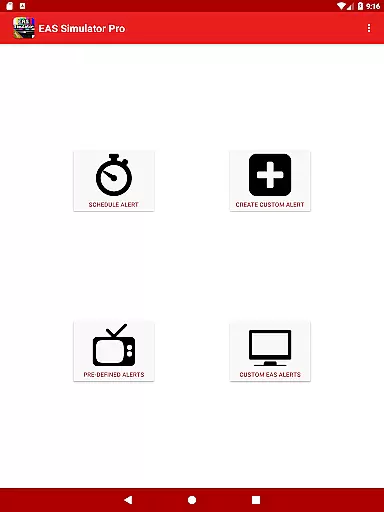
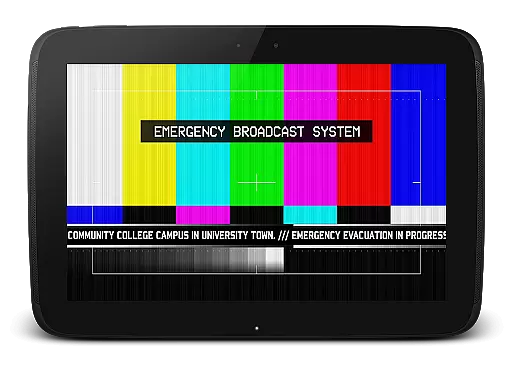
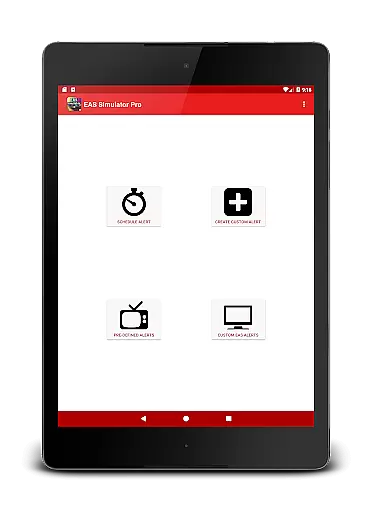
EAS Simulator Pro is an innovative entertainment app that allows users to create and experience realistic Emergency Alert System (EAS) simulations on their Android devices. The app offers a comprehensive EAS alert editor, enabling users to craft custom alerts with various features such as SAME headers, attention signals, and voice messages generated by the device's Text to Speech engine.
With its robust functionality, users can simulate real-life emergency scenarios like natural disasters or thrilling fictional events including zombie apocalypses. The app also supports video conversion of alerts, scheduling capabilities, and comes pre-loaded with numerous predefined alerts for diverse emergency situations.
This application is ideal for emergency preparedness drills, creative role-playing, or simply exploring "what if" scenarios in a controlled environment. Its detailed simulation features provide both educational value and entertainment, making it a top choice for those interested in emergency response systems.
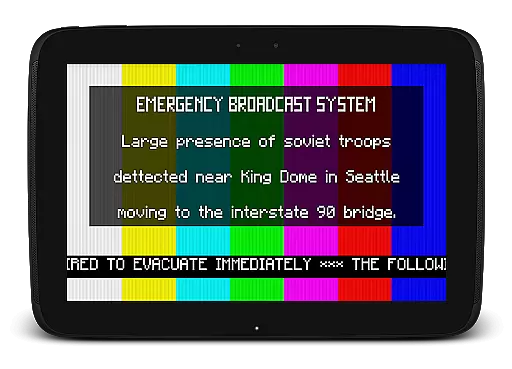
EAS Simulator Pro stands out with its extensive feature set tailored for creating lifelike emergency alerts. One of its key features is the full access to the EAS alert editor, allowing users to design and save unlimited custom alerts with backgrounds similar to TV broadcasts, static or blinking texts, and scrolling ticker-like messages.
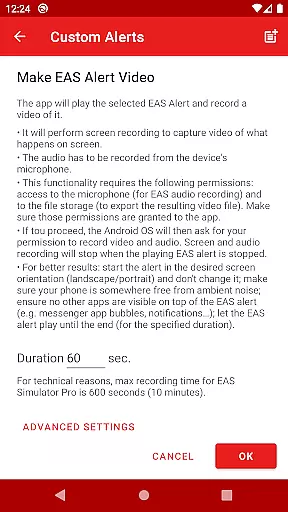
The app enables exporting alerts as videos using screen recording and microphone audio, which is perfect for sharing or backup purposes. It also includes realistic sound effects such as SAME headers and attention signals, enhancing the authenticity of each simulation. Additionally, the scheduling function lets users plan alerts even when the device is locked, ensuring seamless delivery during drills or pranks.
What sets this app apart is its rich library of predefined alerts covering real-world incidents and fictional scenarios inspired by popular media. This diversity not only entertains but educates users on potential emergency responses, offering practical insights while maintaining an engaging user experience.
In the realm of digital entertainment, content variety and freshness are paramount to maintaining user engagement. EAS Simulator Pro excels in this area by offering a diverse array of pre-defined alerts that cater to both real-life scenarios and thrilling fictional situations. From simulating natural disasters like flash floods and tornadoes to enacting apocalyptic events such as nuclear attacks and zombie pandemics, the app ensures users have access to an extensive library of content.
Moreover, the ability for users to create and save their own custom alerts without limitations adds another layer of variety. This feature not only enhances replay value but also encourages creativity among its users. By allowing them to craft unique emergency scenarios, EAS Simulator Pro keeps its content fresh and engaging over time.
The inclusion of realistic Emergency Alert System messages further enriches the experience. With backgrounds similar to those seen on TV alerts, static or blinking texts, scrolling news-ticker-like updates, SAME headers with authentic beeping sounds, attention signals including tornado sirens, voice messages generated via Text-to-Speech technology, and End of Message tones u2013 every detail is meticulously crafted to provide an immersive simulation environment.
User engagement duration and retention are critical metrics for any entertainment application aiming to succeed in today's competitive market. EAS Simulator Pro addresses these aspects effectively through several innovative features designed to captivate its audience. One standout aspect is the scheduling functionality which allows users to set alerts at specific times, even when their device is locked. This feature transforms routine drills into exciting events, thereby increasing session lengths significantly.
Additionally, the export/import capability enables sharing creations with friends who own either the Demo or Pro versions of the app. Such social interaction fosters community building around shared interests while simultaneously boosting retention rates as users return frequently to check out new content created by peers. Furthermore, the appu2019s compatibility with various Text-to-Speech engines empowers users to personalize their auditory experiences, making each interaction distinctively theirs.
By continuously updating its offerings based on user feedback and technological advancements, EAS Simulator Pro demonstrates a commitment to keeping its audience engaged long-term. Whether itu2019s refining existing functionalities like video exporting or addressing known issues promptly, the developers prioritize delivering a seamless yet captivating experience that keeps users coming back for more.
User-friendly interface
Highly customizable alerts
Realistic simulation options
Extensive sound effects library
Predefined emergency scenarios
Paid version only
Requires TTS engine
Video export issues
Limited OS compatibility
Permissions needed

Exclusive creator communities
 4.70
4.70
Exclusive Short Drama Video! All in HD. Bringe trending reels & enjoy drama time
3.80
Play games. Earn real rewards. Cash out in 3hours via PayPal or gift cards.
4.40
Unofficial Game Companion App” “Guides • Builds • Tips • Progression
4.0
With the credits you earn play more games
2.90
Stream Live TV, News & Documentaries. Watch Full Seasons with PBS Passport.
4.80
Your choice of 350+ networks plus movies and full TV series on-demand.
3.70
Unleash Your AI Imagination
4.60
Alice Box is an Instrumental Trans Communication app.
3.80
Open-source, fast, simple and powerful IPTV app
4.90
Colorful flows will relax and calm you down, or get you trippy and creative!
4.90
Catalog & tracker of your DVD, Blu-ray & Digital Movie and TV Collection Library
4.80
Watch Reels, Drama Shorts & TV Series Anytime. Download DramaWave Now!
4.70
Triple A is a highly complex, kinetic, and interactive visualizer.
4.50
Just play games to earn gift cards. Keep playing, keep earning.
4.50
Start EVP/Spirit Box tonight: real EMF, offline, recording. One-time purchase.
4.10
Real ghost box scanner with echo, reverb, EMF, & multi-stream channels.
3.80
NFL, NBA, NHL, MLB, local sports coverage, shows, movies & news!
3.20
Raise Christmas Magic with daily missions, magical scanners, and kindness.
4.3


User Reviews