
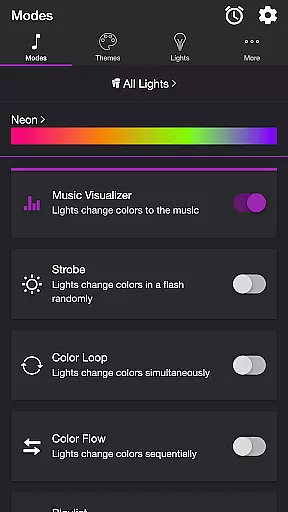
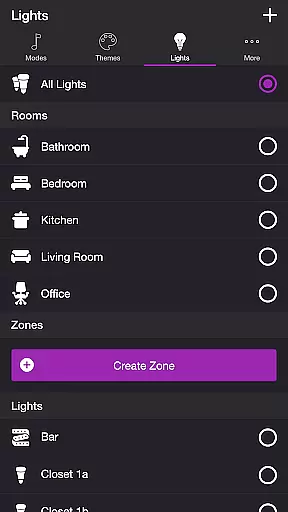
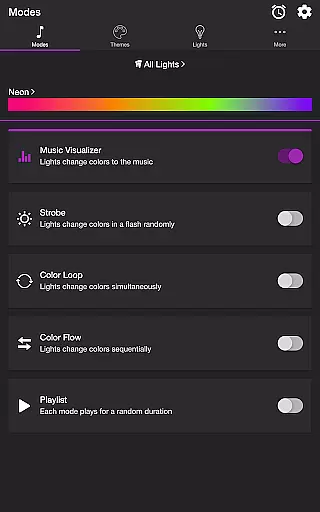
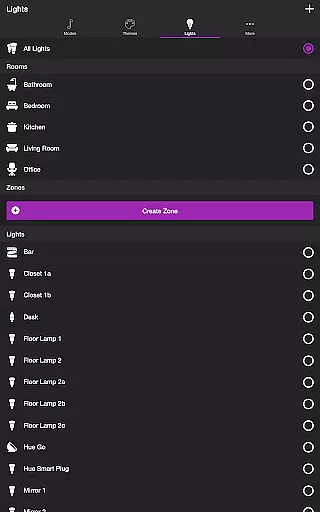
Soundstorm for Hue is an innovative entertainment application that transforms your Philips Hue lights into dynamic party enhancers. The app allows users to sync their smart lights with music, creating immersive light shows through various customizable modes. With features like Music Visualizer, Strobe, Color Loop, and Playlist, it offers a versatile lighting experience tailored to personal preferences.
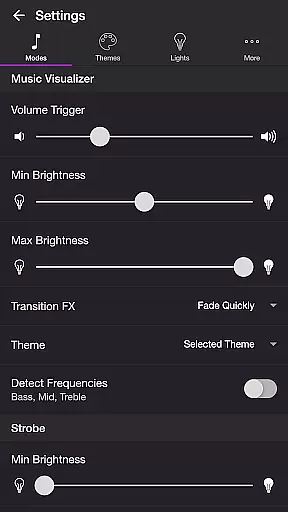
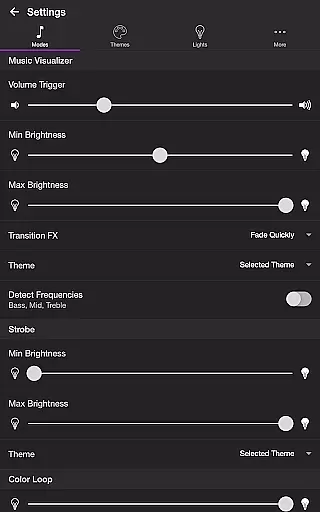
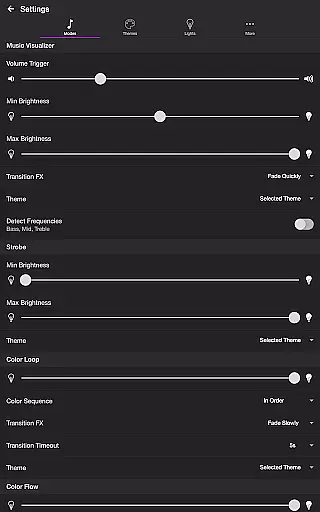
The application's true power lies in its detailed customization options. Users can fine-tune settings such as brightness levels, transition effects, and frequency detection to create the perfect ambiance. Whether you're hosting a lively gathering or simply want to elevate your home atmosphere, Soundstorm for Hue provides the tools to craft an engaging light show that matches your mood and music.
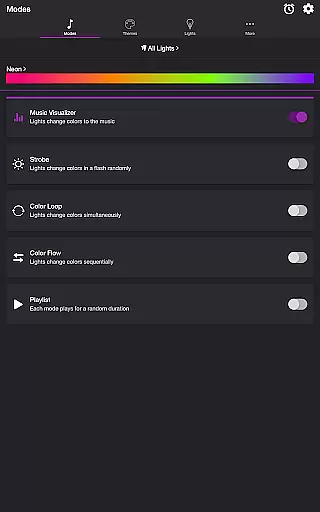
Soundstorm for Hue stands out with its diverse range of lighting modes designed to enhance any occasion. The Music Visualizer mode uses the device's microphone to sync lights with live music, while Strobe creates random flashes of color for high-energy moments. The Color Loop and Color Flow modes offer more controlled transitions, allowing users to set sequential or simultaneous color changes across their lights.
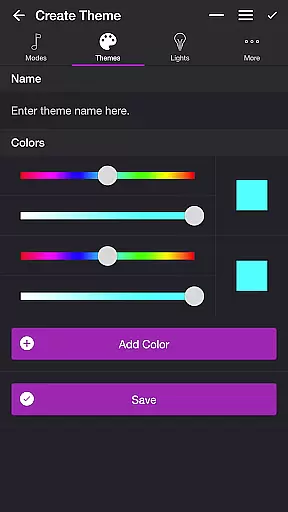
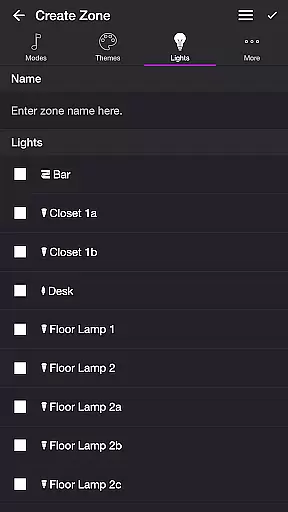
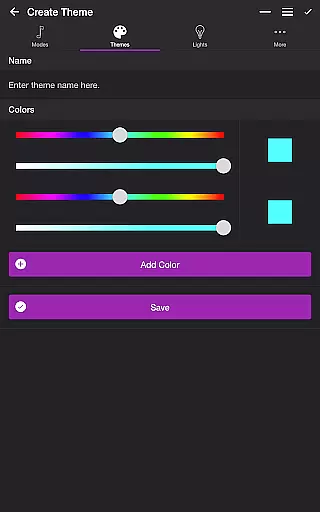
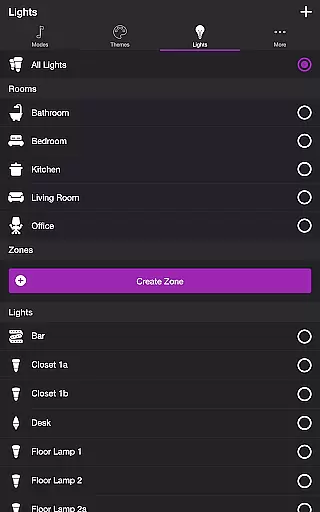
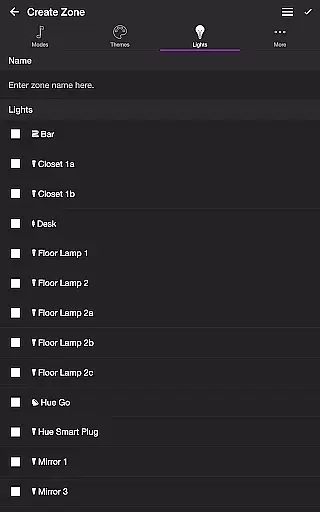
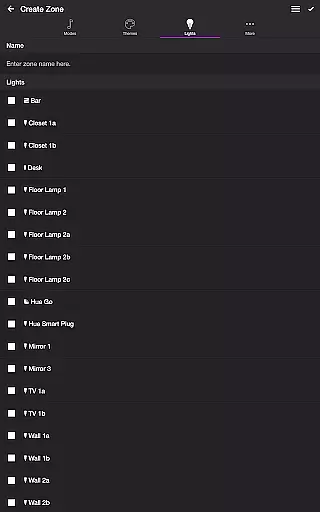
Beyond basic modes, the app includes advanced customization features. Users can create personalized themes, adjust frequency triggers, and even target specific lights for effects. The Playlist mode randomly cycles through selected modes, ensuring a constantly evolving light show. These granular control options, combined with support for custom zones and groups, make Soundstorm for Hue a powerful tool for creating sophisticated lighting experiences.
Soundstorm for Hue offers a diverse range of content through its various modes and themes, ensuring users have multiple entertainment options.
The app includes modes such as Music Visualizer, Strobe, Color Loop, Color Flow, and Playlist, each providing a unique way to enjoy Philips Hue lights. These modes allow the lights to change colors in sync with music or in pre-set patterns, offering both variety and customization.
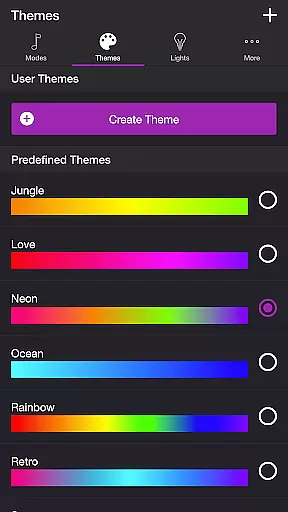
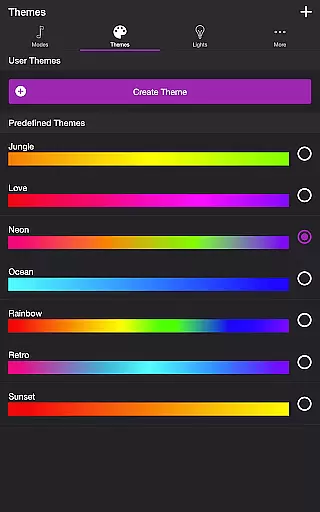
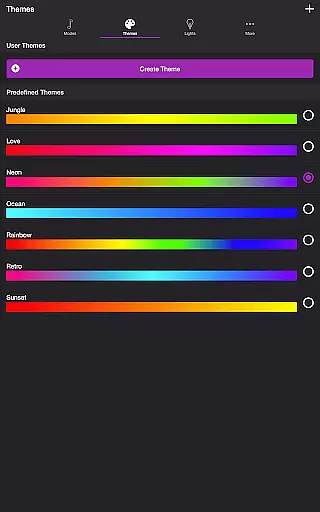
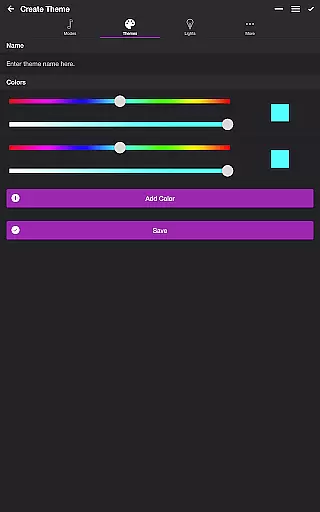
Users can choose from predefined themes or create their own, adding another layer of personalization. The ability to edit and reorder colors for different modes ensures that the content remains fresh and tailored to individual preferences.
With additional features like Sleep Timer and extensive settings for each mode, Soundstorm for Hue provides an engaging and customizable entertainment experience that can be refreshed regularly.
Soundstorm for Hue is designed to maximize user engagement duration and retention by offering immersive and interactive light shows.
Through features like Music Visualizer, which syncs lights with music in real-time, users are encouraged to keep the app active during parties or personal listening sessions. The ability to customize brightness, transition effects, and themes keeps users engaged in setting up their perfect ambiance.
Retention is further enhanced by allowing users to save their preferred settings and themes, making it easy to return to their favorite configurations. The intuitive interface for managing lights and groups also simplifies the user experience, promoting regular use.
By continuously updating and expanding on these features, Soundstorm for Hue ensures that users remain engaged and invested in the long term.
Extensive customization
Versatile lighting modes
User-friendly interface
Real-time music sync
Advanced theme options
Hue Bridge required
Microphone access needed
Premium features limited
Setup can be complex
Device compatibility issues

A wonderful collection of the most beautiful sounds of animals and birds
 4.0
4.0
Pathfinder 2e initiative tracker with bestiary, HP, reaction, conditions, etc
4.80
Fool your friends & Family with Fake ultrasound test report
3.60
Your choice of 350+ networks plus movies and full TV series on-demand.
3.70
Come and watch short dramas, reels with diverse genres!
4.40
Unleash Your AI Imagination
4.60
Realistic Baby Simulator App
4.00
World's largest dedicated anime collection
4.70
Scary prank camera & on face app: Shoot videos, selfies with spiders & scorpions
4.60
Stream Live TV, News & Documentaries. Watch Full Seasons with PBS Passport.
4.80
Create, chat & bond with AI souls who truly listen.
4.50
Triple A is a highly complex, kinetic, and interactive visualizer.
4.50
Series,Películas y Telenovelas
4.50
Fetch money rewards all just for playing games. Cash out for gift cards in app.
4.50
Play games. Earn real rewards. Cash out in 3hours via PayPal or gift cards.
4.40
A companion app for the game Elite Dangerous
4.10
Stream videos to VIDAA & VEWD TVs from Hisense, Sharp, Skyworth, Vestel & TiVo
3.00
With the Steam Mobile App, you can take Steam with you anywhere.
3.00
EVP Recorder / Voice Recorder for ghost hunting, to communicate with ghosts.
4.3


User Reviews