

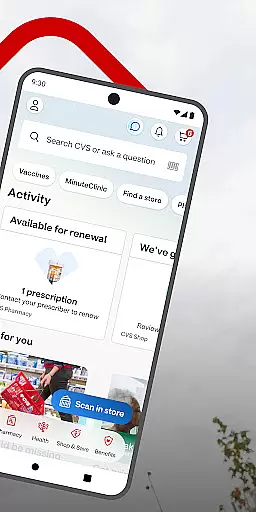
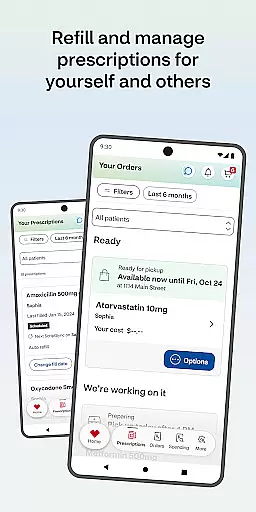
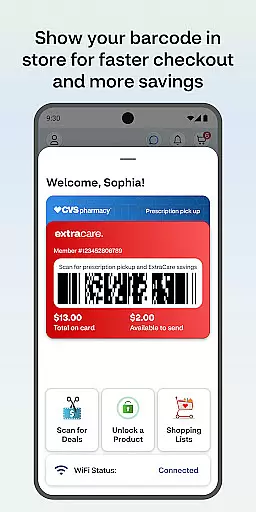
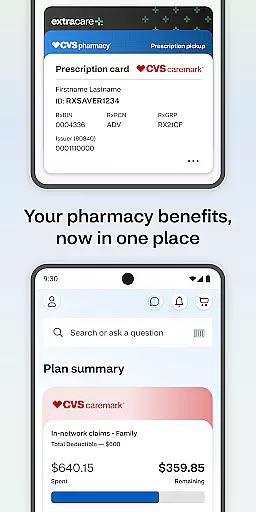
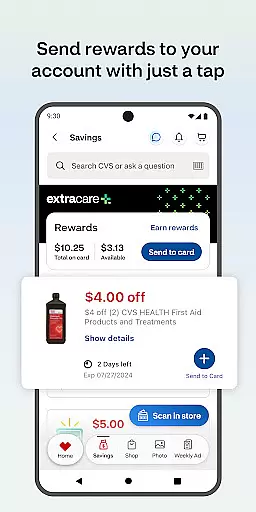
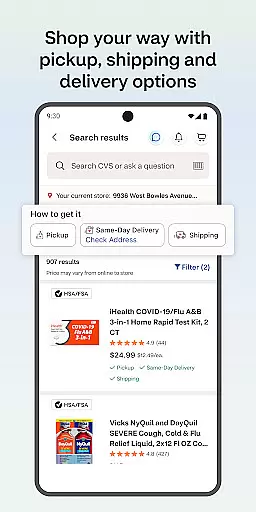
The CVS Health app is a comprehensive medical and wellness solution that simplifies healthcare management. It allows users to easily check out using ExtraCare, save money with exclusive deals, and manage prescriptions efficiently. The app provides features for ordering medication refills, checking drug interactions, and accessing health information.
Users can schedule medical appointments, video chat with healthcare providers 24/7, and find nearby MinuteClinic locations. It also supports photo printing services for same-day pickup. Designed for Android 10.0 and higher, the app ensures privacy compliance and offers a seamless experience for managing personal and family healthcare needs.
The CVS Health app stands out with its robust integration of pharmacy services, savings opportunities, and telehealth features. Users can link their ExtraCare card to access personalized deals and rewards, ensuring they never miss a discount. The prescription management system allows for easy refills, status checks, and payment processing, even offering home delivery options.
Telehealth services include 24/7 virtual consultations with healthcare providers and tools to locate nearby clinics with wait time visibility. Additionally, the app's weekly ads help users plan shopping trips while the photo printing feature adds convenience. These capabilities are supported by real-time notifications and an intuitive interface, making it a one-stop solution for healthcare and wellness management.
In the realm of digital health, the credibility of medical content is paramount. The CVS Healthu00ae app ensures that all information provided is thoroughly vetted by healthcare professionals. This guarantees users receive guidance and details that align with current medical standards and practices.
The app offers features such as drug interaction checks and medication information, which are crucial for patient safety and informed decision-making. By consulting with experts in the field, CVS Healthu00ae incorporates functionalities that not only educate users but also protect them from potential harm.
Furthermore, scheduling vaccines and medical care through the app provides an additional layer of assurance. Users can trust that the services offered are based on expert recommendations and adhere to health guidelines. This commitment to expert-reviewed content makes CVS Healthu00ae a reliable tool for managing personal and family health.
Teleconsultation has become an essential service in modern healthcare apps, offering convenience without compromising on quality. CVS Healthu00ae facilitates video chats with healthcare providers around the clock, ensuring users have access to professional medical advice whenever needed.
This feature stands out due to its seamless integration within the app, allowing for high-quality interactions between patients and providers. Whether it's a routine check-up or urgent consultation, the service maintains a standard that rivals in-person visits, enhancing the overall user experience.
Additionally, the ability to find nearby MinuteClinicu00ae locations and view wait times adds another dimension to teleconsultation services. Users can efficiently plan their visits, knowing they will receive timely and expert care. Such comprehensive telehealth options underscore CVS Healthu00ae's dedication to delivering top-notch teleconsultation experiences.
User-friendly interface
Comprehensive prescription tools
Integrated telehealth services
Exclusive app-only deals
Family health management
Limited to CVS services
Background GPS usage
Requires ExtraCare membership
Android version restrictions
Notification overload

MySafeRide simplifies booking and managing rides for health plan members.
 3.50
3.50
Check and Track your Blood Pressure & Heart Rate.
4.50
myVCA is your tailor-made guide to raising a healthy and happy pet.
4.90
A comprehensive medical disease app.
5.00
Pelvic Floor Muscle Exercises
4.80
Personalized hearing experience and health data tracking
4.50
Discover the source of pain with Muscle Trigger Point Anatomy.
4.70
The doctor will see you now
4.70
Anthem/Wellpoint and other health insurance plans
4.60
Manage your prescriptions and pharmacy care anytime, anywhere.
4.80
Save up to 80% on your pharmacy prescriptions & medications with free Rx coupons
4.70
Remote, medical-grade heart care at your fingertips
4.70
Enjoy 200%+ volume booster with bass booster, equalizer and headphone supported.
4.60
Secure video visits with your VA care team from anywhere
4.50
Perform pure-tone audiometry and a speech intelligibility test on your phone.
4.50
Molina Members: My Molina. Manage your health anytime, anywhere!
4.30
A rapid reference for healthcare professionals caring for pediatric patients.
4.30
Over 1,200 review questions and 5 exams—pass the NREMT with EMT Review Plus!
4.10
The world's best selling 3D Human Anatomy app with groundbreaking 3D technology
2.00


User Reviews