
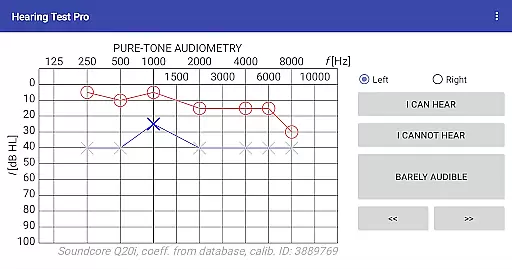
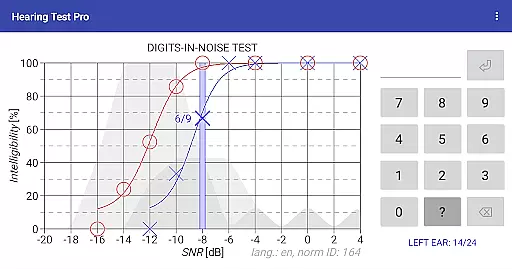
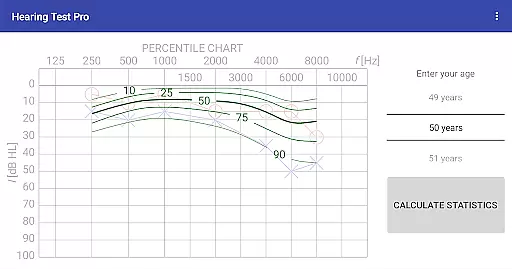
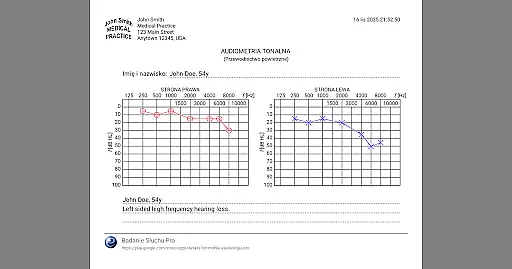
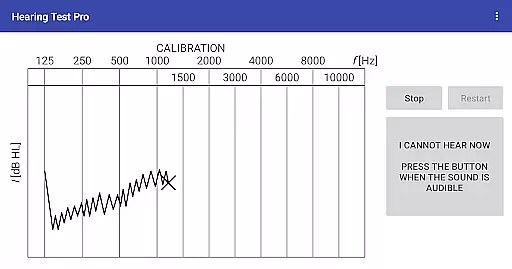
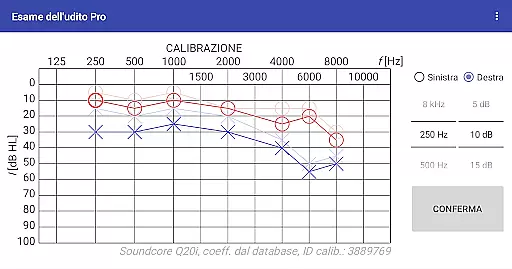
Hearing Test Pro is a professional-grade mobile application designed for users to conduct detailed hearing assessments. The app offers two primary testing methods: pure-tone audiometry and the digits-in-noise test (digit triplet test). Pure-tone audiometry evaluates the degree of hearing loss across different sound frequencies, identifying the quietest sounds detectable by the user. This establishes an accurate hearing threshold. The digits-in-noise test assesses speech intelligibility by having users recognize spoken digits amidst background noise.
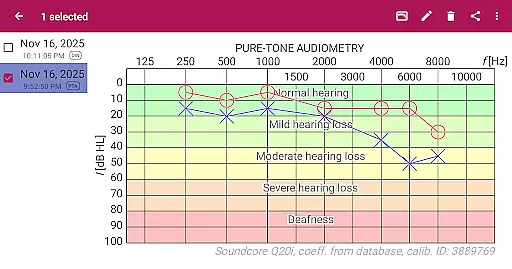
In addition to these core tests, the app includes advanced features such as high-frequency audiometry, classification of hearing loss, and comparison with age-related norms. Users can also print their test results, add notes, and adjust calibration settings based on clinical audiometer results. With its comprehensive functionality, Hearing Test Pro serves as an essential tool for individuals monitoring their hearing health or professionals conducting diagnostic evaluations.
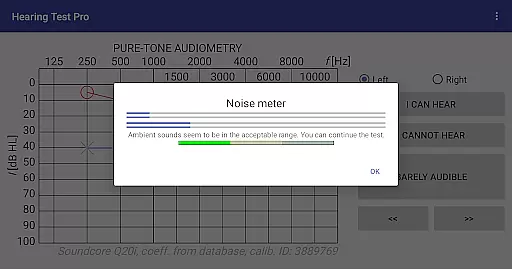
Hearing Test Pro stands out with its robust feature set tailored for both personal and professional use. The app provides pure-tone audiometry using bundled headphones and predefined calibration coefficients from its database. For environments where no predefined calibration exists, users can manually calibrate their devices. A built-in noise meter ensures accurate measurements by accounting for background noise during tests.
Additional functionalities include high-frequency audiometry, which extends the range of standard audiometry, and classification of hearing loss based on test outcomes. The app allows users to compare their results with age-related norms, offering valuable context for their hearing health. Furthermore, the Pro version unlocks advanced capabilities such as offline access to test results via a local database, synchronization of data across devices through cloud storage, and manual stimulus control during pure-tone audiometry tests.
These features collectively make Hearing Test Pro a versatile solution for anyone seeking detailed insights into their auditory capabilities while providing tools that enhance accuracy and convenience.
In the medical field, the accuracy and reliability of information are crucial for proper diagnosis and treatment. Hearing Test Pro ensures medical content credibility by offering scientifically validated tests such as pure-tone audiometry and the digits-in-noise test. These assessments are widely recognized in audiological practices, providing users with reliable data about their hearing capabilities.
The app's functionality is designed to emulate professional procedures used in clinical settings. For instance, it includes features like high-frequency audiometry and classification of hearing loss, which are essential for a comprehensive evaluation. By incorporating these advanced tools, Hearing Test Pro demonstrates its commitment to delivering expert-reviewed and trustworthy content that aligns with industry standards.
Furthermore, the application allows calibration adjustment and verification, ensuring that the results obtained are as accurate as those from clinical audiometers. This level of precision not only enhances user confidence but also supports healthcare professionals who may use this app as an auxiliary tool in patient care. With these rigorous measures in place, Hearing Test Pro establishes itself as a credible resource within the medical community.
Teleconsultation has become an integral part of modern healthcare, allowing patients to receive guidance without being physically present at a clinic. While Hearing Test Pro does not facilitate direct teleconsultations, it empowers users with detailed reports on their hearing status, which can be shared with audiologists or doctors during virtual consultations. The ability to print test results or store them locally adds convenience when discussing outcomes with medical experts.
The Pro version further enhances this experience by enabling synchronization of test results across devices via cloud storage. This feature ensures that no matter where a consultation takes place, up-to-date records are readily accessible. Such seamless access to historical data helps practitioners make informed decisions based on consistent tracking over time, improving overall teleconsultation quality.
Additionally, manual stimulus control available in the Pro version gives users more flexibility during testing, mimicking interactive elements found in live consultations. By equipping individuals with precise and actionable insights into their auditory health, Hearing Test Pro indirectly elevates the standard of remote healthcare interactions, making it easier for both patients and providers to engage effectively.
Comprehensive hearing tests
High-frequency audiometry
Offline result access
Cloud synchronization
Manual stimulus control
Complex for beginners
Requires calibration
Premium features costly
Limited free version
Dependent on headphone quality

Easy telehealth appointments + urgent care
 4.70
4.70
Conveniently receive lab results, schedule lab appointment and pay your bills
3.70
The Better Pharmacy Experience
4.90
MHealth is the mobile version of MEDITECH’s Patient and Consumer Health Portal.
3.10
Log your symptoms in the MyZio app — the perfect companion to the Zio monitor!
4.60
Boost reading, writing, speaking and listening with a scientifically proven app.
4.70
Your pocket guide to following The Monash University Low FODMAP diet.
4.20
Secure video appointments
4.50
Continuous Glucose Monitoring
3.40
Amplify surrounding sounds, conversations, TV or lectures for louder hearing.
4.70
Identify pills, search different drugs, get drug information and much more!
4.50
Radiographic Positioning Guide for Medical Imaging Professionals and Students
4.50
3rd trimester? Counting Kicks is what moms should do-It’s important & easy too!
4.30
Control your hearing aids discreetly with the touch of a finger
4.30
A rapid reference for healthcare professionals caring for pediatric patients.
4.30
Hearing aid app for Android solves your hearing problems.
4.00
Donating plasma just got easier with the BioLife Plasma Services mobile app.
3.90
A scientifically-proven method to help people with dementia or memory impairment
4.0
ECG modules improve rhythm ID. ACLS is a simulator for cardiac arrest scenarios.
4.1


User Reviews