
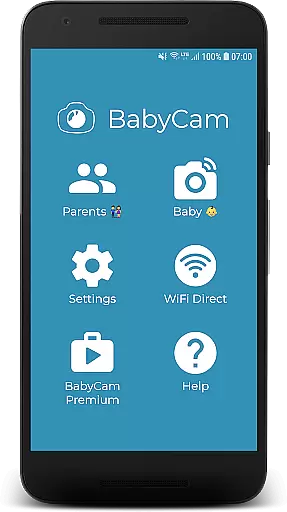
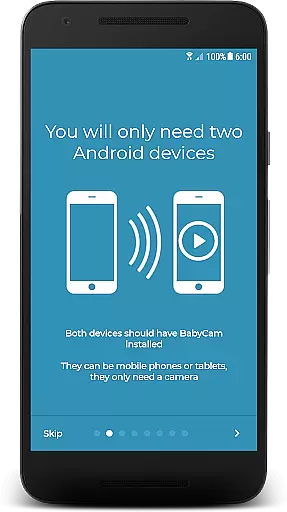
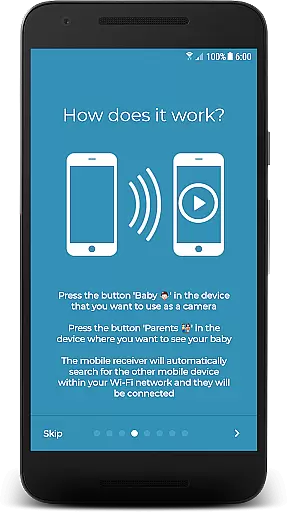
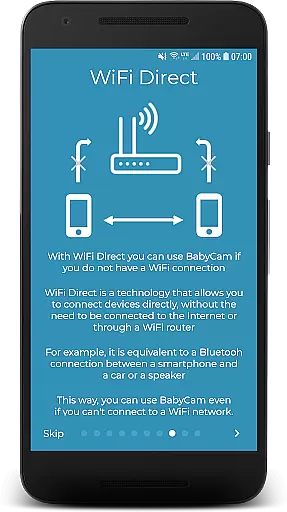
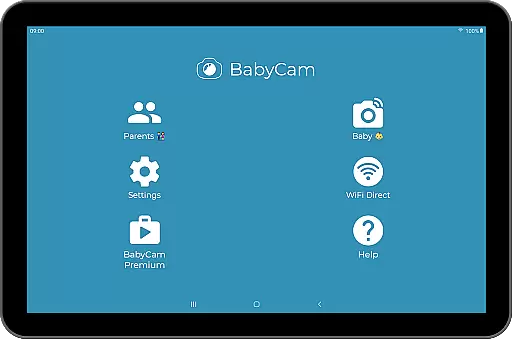
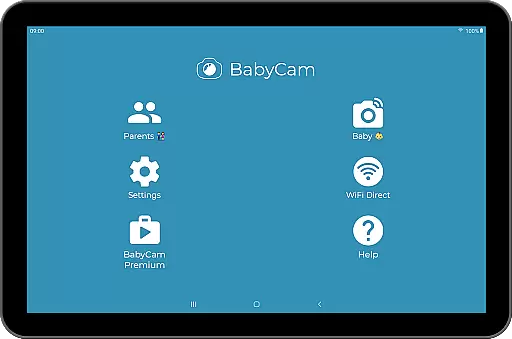
BabyCam is a reliable and innovative parenting app designed to help parents monitor their baby using two devices, such as smartphones or tablets. One device acts as the baby monitor, while the other serves as the parent's viewing screen. The app operates seamlessly on the same WiFi network or via WiFi Direct, ensuring easy setup without the need for registration or matching codes.
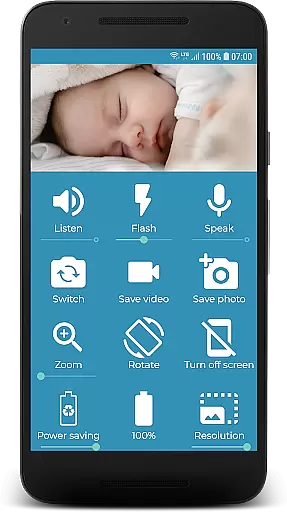
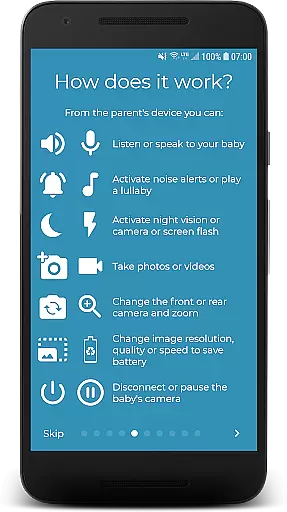
With BabyCam, parents can enjoy advanced features like Chromecast support for TV viewing, web browser access for PC or iOS devices, and the ability to listen, talk, and play lullabies. Additional functionalities include camera flash control, front and back camera switching, zoom, volume adjustments, night mode, battery level display, and media capture options. All these features are available for free, with an optional Premium version to remove ads for $1.99.
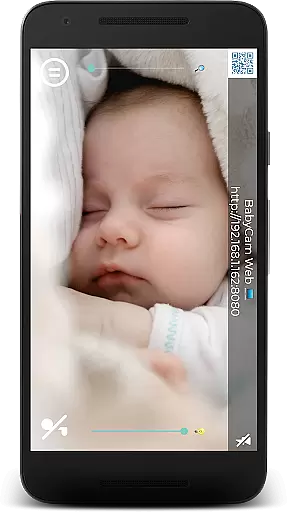
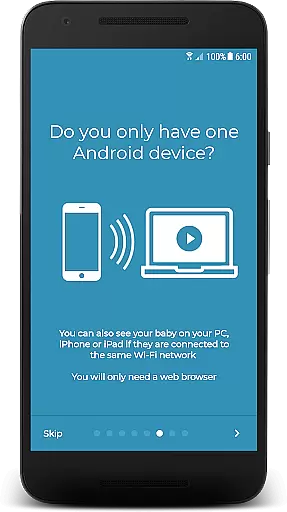
BabyCam offers a comprehensive set of features that enhance the baby monitoring experience. The app supports WiFi Direct, allowing usage without an internet connection, and provides compatibility with Chromecast for convenient TV streaming. Parents can also access the live feed from any web browser on their PC, iPhone, or iPad, offering flexibility in monitoring.
The app includes audio functionalities such as listening to and talking to your baby, along with playing soothing lullabies. Visual controls enable parents to manage the camera flash, switch between front and back cameras, and adjust zoom levels. Volume settings for microphones, night mode for reduced eye strain, and battery level indicators ensure a comfortable and informed user experience. Additionally, BabyCam allows capturing pictures and videos and supports multiple simultaneous connections, enabling both parents to monitor their baby at the same time.
In the realm of parenting applications, content credibility is paramount. BabyCam ensures that all features are designed with the utmost care and attention to detail, providing reliable tools for parents. The app offers functionalities such as monitoring, lullabies, and night mode, which are developed based on common parental needs and feedback.
BabyCam stands out by eliminating the need for complex setups or registrations, making it accessible and user-friendly. By connecting devices through the same WiFi network or WiFi Direct, it simplifies the process of watching over your baby. This seamless connection reassures parents that they can trust the application to function effectively without unnecessary complications.
The credibility of BabyCam is further enhanced by its transparent monetization strategy. While the app is totally free to use, it offers a Premium version for $1.99 to remove ads permanently. This approach ensures that the core functionalities remain accessible to all users while providing an option to enhance the experience.
Growth tracking in parenting apps often refers to monitoring various aspects of a child's development. Although BabyCam does not provide traditional growth charts, it excels in offering accurate real-time monitoring solutions. Parents can observe their babyu2019s activities and behaviors closely, which indirectly supports developmental tracking.
The app includes features like listening, talking, and playing lullabies, which contribute to a nurturing environment. These interactive elements help parents engage with their child, fostering both emotional and cognitive growth. Additionally, the ability to take pictures and videos allows parents to document milestones effortlessly.
BabyCam also provides practical tools such as zoom, volume adjustment, and camera flash activation for low-light conditions. These features ensure that parents have a clear and precise view of their baby at all times. Such meticulous attention to detail enhances the overall accuracy and reliability of the monitoring process, giving parents peace of mind.
User-friendly interface
No registration required
Free basic version
Multiple device support
Advanced monitoring features
Premium version costs $1.99
Requires WiFi or WiFi Direct
Ads in free version
Limited to two-device setup
Dependent on network stability

Daily Routine & Timer for kids, ADHD, & Autism
 4.80
4.80
Cherish every beat - capture your baby's heart sounds with our app
4.30
Learn according to the age of your child and consult with other moms.
4.20
Affirmations | Stories | Bible
4.10
Pinardin - Smart Parental Control, Online Safety & GPS Tracking!
4.80
Babysitting video camera - Turn your two phones or tablets into a single nanny.
4.40
Pregnancy+ App has helped 80m moms track their pregnancy with info & support!
4.80
Advanced baby tracking, expert sleep help & parenting support for every stage.
4.80
The Most Trusted Co-Parenting App.
4.60
FamilyAlbum helps you share, save, and remember your child's special moments.
4.80
Block apps, set screen time limits, and customize usage schedules
4.50
Speech Therapy Exercises For All!
4.40
Free symptom & med tracker with expert-reviewed tips.
4.30
Fake call application designed for parents and adults to discipline their children through the children's police.
4.20
Magic chalkboard coloring and drawing!
4.20
Monitor screen time and build healthy habits with Family Safety
3.90
Happiest Baby App replaces the SNOO App (the mobile companion to SNOO & SNOObie)
3.20
Lullabies, Night Light & Age-based Routines to help your baby fall asleep
4.3
Track pregnancy health and wellness with pregnant tracker from healthcare advice
4.2


User Reviews