
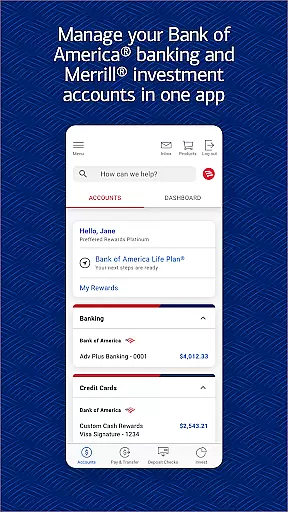
Bank of America Mobile Banking is a comprehensive financial management application designed for U.S.-based customers. The app allows users to conveniently and securely manage their checking, savings, credit card, loan, and investment accounts from their mobile devices. With features like account balance monitoring, bill payments, Zelle® money transfers, and check deposits through photos, it provides an all-in-one banking solution.
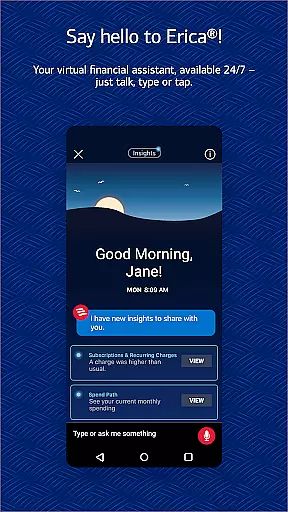
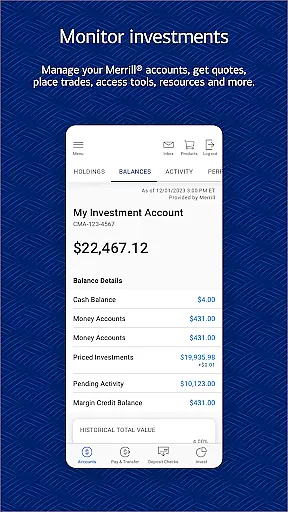
The app also includes Erica, a virtual financial assistant that helps users find transactions, pay bills, and offers valuable alerts and insights. Security features such as Touch ID® / Face ID® and immediate notifications for suspected fraudulent activity ensure user data remains protected. Additionally, the app offers tools for managing investments with Merrill, checking FICO® credit scores, and utilizing financial education resources for budgeting and savings.
Whether you're at home or on-the-go, Bank of America Mobile Banking empowers users to take control of their finances with ease and confidence. Its robust feature set makes it an essential tool for anyone looking to streamline their banking activities while maintaining top-notch security standards.
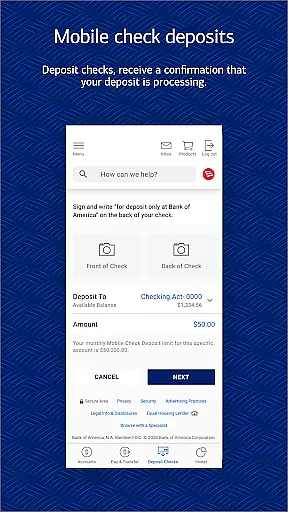
Bank of America Mobile Banking stands out due to its extensive range of features tailored to meet various financial needs. One key feature is the ability to manage multiple types of accounts including checking, savings, credit cards, loans, and investments—all within a single platform. Users can view real-time balances, review recent activities, activate or replace lost cards, set important alerts, and even deposit checks by simply taking photos.
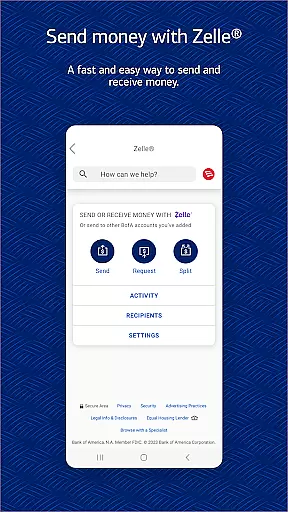
Another notable aspect is the integration of Zelle®, which enables secure peer-to-peer payments using just a U.S. mobile number or email address. This function simplifies transferring funds between friends, family, or linked accounts without needing bank details. Furthermore, Erica, your virtual financial assistant, enhances user experience by providing proactive notifications about spending habits, upcoming bills, and personalized financial advice based on individual usage patterns.
Security remains paramount, with advanced options like biometric login (Touch ID® / Face ID®) ensuring only authorized access. In case of any suspicious activity, users receive instant alerts allowing them to act swiftly. Overall, these innovative features not only make banking more accessible but also significantly enhance personal finance management capabilities.
In the realm of mobile banking, security is paramount, and Bank of America Mobile Banking excels in providing robust protection for users' financial data. The app employs advanced encryption protocols to safeguard sensitive information during transmission, ensuring that account details remain confidential.
One standout feature is the ability to set up biometric authentication methods such as Touch ID or Face ID. This not only simplifies the login process but also adds an extra layer of security by verifying the user's identity through unique biological traits. Additionally, if any fraudulent activity is detected on a useru2019s card, immediate notifications are sent out, allowing swift action to mitigate potential damages.
The app also includes a comprehensive security center where users can review their security settings and understand how their data is protected. With the Mobile Banking Security Guarantee, customers can rest assured knowing they won't be held liable for unauthorized transactions if reported promptly. These measures collectively ensure peace of mind while managing finances digitally.
A seamless transaction experience is crucial for any banking application, and Bank of America Mobile Banking delivers this through various innovative features. Users can effortlessly transfer funds between their Bank of America accounts and linked Merrill accounts, making it convenient to manage multiple financial portfolios from one platform.
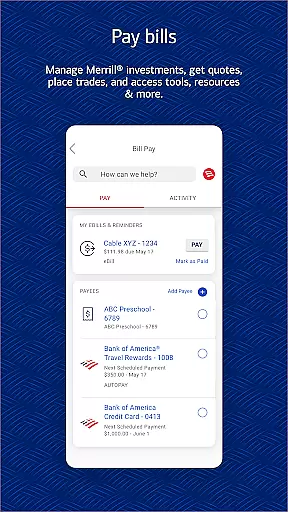
The integration of Zelleu00ae allows users to send and receive money using just a U.S. mobile number or email address. This service simplifies peer-to-peer payments without needing to exchange bank account details, enhancing both convenience and privacy. Furthermore, bill payment functionalities enable users to settle dues directly from the app, streamlining monthly financial obligations.
For those who need to deposit checks, the app offers a remote deposit capture feature. By simply taking photos of checks, users can deposit them into their checking or savings accounts, receiving immediate confirmation that the process has begun. Overall, these features combine to create a smooth, efficient, and secure transaction environment tailored to modern banking needs.
User-friendly interface
Comprehensive account management
Secure transactions
Virtual assistant support
Investment tracking tools
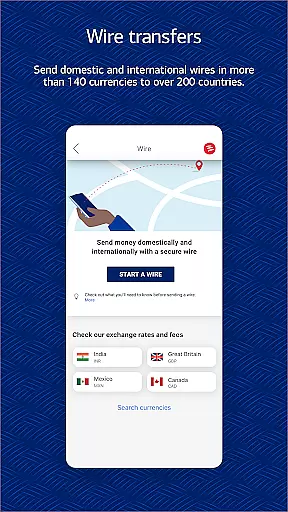
Limited international functionality
Occasional bugs reported
Requires stable internet connection
Some features need enrollment
Deposits have processing time

Bitcoin gpu app helps you remote mine using your cell phone easily .
 3.60
3.60
Bill Manager is a simple app to help you keep track of your upcoming bills.
4.4
Get, Earn, and Save Money
4.30
Car Insurance Made For You.
4.50
No credit checked needed.
4.80
Real-time tracking: Stocks, Indices, Futures, Commodities, ETF, & Funds prices.
4.60
Join 12M+ users. Instant cash advances, personal loans, build credit, save money
4.80
Navigate your unique financial path confidently with help from Credit Karma.
4.70
Trade NFL, NBA, Crypto, Tech
4.50
Check EBT, SNAP, WIC balances, manage food stamps, and save money with benefits
4.80
All expenses at a glance.
4.80
Loan Calculator, Mortgage Calculator, Compound Interest Calculator
4.70
Early payday & cash advances with no-fee mobile banking!
4.60
Insurance that's quick and easy to buy and use—anytime, anywhere.
4.60
All your crypto & stocks in one secure and trusted app.
4.40
Put crypto to work & earn rewards. Stake crypto like Ethereum, Solana & Cardano
4.40
Read and extract public data on NFC Contactless banking card (VISA, MasterCard
4.30
Earn money as a tester with Testerup, get cash testing apps and games
4.20
Venmo is the fun and easy way to pay and get paid.
4.10


User Reviews