
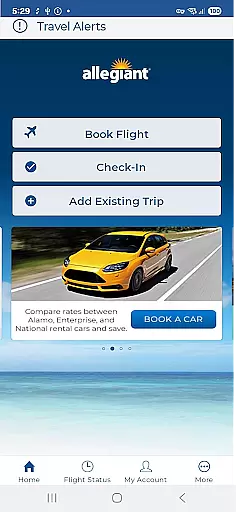

Allegiant is a comprehensive travel companion app designed specifically for Allegiant Travel and Allegiant Airlines passengers. The app allows users to manage their entire trip experience, from booking flights to receiving real-time flight status updates. With its intuitive timeline-based card system, travelers can easily navigate through each phase of their journey.
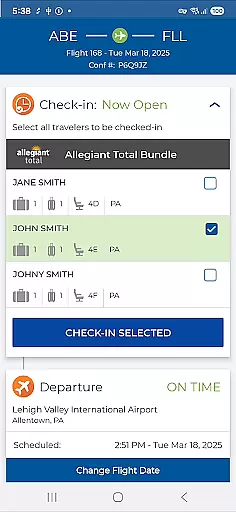
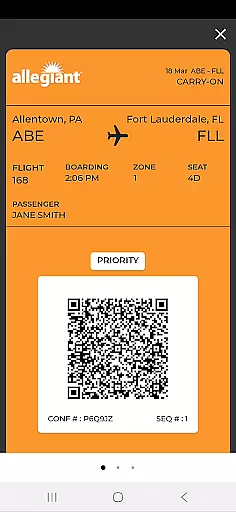
The app's key features include mobile check-in capabilities, boarding pass display, and access to departure and arrival information. Users can also book flights directly within the app, add seats, purchase bags, and upgrade to Priority Boarding. This digital solution eliminates the need for printed documents, making air travel more convenient and eco-friendly.
Whether you're a frequent flyer or an occasional traveler, Allegiant app provides valuable tools that enhance your airport experience while potentially saving money through its various self-service functions.
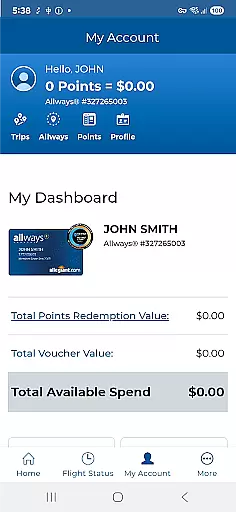
Allegiant stands out with its unique card-based timeline interface that represents each phase of the passenger's journey. This innovative approach allows users to intuitively manage their trips by simply tapping on relevant cards to access needed information and services. The app automatically syncs upcoming trips when logged into a user's My Allegiant account.
Among its notable features are automatic trip downloads, seat selection and management tools, baggage purchase options, and Priority Boarding upgrades. The app also delivers important flight status notifications in real-time, ensuring passengers stay informed about any changes or updates to their travel plans.
Additional functionality includes various self-service options and feedback mechanisms, allowing passengers to modify their travel arrangements independently and share their Allegiant experiences. These features collectively create a seamless and efficient travel management solution that saves both time and resources.
Booking authenticity is a crucial aspect of any travel application, ensuring that all reservations and transactions are legitimate and verifiable. Allegiant Travel & Allegiant Airlines' official app excels in this area by providing secure and reliable booking processes.
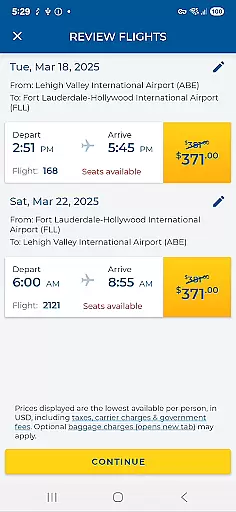
The app allows passengers to book their flights directly, with each phase of the trip represented as a card in a timeline. This intuitive design ensures that users can easily follow their trip details and make necessary adjustments. By tapping on these cards, passengers can manage their trips, check in for flights, and access boarding passes seamlessly.
Furthermore, the app provides important flight status notifications and self-service functions, enhancing the overall travel experience. These features not only ensure that bookings are authentic but also offer peace of mind to travelers who can rely on real-time updates and support.
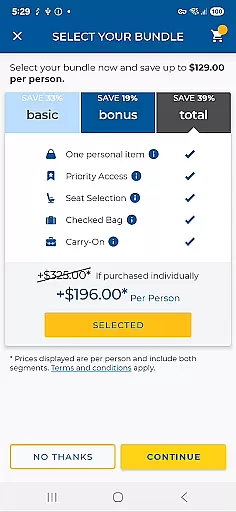
Price transparency is essential for travelers to make informed decisions about their bookings. The Allegiant app offers clear and comprehensive pricing information, allowing users to understand all costs associated with their travel plans.
Through the app, passengers can view and add seats, purchase bags, and upgrade to Priority Boarding with transparent pricing. This ensures that there are no hidden fees or surprises during the booking process. Users can review all charges before confirming their purchases, making it easier to budget and plan accordingly.
In addition to visible pricing, the app also enables passengers to take advantage of various self-service functions. These features help save money and streamline the airport experience by eliminating the need to print documents, thus offering both financial and environmental benefits.
User-friendly interface
Comprehensive trip management
Real-time flight updates
Mobile check-in convenience
Eco-friendly paperless system
Limited to Allegiant Airlines
Occasional syncing issues
Account login required
No offline functionality
Additional fees for upgrades

A packing list app that helps you remember what to pack for a trip.
 3.10
3.10
The Official Freedom Trail Foundation app.
4.30
Plan where to stand and shave minutes off your trip!
4.80
A Camino de Santiago Guidebook from St. Jean Pied de Port to Santiago
3.60
Take your pick from over 5 million accommodation deals from major booking sites.
4.40
Stay at Motel 6 for less - book fast, save more with MY6 app!
4.70
Rent the perfect car for wherever you’re going
4.90
Now you can book homes, experiences, and services—all in our redesigned app.
4.40
Stack Upside with your current credit & debit rewards for even more cash back!
4.50
With the Spirit Airlines app, easily manage all your trips in one place.
4.70
Easily rent a car at over 9,500 locations with the Enterprise car rental app.
4.60
Get exclusive travel deals and enjoy the award-winning customer service!
4.60
Maps, Wait Times, Park Hours
4.40
Navigate your world faster and easier with voice navigation & street view map
4.20
MyTSA gives you 24/7 access to info that passengers frequently request from TSA.
4.10
INDOT Trafficwise is a traffic and traveler information mobile app.
4.00
Everything you need for your trip in one place with the Volaris app.
3.60
Get Moving Made Easier® with the official U-Haul® Moving & Storage app.
3.40
Find the best prices, pay for the cheapest gas, and save on every fill up
3.30


User Reviews