
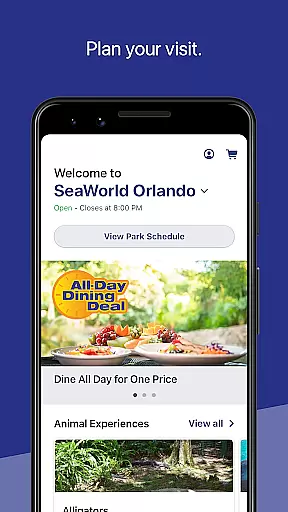
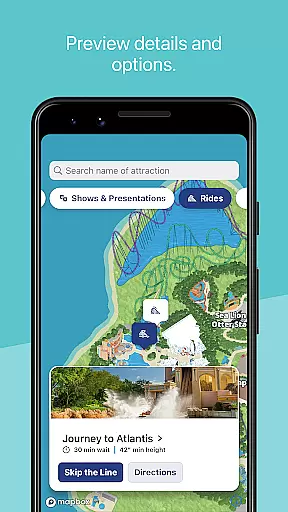
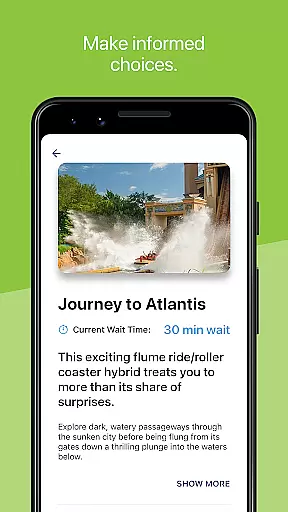
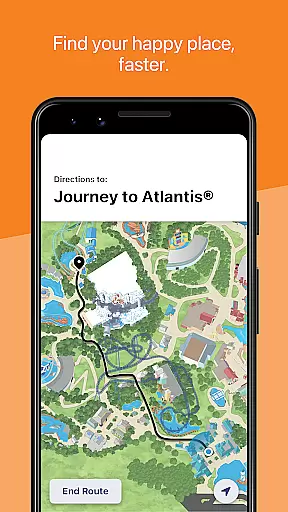
SeaWorld is a comprehensive travel companion app designed to enhance your park experience. The application serves as an all-in-one guide, offering tools for planning your visit, accessing essential park information, and navigating the premises. With features like interactive maps, real-time updates on ride wait times, and show schedules, it ensures you make the most of your day at SeaWorld.
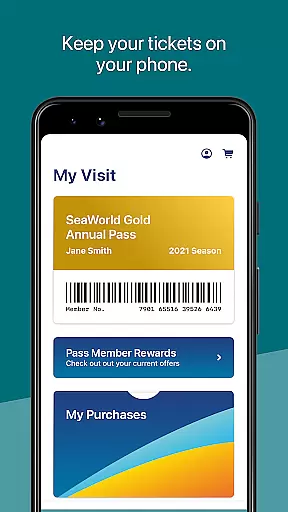
The app also allows users to manage their in-park purchases and memberships digitally, providing seamless access to annual passes and dining deals. Whether you're looking for animal experiences, rides, or dining options, SeaWorld's app streamlines your visit by putting all necessary information at your fingertips. This makes it an invaluable tool for both first-time visitors and frequent park-goers.
SeaWorld app boasts a variety of features tailored to improve your park visit. One of its standout functionalities is the interactive map, which not only shows your current location but also provides directions to nearby attractions, restrooms, and dining options. Users can filter points of interest by type, making it easier to find specific experiences such as animal encounters or live shows.
In addition to navigation, the app offers practical tools like real-time ride wait times and showtime schedules, allowing you to optimize your itinerary throughout the day. You can also upgrade your experience with add-ons such as Quick Queue® or reserve seating for shows directly through the app. These robust features ensure that visitors have a smooth, enjoyable, and well-organized trip to SeaWorld.
When planning a visit to SeaWorld, ensuring the authenticity of your bookings is crucial for a seamless experience. The SeaWorld app provides reliable booking features that allow you to reserve various in-park services with confidence.
The app enables you to upgrade your visit with options like Quick Queueu00ae, All Day Dining Deal, or Reserved Seating for shows. These features are integrated directly within the app and offer instant confirmation, ensuring that your bookings are authentic and secured.
By using the SeaWorld app for your bookings, you eliminate the risk of counterfeit tickets or reservations. This guarantees that your planned activities, from dining to show attendance, will proceed without any hitches, making your SeaWorld adventure both enjoyable and stress-free.
Understanding the costs associated with your SeaWorld visit is essential for budgeting and peace of mind. The SeaWorld app excels in providing price transparency across its various offerings, ensuring guests know exactly what they are paying for.
Within the app, you can view park hours, explore different ticketing options, and see clear pricing for upgrades such as Quick Queueu00ae and dining deals. This openness allows you to make informed decisions about where and how to spend your money during your visit.
Moreover, by displaying all potential costs upfront, including any additional fees for special events or reserved seating, the SeaWorld app fosters trust and enhances the overall guest experience through honest and open pricing strategies.
User-friendly interface
Interactive park maps
Real-time updates
Digital ticket management
Showtime scheduling
Limited to SeaWorld parks
Requires internet connection
Premium upgrades needed
Occasional bugs reported
Location services required

Maps Speedometer shows your current speed in any app
 3.60
3.60
The mobile panorama panel. Works offline - worldwide!
4.40
With the Spirit Airlines app, easily manage all your trips in one place.
4.70
Get faster fuel rewards, exclusive offers, and helpful tools!
4.70
Stay at Motel 6 for less - book fast, save more with MY6 app!
4.70
Walt Disney World Resort maps, wait times, tickets, dining & more.
4.50
Maximize your cruise vacation with the Royal Caribbean app
4.70
Flight booking, hotel booking & more - all in one place with the Southwest App!
4.50
The United app puts valuable travel information in the palm of your hand.
4.70
Streamline your U.S. entry
4.90
Travel and Book 8,000+ Hotels Worldwide with the Marriott Bonvoy™ app.
4.90
All-in-one delivery and taxi app. Ride, food, & grocery delivery app.
4.80
Book your whole trip in one app.
4.80
Frontier’s Android app makes travelling easier than ever before!
4.70
NEW! Vacation with Ease.
4.60
The best way to book travel
4.60
Navigate your world faster and easier with voice navigation & street view map
4.20
Amplify Your Experience
3.00
The #1 Parent App in Brevard County
4.5


User Reviews