
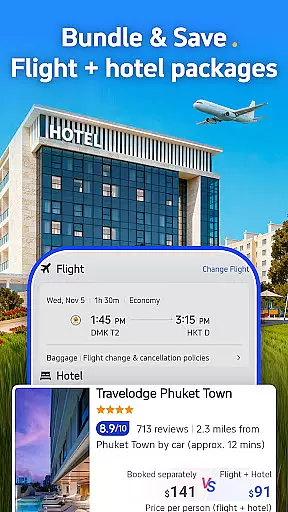
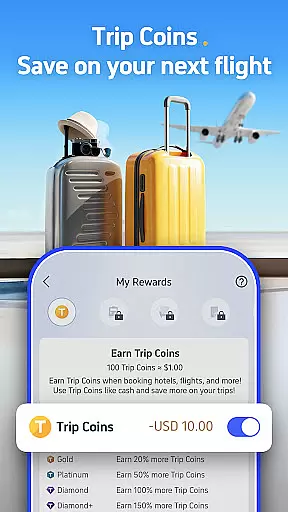

Trip.com is a comprehensive travel application designed to simplify your travel planning process. With an extensive selection of flight routes, hotel accommodations, car rentals, and tour tickets, this app serves as your one-stop solution for all travel needs. Whether you require e-sim services or travel insurance, Trip.com ensures you are well-prepared for your journey.
Rated 'Excellent' on Trustpilot, Trip.com has garnered the trust of countless users who have experienced seamless booking processes and exceptional customer service. The app not only offers attractive deals and rewards but also provides 24/7 customer support, ensuring that help is always at hand whenever you need it.
Whether you're booking flights with major airlines, reserving stays at top hotels, or purchasing train tickets across various countries, Trip.com's flexible options and exclusive discounts make it an indispensable tool for travelers seeking convenience and reliability.
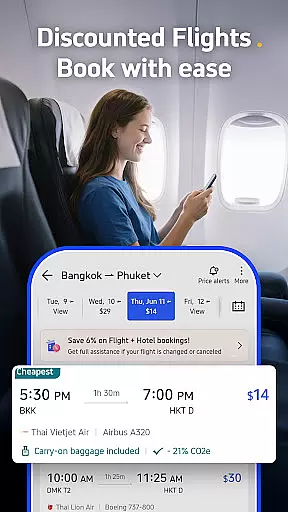
Trip.com stands out with its robust set of features tailored to enhance your travel experience. One of the key highlights is the flexible flight cancellation options, allowing users to modify plans without hassle. Exclusive app-only discounts, live status updates, and price alerts ensure you get the best deals on flights.
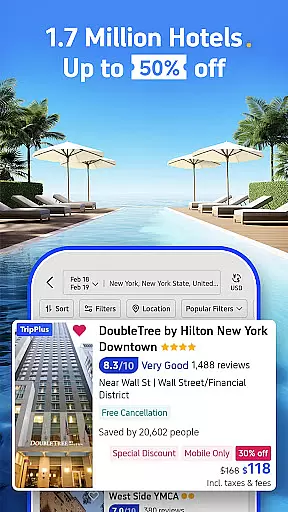
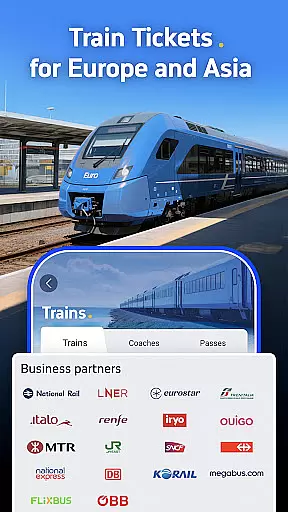
For rail travel enthusiasts, Trip.com offers train tickets across the UK, Europe, and globally. The innovative split ticketing feature helps reduce costs significantly, and there are no hidden payment fees. Hotel bookings come with a price match guarantee, and if issues arise, Trip.com promises to find you alternative accommodation.
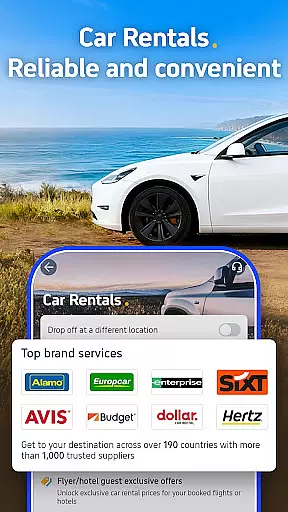
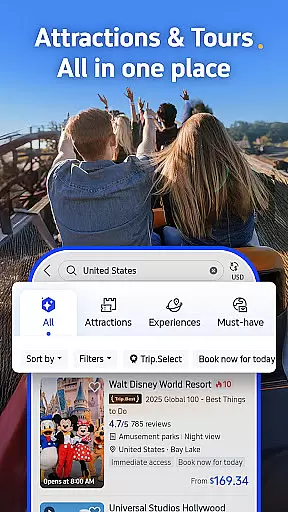
Beyond these, the app facilitates bookings for guided tours, attraction visits, car rentals, e-sims, and travel insurance. Multiple payment options including credit cards, PayPal, Google Pay, and Apple Pay provide flexibility and ease, making Trip.com a versatile choice for all your travel essentials.
Ensuring booking authenticity is crucial for any travel app, and Trip.com excels in this area. The platform partners with trusted travel brands such as British Airways, Virgin Atlantic, EasyJet, Hilton, Marriott, and Premier Inn, guaranteeing that users receive legitimate reservations.
Trip.com provides price match assurance for hotels, meaning if a user finds a cheaper rate elsewhere, the platform will match it. This policy reinforces the credibility of bookings made through the app.
For additional peace of mind, Trip.com offers flexible flight cancellation options and ensures that if there's an issue with hotel check-in, an alternative accommodation will be arranged. These measures ensure that every booking on Trip.com is reliable and trustworthy.
Price transparency is a cornerstone of Trip.com's service offering. The app provides clear information about flight costs, hotel rates, and other travel essentials without hidden fees. Users can take advantage of exclusive app-only discounts and receive price alerts when flights are at their cheapest.
The platform also features a unique split ticketing option for train tickets, which helps make rail travel more affordable. With no additional payment fees across all services, customers can trust that the price they see is what they pay.
Trip.com supports multiple payment options including credit cards, PayPal, Google Pay, and Apple Pay, ensuring users can choose their preferred method while maintaining full visibility of transaction costs. This commitment to transparent pricing empowers travelers to manage their budgets effectively.
User-friendly interface
Extensive travel options
24/7 customer support
Exclusive app discounts
Flexible cancellation policies
Occasional app glitches
Limited offline functionality
High booking fees
Complex UI for new users
Ads within the app

View current Idaho road conditions, road cameras, and timelapse videos.
 4.4
4.4
View current Montana road conditions, cameras, plows, and timelapse videos.
4.70
Listen live to pilots and air traffic controllers around the world
3.80
It drives. You ride.
4.90
Streamline your U.S. entry
4.90
Amplify Your Experience
3.00
Walt Disney World Resort maps, wait times, tickets, dining & more.
4.50
Examine the planet
3.80
Book flight, car or packages. Instant access to hotel discounts & travel deals
4.80
Rent the perfect car for wherever you’re going
4.90
One app, 300,000+ travel experiences, tours, and tickets you’ll remember.
4.90
Plan where to stand and shave minutes off your trip!
4.80
All-in-one delivery and taxi app. Ride, food, & grocery delivery app.
4.80
Manage your travel on Delta with access to boarding passes, flight info & more.
4.80
The United app puts valuable travel information in the palm of your hand.
4.70
Get all MTA services, Subway, Bus, LIRR, Metro-North and More all in one place.
4.60
Earn hotel and travel rewards, find hotel offers, and access your Digital Key.
4.50
View delays, closures, and weather-related conditions on Missouri state roads.
3.30
Locate and navigate to local holiday displays
4.4


User Reviews