
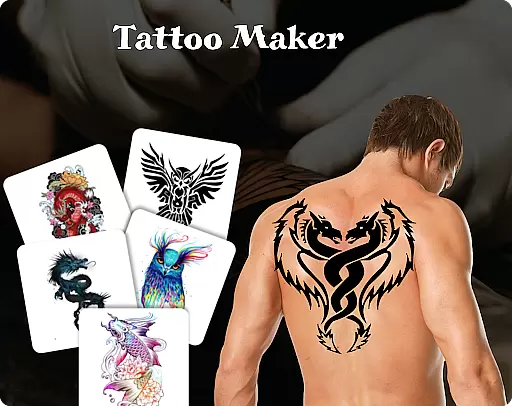
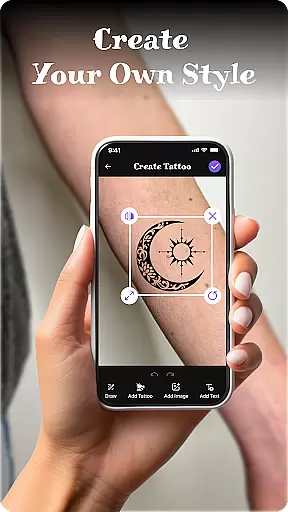
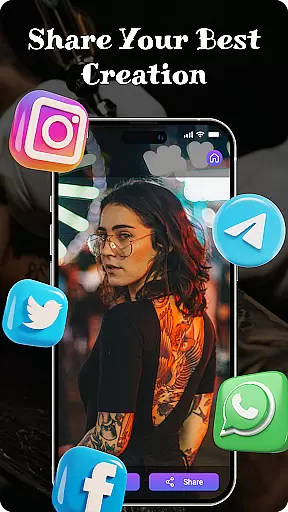
Tattoo Maker: Design & Art is a creative app that allows users to design custom tattoos and preview them on their body through realistic AR technology. With a vast library of tattoo designs, the app caters to both tattoo enthusiasts and professional artists.
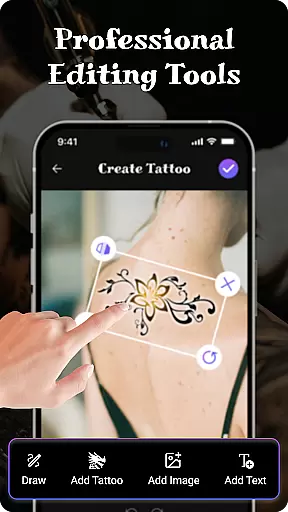
The app offers advanced art tools including brushes, vibrant colors, and text customization options. Users can adjust their designs with features like flipping, rotating, and scaling to achieve the perfect fit. The ability to preview tattoos on a real photo ensures users can visualize their creations before committing to ink.
Whether you're an amateur exploring tattoo art or a professional artist seeking inspiration, Tattoo Maker provides a fun and practical platform for designing unique tattoos. Its user-friendly interface makes it accessible to all skill levels while delivering professional-grade results.
Tattoo Maker stands out with its comprehensive set of design tools tailored for creating detailed and personalized tattoos. The app includes pro-level drawing tools with adjustable brush sizes and color palettes, enabling intricate artwork creation.
One of the key highlights is the realistic AR preview feature. Users can upload their photos and see how a tattoo would look on their body, adjusting size and orientation for optimal placement. This functionality bridges the gap between digital design and real-world application.
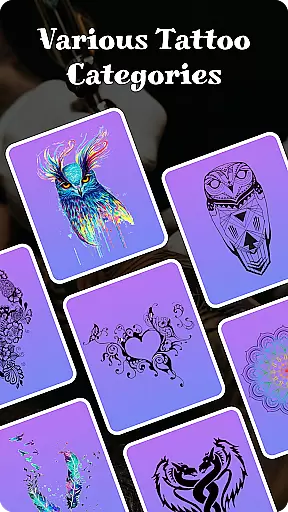
Additionally, the app offers a rich tattoo art library with diverse styles ranging from small minimalist designs to complex masterpieces. The text insertion feature with customizable fonts adds another layer of personalization, making each tattoo truly unique.
When it comes to designing tattoos, having access to a comprehensive product database is essential. Tattoo Maker: Design & Art offers an extensive collection of tattoo designs and art resources that cater to various preferences and styles. This vast library includes everything from small minimalist symbols to intricate and detailed masterpieces, ensuring that users can find inspiration for any project.
The app's database isn't just about quantity; it also emphasizes quality and diversity. Users can explore different categories and themes, such as traditional, tribal, or modern designs, allowing them to discover new ideas and expand their creative horizons. Each design is carefully curated to provide high-quality artwork that serves as a solid foundation for customization.
Moreover, the app provides detailed information about each design element, including possible meanings and cultural significance. This educational aspect enriches the user's experience by offering insights into the art of tattooing. Whether you're a beginner looking for guidance or a professional artist seeking fresh inspiration, this depth in the product database ensures that Tattoo Maker: Design & Art is a valuable tool for all skill levels.
One of the standout features of Tattoo Maker: Design & Art is its ability to offer precise personalization options. The app allows users to create custom tattoos by providing a suite of professional art tools. These include various brushes, sizes, and vibrant colors that mimic real-life tattooing equipment, giving artists the freedom to express their creativity with accuracy.
In addition to drawing tools, the app supports adding text to your designs with cool fonts and colors. You can adjust the text to fit seamlessly into your tattoo design, ensuring that every element aligns perfectly. This level of detail extends to other functionalities like flipping, rotating, and scaling your artwork, which helps achieve the desired look and feel.
Tattoo Maker: Design & Art also offers an augmented reality feature where users can preview their designs on a photo of their body. This realistic AR view allows for meticulous adjustments in scale and rotation, ensuring that the final tattoo will appear exactly as envisioned. Such precise personalization not only enhances the design process but also boosts confidence in the end result, making it a must-have tool for anyone serious about tattoo art.
User-friendly interface
Vibrant color options
Realistic AR previews
Extensive art library
Customizable text tools
Limited free features
In-app purchases required
Occasional bugs
Ads present
Learning curve

Make beautiful Hairstyles for girls with your own hands in little bit of time
 4.00
4.00
Intelligent Beauty calculator tool! Face scale and face symmetry in one app!
3.80
Design your nails, manicure and pedicure with nail paint art and nail idea app
3.90
Selfiechat Filters for amazing photos with Funny face filters
4.60
Healthier, more beautiful with Medicube Digital Clinic AGE-R!
4.10
Download Today
4.40
Beauty Camera - Selfie Camera with sweet selfie, makeup, filter, sticker, editor
4.50
HD Camera, Selfie Camera, Camera filters, is a fully featured 4K camera
4.60
Seasonal color palette, my personal color, hair color changer, makeup, wardrobe
4.20
Book your appointments
4.90
Try interesting trending filters allows you switch to a cute girl
4.70
Mirror app that shows your image with photo editor, zoom and light!
4.70
Monthly Perfume Subscription
4.70
Unleash your (Pro)tential with the hottest hair, nails and beauty brands!
4.60
A tool that brings skin care and technology together at your fingertips.
4.50
Your on-demand aesthetician
4.40
Create, design and dress up your own beautiful characters in cute fashion styles
3.50
Color haircut changer style on
3.30
Beauty/age defining ai coach guides you through the exercises in daily routine.
3.30


User Reviews