
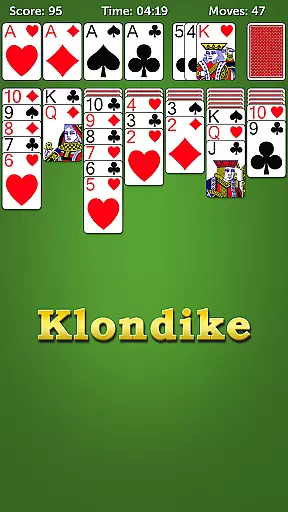
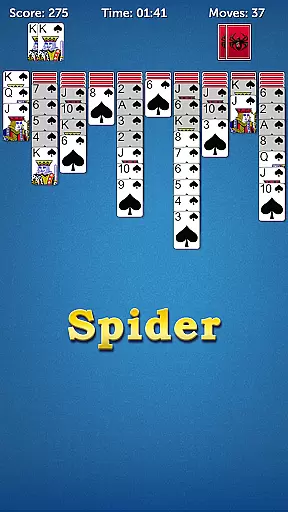
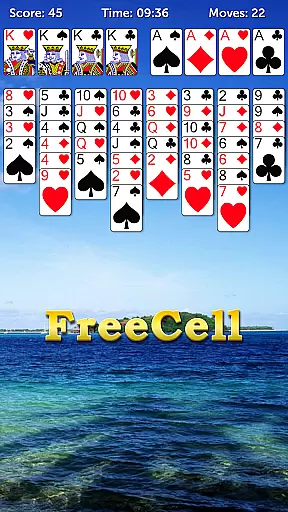
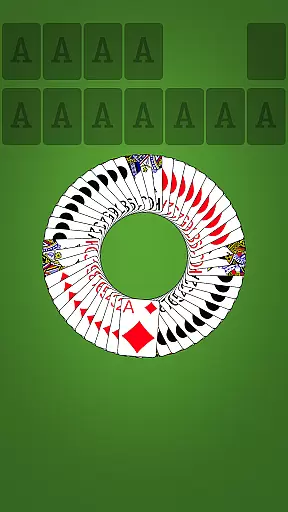
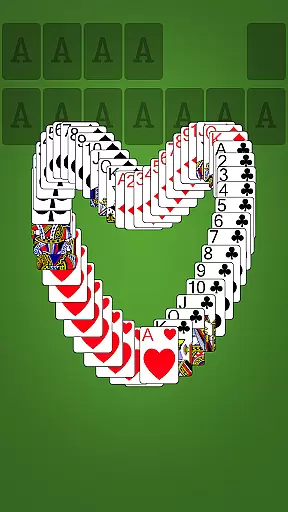
Solitaire Collection+ is a premium card game app that brings together the most popular classic solitaire games, including Klondike Solitaire, Spider Solitaire, and FreeCell Solitaire. Designed for both casual players and card game enthusiasts, this app offers an authentic solitaire experience with traditional rules and engaging gameplay.
The app features multiple game modes such as Klondike, where the goal is to move all cards to foundations from Ace to King in descending order, Spider Solitaire, which challenges you to remove all cards by assembling them in tableau piles, and FreeCell, where strategic planning helps you move cards to foundation piles. With options like Winning Deals, Random Deals, and Auto Complete, Solitaire Collection+ ensures a dynamic gaming experience suitable for all skill levels.
Whether you're commuting, taking a break at work, or relaxing at home, Solitaire Collection+ provides the perfect way to enjoy timeless card games on your mobile device. Its intuitive interface and seamless functionality make it ideal for players of all ages who want to enjoy classic solitaire games anytime, anywhere.
Solitaire Collection+ stands out with its diverse range of features designed to enhance the classic solitaire experience. The app includes Klondike Solitaire, Spider Solitaire, and FreeCell Solitaire, each offering unique challenges and gameplay styles. Klondike focuses on arranging cards in descending order while building foundation piles from Ace to King, whereas Spider Solitaire requires strategic thinking to remove all cards from the tableau.
FreeCell Solitaire adds another layer of complexity by providing four open cells to store cards temporarily as you strategize your moves. The app also supports both Portrait and Landscape modes, giving users flexibility in how they play. Additional features include Auto Complete for finishing games, Auto Save to preserve progress when interrupted, and options for both Winning Deals and Random Deals.
With unlimited free games, tap-to-move functionality, and drag-and-drop controls, Solitaire Collection+ delivers a smooth and enjoyable user experience. These thoughtful features ensure that players can focus on enjoying their favorite card games without unnecessary interruptions or complications.
In the realm of card games, ensuring Random Number Generator (RNG) fairness is paramount for an authentic and trustworthy gaming experience. Solitaire Collection+ places a strong emphasis on this aspect, guaranteeing that every shuffle and deal mirrors the unpredictability of a physical deck. This meticulous attention to RNG integrity ensures each game's outcome is genuinely random, providing players with a fair chance at victory.
The app undergoes rigorous testing and certification processes to validate its RNG algorithms. By adhering to industry standards and implementing cutting-edge cryptographic techniques, Solitaire Collection+ delivers an unbiased gameplay environment. Players can indulge in their favorite solitaire variations, confident that each session is as genuine as playing with a well-shuffled deck in traditional settings.
For enthusiasts who appreciate the nuances of card gaming, RNG certification offers peace of mind. Knowing that Solitaire Collection+ prioritizes ethical gaming practices enhances user trust and satisfaction. As a result, whether you're enjoying Klondike or Spider Solitaire, rest assured that your experience remains untainted by predictability or manipulation.
Smooth control mechanics are essential for an immersive card gaming experience, and Solitaire Collection+ excels in delivering responsive interactions. The app's intuitive touch controls allow players to effortlessly drag and drop cards across the tableau, ensuring seamless navigation through complex moves without any frustrating delays.
Reducing input latency is a top priority for the developers, resulting in instantaneous feedback when selecting or moving cards. This responsiveness not only enhances gameplay speed but also allows strategic decisions to be executed precisely as intended. Whether you're arranging a difficult sequence in FreeCell or clearing columns in TriPeaks, every action feels immediate and accurate.
Furthermore, Solitaire Collection+ optimizes performance across various devices, maintaining consistent control fluidity regardless of screen size or hardware capabilities. Such dedication to refining user interaction ensures that players can focus entirely on honing their skills and enjoying uninterrupted sessions of their beloved classic solitaire games.
User-friendly interface
Multiple game modes
Auto save feature
Unlimited free games
Intuitive controls
Limited customization
No multiplayer mode
Ads between games
Basic graphics
Paid version only

Euchre Offline! Master strategy fun, install and play NOW!
 4.70
4.70
A sleek, addictive Solitaire experience made for the modern player.
4.60
90 games. Intuitive, simple, beautiful... just great. Try it and you'll love it!
4.20
The official Android version of the card game Wizard
3.00
Enjoy the fun and classic Card game Phase 10 with your friends and family!
4.70
Classic Solitaire Game: Brain training & relaxation!
4.20
Defeat the Uberlich in this challenging, deck-building roguelike adventure!
4.20
Fishing, the card game that combines trick-taking strategy with deck-building
4.2
Riichi Mahjong - A fun, strategic variant of the classic multiplayer game!
4.80
Solitaire Games: Play fun card games and boost your IQ!
4.80
The official digital adaptation of the beloved card game Morels.
4.70
Play anywhere anytime the most popular card game
4.70
Solitaire Classic Pro, like Spider, Klondike Solitaire,FreeCell,Pyramid,Tripeaks
4.40
Krumit's Tale is a solo card-based dungeon crawler - a follow-up to ‘Meteorfall’
4.30
Lyric Party tests your knowledge of your favorite hit songs.
4.20
Spider Solitaire Pro, classic Spider Solitaire Klondike game,as Freecell,Pyramid
4.20
A unique card-based rogue-like with more than a hundred hours of content!
3.90
Shards of Infinity is the follow up deckbuilder to Ascension.
3.40
Cloud, Rain, Fog, Ice, Fire Magic Puzzle Card Game
4.1


User Reviews