
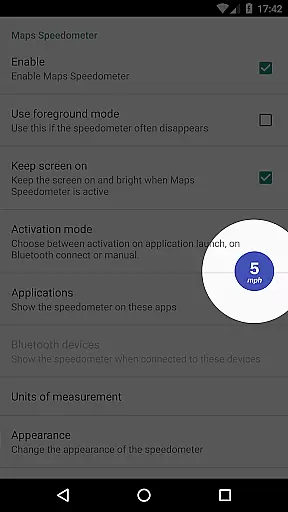
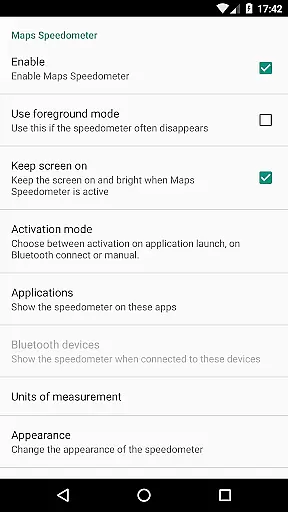
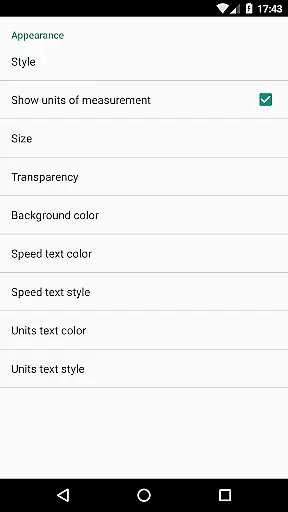
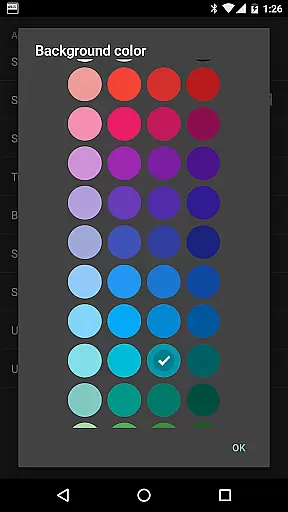
Maps Speedometer is a versatile travel companion that displays your current speed in real-time as an elegant overlay on your device. This innovative app automatically activates when your selected apps are in use or when connected to a Bluetooth device, ensuring you always have access to your speed information without disruption. Designed with customization in mind, it offers adjustable settings for transparency, size, position, and colors, allowing users to tailor the display to their preferences.
The app supports various units of measurement including miles per hour (mph), kilometers per hour (km/h), and knots (kn). Its user-friendly interface ensures seamless integration with any app on your device, making it an ideal tool for travelers and drivers alike. With no advertisements or need for internet access, Maps Speedometer prioritizes user privacy while delivering essential travel data at a glance.
One of the standout features of Maps Speedometer is its ability to show and hide automatically based on the active app or Bluetooth connection status. This intelligent functionality ensures that the speedometer only appears when needed, reducing distractions. Users can choose from different units of speed measurement such as mph, km/h, or kn, catering to individual preferences and regional standards.
Customization options abound with adjustable transparency, size, position, and color schemes. The overlay can be temporarily hidden for 10 seconds by simply touching it, providing flexibility during critical moments. Additionally, the app's compatibility with any installed app on your device makes it highly versatile. Although Android Auto support is currently limited, the app remains a powerful tool for enhancing your travel experience through precise speed monitoring.
Booking authenticity is crucial for travel applications, ensuring that all reservations and bookings made through the app are legitimate and trustworthy. Maps Speedometer, while not a booking app per se, enhances your travel experience by providing accurate speed information as you navigate.
This application automatically displays a speedometer overlay when your chosen navigation app is active, ensuring that the speed data you see is in real-time and directly related to your journey. This feature eliminates the need for separate speed-checking devices or apps, streamlining your travel process.
Users benefit from enhanced trust in their travel plans, knowing that the speed information provided is both reliable and timely. The app's seamless integration with your chosen navigation tools ensures that all data presented is relevant and accurate, supporting safer and more informed travel decisions.
Price transparency in travel apps refers to clear, upfront information about costs associated with services or bookings. Although Maps Speedometer doesn't handle bookings or payments, it offers unparalleled value by being a one-time purchase with no hidden fees or subscription charges.
The app requires no internet access, ensuring that users aren't met with unexpected data charges. Its features, such as adjustable speedometer settings and compatibility with various apps, provide excellent value without additional costs. Users can customize the display to suit their preferences, enhancing usability without extra charges.
By offering a transparent pricing model and delivering consistent value through its features, Maps Speedometer ensures users enjoy a premium experience without worrying about hidden costs. This straightforward approach builds trust and satisfaction among users who seek reliable travel tools.
User-friendly interface
Highly customizable
No ads or internet required
Automatic activation
Privacy-focused design
Limited Android Auto support
Requires Accessibility permissions
Bluetooth dependency
Overlay may obstruct view
Device compatibility issues

View delays, closures, and weather-related conditions on Missouri state roads.
 3.30
3.30
The Official Freedom Trail Foundation app.
4.30
View current Montana road conditions, cameras, plows, and timelapse videos.
4.70
CLEAR provides a safer, easier way through airports, stadiums, and beyond.
4.20
Guest how you guest when you book one of our 6,800+ hotels and earn rewards.
4.90
Walt Disney World Resort maps, wait times, tickets, dining & more.
4.50
Get the app that knows where you’re going - view your flight, check in & more
4.50
Now you can book homes, experiences, and services—all in our redesigned app.
4.40
Examine the planet
3.80
All-in-one delivery and taxi app. Ride, food, & grocery delivery app.
4.80
Book your whole trip in one app.
4.80
Get faster fuel rewards, exclusive offers, and helpful tools!
4.70
Booking your bus tickets has never been easier
4.70
Flight booking, hotel booking & more - all in one place with the Southwest App!
4.50
MyTSA gives you 24/7 access to info that passengers frequently request from TSA.
4.10
Real-time flight tracking with live maps and flight status updates.
3.70
Tide Table Chart provides quick and easy access to high and low tide forecasts.
3.20
A packing list app that helps you remember what to pack for a trip.
3.10
Amplify Your Experience
3.00


User Reviews