
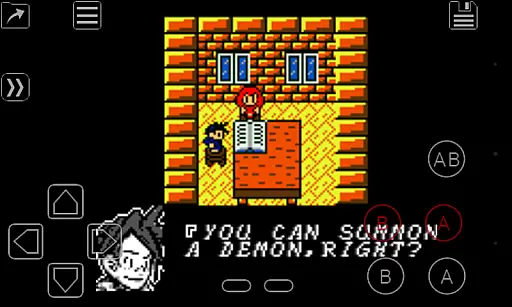
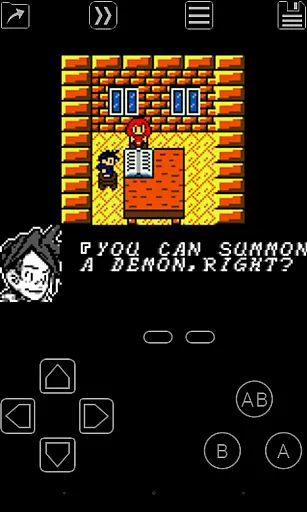
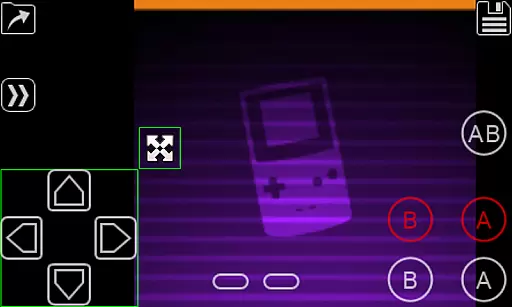
My OldBoy! - GBC Emulator is a premier emulator designed to bring the classic Game Boy and Game Boy Color gaming experience to Android devices. It supports an extensive range of Android smartphones and tablets, ensuring compatibility from low-end to high-end models. The app meticulously emulates nearly every aspect of the original hardware, including advanced features like link cable, rumble, and tilt sensor support.
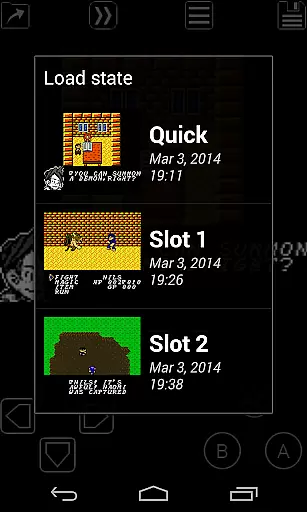
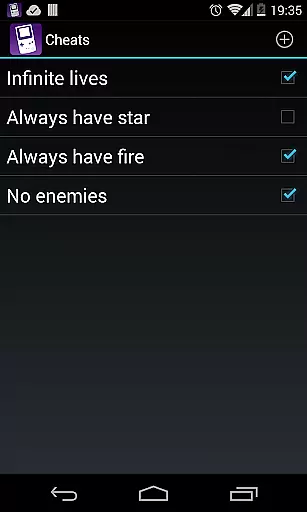
In addition to its faithful hardware emulation, My OldBoy! offers several software enhancements for an improved user experience. Players can save their progress at any point thanks to the save state system, and fast-forward functionality allows users to speed through less engaging sections of games. Customizable controls, cheat code support, and the ability to add color to originally monochrome games via custom palettes further enrich the gaming experience.
This emulator is ideal for gamers looking to relive the nostalgia of classic Game Boy titles while enjoying the convenience and enhanced capabilities of modern technology. Whether commuting or relaxing at home, users can enjoy their favorite retro games with improved performance and added features.
My OldBoy! stands out with its robust feature set tailored for both casual and hardcore retro gaming enthusiasts. The emulator leverages ARM assembly code to deliver super-fast performance, achieving 60 FPS even on lower-end devices without frame skips. This ensures smooth gameplay across a broad spectrum of Android devices.
Beyond speed, the emulator boasts excellent game compatibility and supports a variety of special features. These include link cable emulation over Bluetooth or Wi-Fi, rumble and tilt sensor emulation using the device's hardware, and support for peripherals like the Game Boy Camera and Printer. Advanced functionalities such as multi-line cheat code entry, IPS/UPS ROM patching, and variable speed controls provide users with extensive customization options.
The user interface is thoughtfully designed for seamless integration with the latest Android versions, offering powerful screen layout editing tools, external controller support, and cloud save synchronization with Google Drive. These features collectively enhance accessibility and personalization, making My OldBoy! a versatile choice for Game Boy enthusiasts.
Arcade authenticity and nostalgia are crucial elements for any emulator aiming to recreate the classic gaming experience. My OldBoy! - GBC Emulator excels in this area by accurately emulating almost every aspect of the original Game Boy and Game Boy Color hardware. This includes not only basic game execution but also advanced features like link cable, rumble, and tilt sensor functionalities.
The emulator goes beyond simple hardware replication. It supports custom palettes, allowing users to add color to their monochrome Game Boy games, enhancing the nostalgic experience with a personal touch. The inclusion of Super Game Boy palettes further enriches the visual appeal, bringing more colors to classic titles.
For users seeking an authentic arcade experience, My OldBoy! offers additional features such as GameShark/GameGenie cheat code support, IPS/UPS ROM patching, and emulation of peripherals like the Game Boy Camera and Printer. These elements combine to create a comprehensive and immersive environment that faithfully recreates the essence of arcade gaming from the past.
By providing these robust emulation capabilities, My OldBoy! ensures that gamers can relive the excitement and enjoyment of their favorite arcade classics on modern Android devices. This dedication to preserving the original gaming experience while adding modern conveniences highlights the app's commitment to both authenticity and nostalgia.
Control responsiveness is a vital aspect of any gaming emulator, directly impacting the user's interaction with the game. My OldBoy! - GBC Emulator addresses this need by offering fast emulation powered by ARM assembly code. This ensures smooth gameplay even on low-end devices, maintaining a consistent 60 FPS without frame skips.
The emulator provides various control options to enhance responsiveness. Users can utilize an on-screen keypad or external controllers, connected either through Android's native methods or alternative input methods. This flexibility allows players to choose the setup that best suits their playstyle, ensuring precise and responsive controls.
Additionally, My OldBoy! includes a powerful screen layout editor. This feature enables users to customize the position and size of on-screen controls, optimizing their layout for maximum comfort and efficiency. Shortcut buttons for functions like load/save further streamline the gaming experience, making it easy to manage game states on the fly.
With these advanced control features, My OldBoy! delivers a highly responsive and customizable gaming experience. Players can enjoy their favorite Game Boy and Game Boy Color titles with confidence, knowing that their inputs will be accurately reflected in the game. This attention to control detail enhances overall gameplay satisfaction and immersion.
High compatibility
Fast emulation
Customizable controls
Cloud saves
Cheat support
No included games
Complex setup
Battery intensive
Ads present
Paid features

Monster Run its a game for relax.
 4.5
4.5
Bomb the communists back to 1916!
4.70
Hit as hard as you can and make the penguin learn to fly! Arcade jumping game
4.50
Play, Craft and Share your Endless Runner Levels on Kooply Run: Subway Craft
4.50
Fruit is waiting to be sliced, ninja. Play the hit mobile game !
4.50
Epic offline war strategy game - build your city, train your army, conquer
4.20
Premium version. Save the galaxy from alien shooter in this classic game
4.50
Outrun cops, ignite the thrill of a high-speed chase!
4.50
Save the galaxy from alien shooter in classic galaxy shooter-classic arcade game
4.80
Join the breathtaking chase!
4.80
Absorb, or be absorbed...
4.70
Jump and fly your way through danger in this rythm-based action platformer!
4.50
Use superpower in your magic hands. Defeat the enemies in a fun elemental game.
4.50
Collect layers in running game & build the biggest slinky toy to beat the giant!
4.30
Enter Double Dragon Trilogy, a compilation of the beloved arcade series
4.10
John GBC is GB/GBC emulator. This emulator is easy to use.
3.80
Neogeo MVS/AES Emulator
3.30
Spaceship racing on a rocky planet — pure action and challenge.
4.5
Machine Gun Fire Rumbles in the Jungle
4.5


User Reviews