
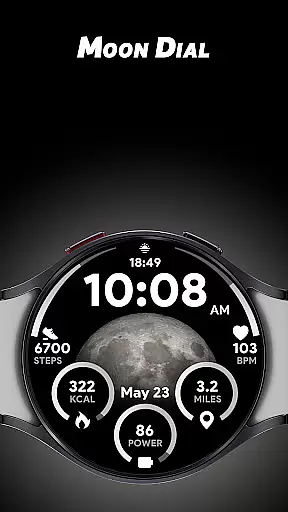
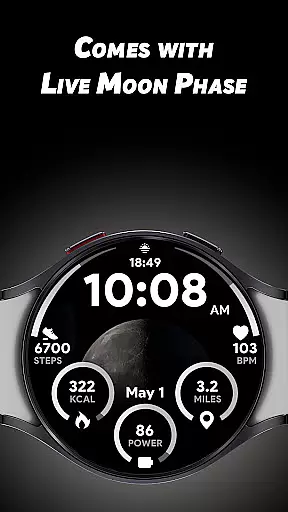
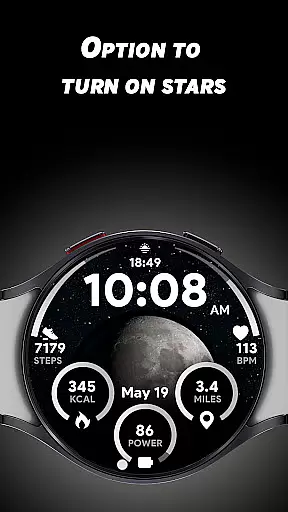
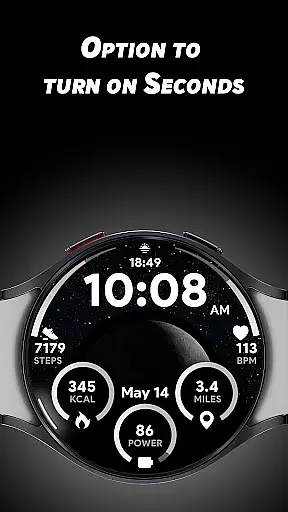
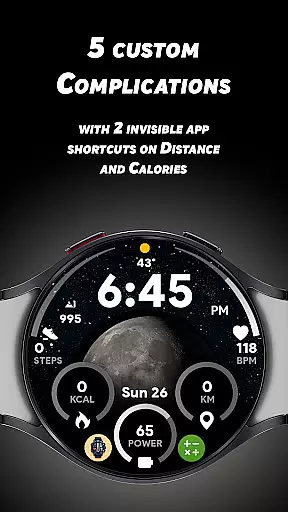
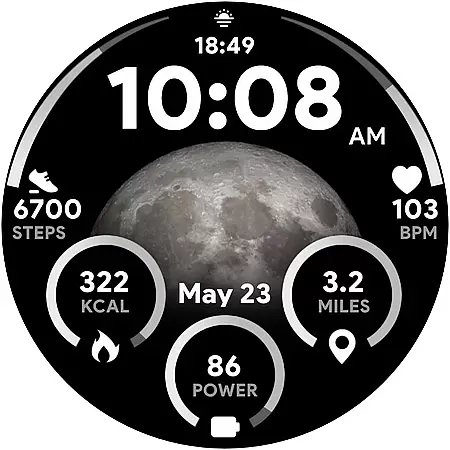

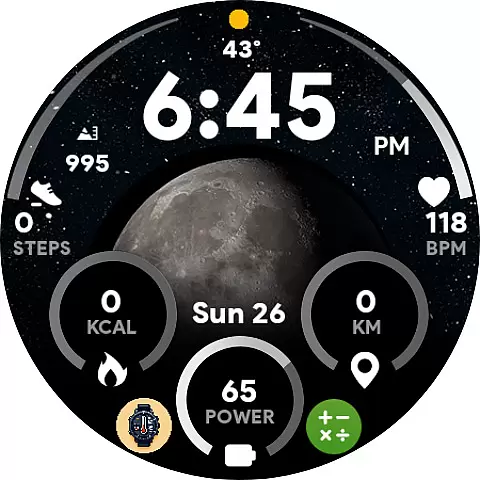
Moon Dial is a specialized watch face designed for Wear OS devices, offering users an innovative way to track moon phases directly from their smartwatch. The app provides essential information at a glance, including live moon phase updates and customizable complications.
With its unique features like the stars effect option and invisible app shortcuts, Moon Dial enhances both functionality and aesthetics. Whether you're an astronomy enthusiast or simply curious about lunar patterns, this app delivers practical value while complementing your personal style on Wear OS devices.
The Moon Dial watch face stands out with its comprehensive feature set tailored for smartwatch users. It displays big, easy-to-read moon phase indicators alongside essential data such as time in 12/24-hour format, distance in KM/Miles, battery percentage, and heart rate readings.
What makes Moon Dial truly unique are its customization options. Users can activate a live stars effect, choose from five custom complications, and utilize two invisible app shortcuts that allow quick access to favorite apps without affecting core functionalities like calorie and distance tracking. These thoughtful design elements make daily smartwatch interactions more efficient and enjoyable.
Moon Dial - Watch face offers a unique approach to lifestyle management by focusing on celestial information that impacts daily living. The watch face is designed not only to tell time but also to provide essential data about the moon phase, which can be valuable for those interested in astronomy or guided by lunar cycles.
The app goes beyond basic timekeeping by integrating customizable features such as live moon phases and optional star effects. These elements allow users to tailor their watch face to match their personal interests or aesthetic preferences, making it more than just a timepiece but a personalized accessory that reflects individual lifestyles.
With five custom complications, Moon Dial enhances its utility by letting users add more data points relevant to their lifestyle. Whether tracking fitness metrics or monitoring other personal stats, this flexibility ensures that the watch face can adapt to various lifestyle needs and preferences.
The Moon Dial - Watch face demonstrates content authenticity by providing accurate and real-time information about moon phases. This feature is crucial for users who rely on precise celestial data for planning activities or making decisions based on lunar cycles.
In addition to moon phases, the app includes essential information at a glance, such as 12/24-hour format options, distance measurements in km/miles, battery percentage with direct access to the battery app, and heart rate values linked to health monitoring features. These details are carefully curated to ensure they offer genuine value without overwhelming the user with unnecessary complexity.
Expert credibility is further established through thoughtful design choices like invisible app shortcuts on calories and distance metrics. While these do not replace traditional functionalities, they provide quick access to favorite apps, enhancing usability while maintaining focus on delivering authentic content related to both timekeeping and lifestyle enhancement.
Live moon phase tracking
Custom complications
Invisible app shortcuts
Essential info display
Stars effect option
Limited device compatibility
No advanced analytics
Premium features locked
Basic customization
Battery consumption

Chat, meet genuine singles in your area. Real connections start with being real.
 4.30
4.30
Pay your rent, submit work orders and much more with the RentCafe Resident App.
4.70
A daily quote for success
4.1
This is a simple and highly functional alarm clock "Smart Alarm" paid version.
4.20
A uniquely designed isometric digital watch face made for Wear OS
4.4
Material You inspired colors with BIG and Bold looks for Wear OS watches.
4.20
Spirit Communicator is a real paranormal ghost hunting app with many fun modes.
3.90
Zodiac & Horoscope Launcher: Daily Sign Predictions & Astrology
4.40
Remotely monitor the time and temperature of food cooking on your grill.
4.60
My Diary - Daily Journal with lock: Diary journal app and secret diary with lock
4.80
Tap to the beat with interactive videos — warm up your reflexes & have fun
4.70
Simple, stylish & fresh watch face. Customize colors, gradients & complications.
4.70
Crochet made easy: step-by-step tutorials, beginner patterns & projects
4.60
Vehicle ownership simplified. Get the myChevrolet® app today.
4.60
Play fun games, complete quick surveys, and earn money. It's fun and easy!
4.40
This minimalist yet classic board design brings a futuristic twist to your wrist
4.20
Spiritus Ghost Box is an Audio and Visual ITC tool for paranormal research.
4.00
Do you want to communicate with spirits?
3.80
Duo Watch Face (animated)
4.4


User Reviews