
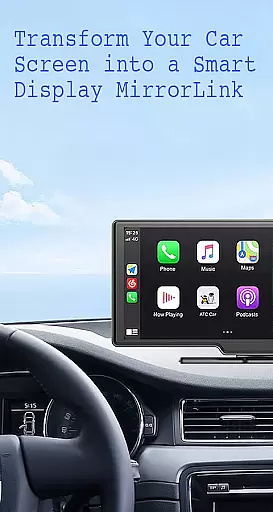
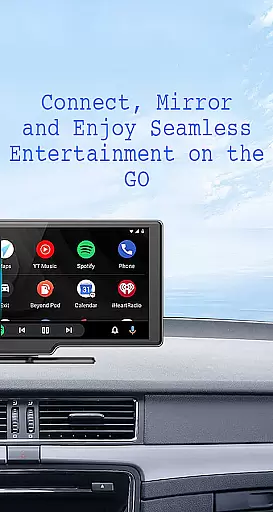
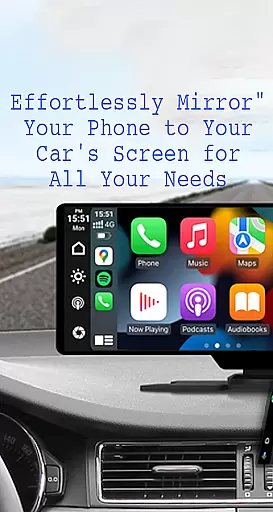
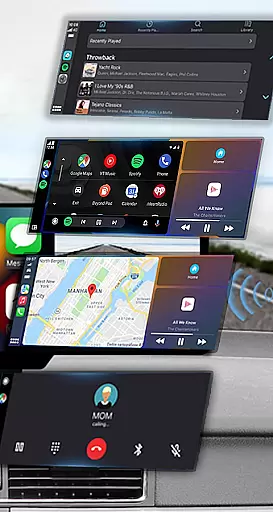
Mirror Link is a cutting-edge application designed to seamlessly connect your smartphone with your car's display system. This innovative app enables users to project their phone's screen onto the car's larger display, enhancing accessibility and convenience while driving. With support for both wireless and USB connections, Mirror Link ensures a stable and responsive mirroring experience.
The app's core functionality revolves around its ability to share your smartphone's interface with your vehicle's infotainment system. This includes easy access to navigation apps, music playlists, communication tools, and more, all through your car's touchscreen interface. Mirror Link is compatible with various car models and devices, making it an essential tool for modern drivers who seek to maintain connectivity without compromising safety.
Mirror Link boasts an impressive array of features that cater to diverse user needs. The app supports static screen sharing, allowing you to display your phone's content on your car's screen with remarkable stability. Its dual connectivity options, including wireless Miracast and traditional USB connections, provide flexibility in how you choose to link your devices.
One of the standout capabilities is its multimedia integration. Users can enjoy music playback, video streaming, hands-free calling, and map navigation directly from their car's display. The app also incorporates smart automation features, such as automatic media playback control when connecting to a car display. Additionally, Mirror Link's universal compatibility ensures it works with most car brands and devices equipped with web browsers, while maintaining seamless integration with popular systems like Apple CarPlay and Android Auto.
Functionality completeness in a car screen mirroring app like Mirror Link ensures that users can seamlessly integrate their smartphones with their vehicle's display system. This includes essential features such as static screen sharing, multimedia access, and automation capabilities.
Mirror Link delivers comprehensive functionality by supporting both wireless and USB connections, allowing for flexible usage scenarios. The app facilitates easy access to music, videos, maps, and communication tools on the car screen, enhancing convenience and safety during drives.
The app's broad compatibility with all car brands and devices having built-in web browsers showcases its extensive coverage. Additionally, integration with systems like MirrorLink CarPlay and Android Auto demonstrates its adaptability across different platforms, providing a universal solution for drivers seeking enhanced connectivity.
By offering full mirror link capabilities, Mirror Link enables users to transform their car's touchscreen into a control panel for various applications. This complete feature set not only improves user experience but also significantly contributes to road safety by minimizing distractions while driving.
Usability in a car screen mirroring application refers to how easily drivers can operate the app without diverting their attention from the road. Operational smoothness ensures that the connection process between the phone and car display is quick and stable, minimizing potential disruptions during driving.
Mirror Link excels in usability by providing simple one-click connections and automatic playback features. These functionalities allow users to effortlessly establish a link between their devices and resume media activities without complex setup procedures or manual interventions.
The app's intuitive interface and straightforward connection process contribute to its operational smoothness. By supporting both Miracast and Wireless Display options, it accommodates various technical skill levels among users while maintaining consistent performance across different devices and car models.
This combination of user-friendly design and reliable operation makes Mirror Link an excellent choice for drivers seeking to enhance their in-car entertainment and communication systems while prioritizing safety and convenience.
User-friendly interface
Wireless and USB connectivity
Stable screen sharing
Multimedia support
Wide compatibility
Requires Miracast support
Limited to compatible cars
Occasional connection issues
No offline documentation
Dependent on network quality

Connect and find your Smart Tag 2 devices through our app.
 3.60
3.60
Tune your game graphics with our GFX optimizer for optimal gaming experience
4.50
Collection of Maps and Mods for Dmod
3.30
You can remote control and play much easier.
4.10
use your smartphone as Remote control drones .
4.20
Zlink Carplay Android a mirror link app with a Carplay interface style
4.5
a wireless controller that provides a seamless and gaming experience for players
3.80
Mirror link car connector to share your screen with car dashboard
3.80
MirrorLink for connecting your Android phone to your car’s infotainment screen.
4.50
Phone Software Update Quick Checker helps you to keep your phone apps up to date
4.50
Wireless reverse charging using phone now is possible
4.30
Recite Quran Majeed القران with special 16 line real Kuran page in hand
4.30
Unlock the hidden menus of your phone with our mobile secret codes app.
4.20
Do you want to drive easy ? do you wanna full mirror link Mobile with your car
4.10
Mobile Connect To TV - HDMI USB & WiFi Screen Mirroring
3.70
Ps2 plugins for 64 bit artitechture
3.70
Endoscope camera an app to connect with endoscope cam or any device
3.30
DamonSx2 is the open Source LGPL Emulator
3.20
Record with Double Camera Video Recording using Dual Camera Front and Back Video
3.00


User Reviews