



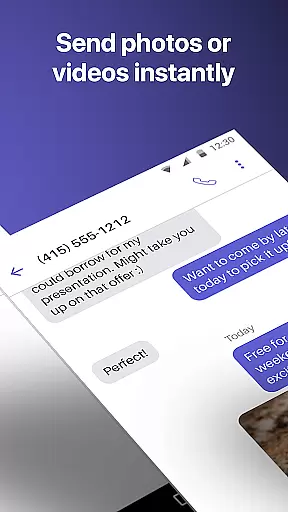
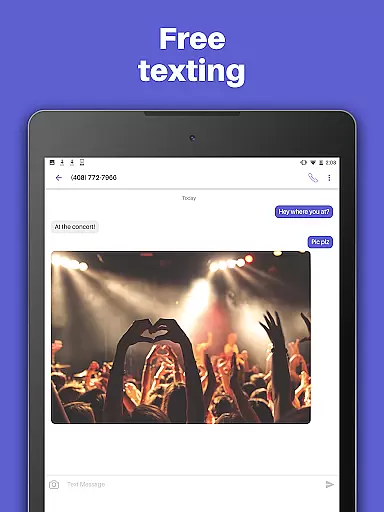
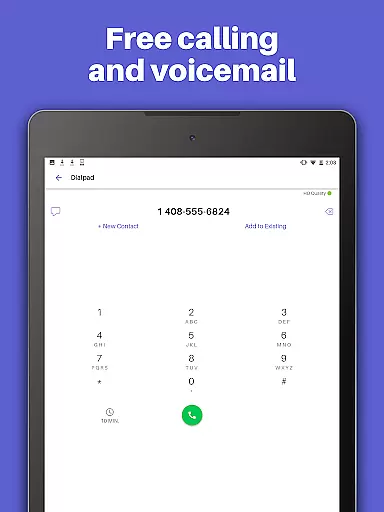
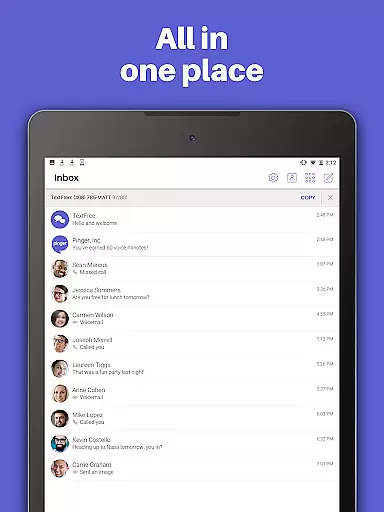
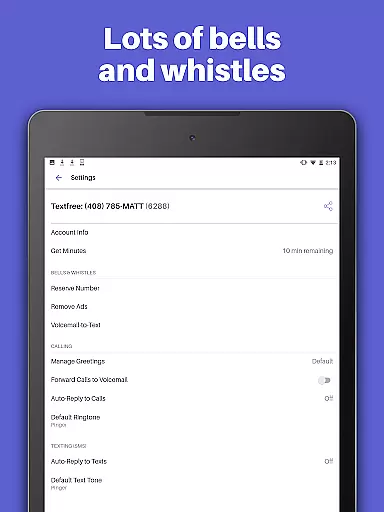
TextFree Voice is a comprehensive communication app that provides users with a free second phone number for unlimited calling and texting. The app allows you to make calls and send messages, including photos, videos, GIFs, audio messages, and PDFs, over Wi-Fi without using your primary number. It's an ideal solution for those who want to maintain privacy or separate personal and professional communications.
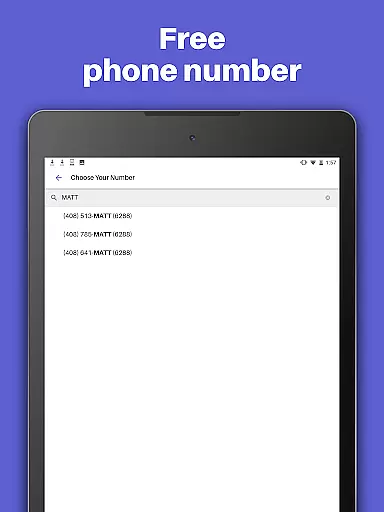
One of the standout features of TextFree Voice is its ability to offer a personalized local phone number. This feature enables users to stay connected with friends and family while enjoying the freedom of communicating without limits. Whether you're looking to avoid sharing your main phone number or need a secondary line for business purposes, TextFree Voice offers a reliable and cost-effective solution.
The app also includes advanced customization options such as custom call and texting tones, wallpapers, and Auto-Reply functionality. These features enhance user experience by allowing individuals to tailor their communication preferences according to their needs. Additionally, 24/7 customer support ensures any issues are promptly addressed, making it a dependable choice for everyday communication.
TextFree Voice stands out with its extensive list of features designed to enhance user experience. Firstly, the app provides a free second phone number with an area code of your choice, allowing you to select from various number combinations. This flexibility ensures you can find a number that suits your geographical location or personal preference, facilitating seamless communication.
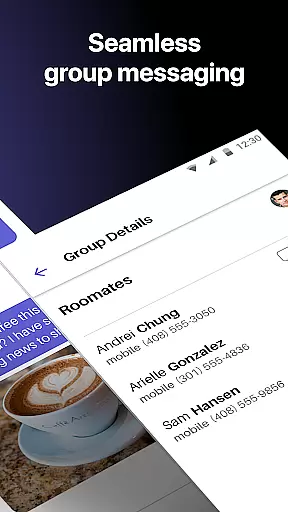
Another significant feature is the ability to share multimedia content effortlessly. Users can send and receive photos, videos, GIFs, audio messages, and even PDFs, either individually or as part of group messages. Group texting capabilities enable you to stay in touch with multiple contacts simultaneously, which is particularly useful for coordinating events or staying connected with family and friends.
Customization is at the heart of TextFree Voice's appeal. The app offers custom call and text tones, ensuring you can easily identify incoming communications. Personalized wallpapers allow you to create a unique interface that reflects your style. Moreover, the Auto-Reply function helps manage your availability by automatically responding to calls and texts when you're busy. These features collectively provide a rich, personalized communication experience that caters to diverse user needs.
User profile customization and authenticity verification are essential features in social applications like TextFree Voice. These functionalities allow users to create personalized profiles that reflect their identity while ensuring the legitimacy of interactions.
TextFree Voice enables users to select a personalized local phone number, which serves as a unique identifier within the app. This feature not only enhances user engagement but also provides a layer of authenticity, as each user is associated with a real phone number. The ability to customize call and text tones, along with custom wallpapers, further enriches the personalization options available.
The importance of authenticity verification cannot be overstated in today's digital age. TextFree Voice addresses this by offering users the option to choose from a bank of custom 2nd phone number combinations, ensuring that each profile is linked to a verified number. This process helps prevent spam and fraudulent activities, thereby fostering a safer community environment.
By integrating these features, TextFree Voice ensures that users can confidently connect with friends and family, knowing that their interactions are secure and genuine. This focus on customization and verification ultimately enhances the overall user experience, making communication more meaningful and reliable.
Connection discovery is a vital aspect of social apps, enabling users to find and connect with others effortlessly. In TextFree Voice, this feature facilitates seamless interaction among users, enhancing the app's utility as a communication tool.
One of the standout features of TextFree Voice is its ability to provide free unlimited calling and texting over WiFi. This functionality allows users to communicate without worrying about cellular data charges or network limitations. By removing these barriers, the app encourages more frequent and meaningful connections between users.
In addition to basic communication, TextFree Voice supports multimedia sharing, including photos, videos, GIFs, audio messages, and even PDFs. This diverse range of content-sharing options makes it easier for users to express themselves and engage with others in creative ways. Group texting further amplifies connection possibilities, allowing users to stay in touch with multiple contacts simultaneously.
Moreover, the app offers Auto-Reply functionality, which automatically responds to calls and texts when users are unavailable. This ensures that no important message goes unanswered, maintaining continuous lines of communication. With such robust connection discovery features, TextFree Voice empowers users to build and maintain strong social networks, both personally and professionally.
User-friendly interface
Free unlimited calls
Customizable themes
24/7 customer support
Multimedia messaging
Limited international use
Premium ads present
Occasional bugs
Number expiration
Verification delays

Video call and chat, live stream and making friends around the world!
 4.60
4.60
Second phone number for phone calls & texts. Text & SMS me now with a 2nd number
4.20
Meet Strangers Online, Live Video Chat & Make Random Video Calls on Joi!
4.30
Meet local people, make friends & network: Join a community, group, host events
4.00
Get your NGL Link
4.60
Live video chat to connect with people around the world. Video chatting on Olive
4.40
Widget Together, Share Whatever! Keep Pets & Share Sleep, Poop, Moods on Screens
4.70
A warm, simple dating app for adults seeking real connection.
4.20
This version of Facebook uses less data and works in all network conditions.
4.60
Raise cute Pengus with friends
4.70
Dating & make friend to chat, meet, flirt, and make real connections!
4.60
Match, chat & date with singles nearby. The dating app to find true love
4.50
Social App Used By Millions
4.40
FREE calling and texting (SMS texts + MMS) in US & Canada with FREE phone number
4.30
Positive social
4.20
Watch, Edit, Upload and Share Gaming Clips
4.00
Dive into diverse fandoms. Connect, create, reblog.
3.90
Create & share photos, stories, & reels with friends you love
3.90
Find your next obsession.
3.50


User Reviews