
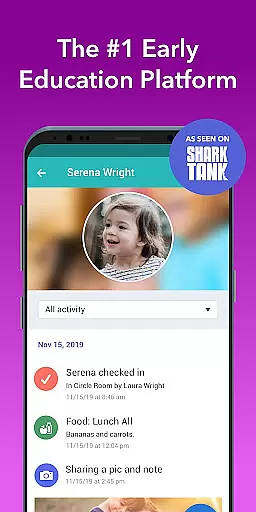
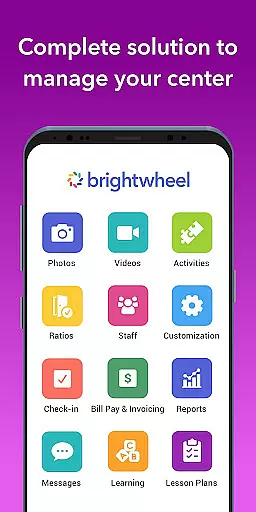
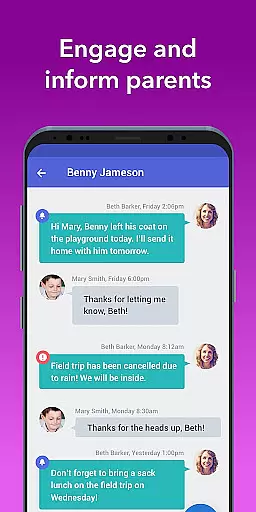
Brightwheel is a comprehensive childcare management software designed to streamline operations for early education providers. It integrates essential functions such as billing, parent communication, curriculum planning, and admissions into one user-friendly platform.
The app's standout feature is its all-in-one approach, combining administrative tools with educational resources and family engagement features. This includes automated billing, real-time messaging, lesson planning, and progress tracking. With advanced security measures and 99% uptime reliability, brightwheel ensures both data protection and consistent access.
Particularly beneficial for daycare centers and preschools, brightwheel saves educators valuable time on administrative tasks, allowing them to focus more on child development and classroom activities. The platform's intuitive design and dedicated support system make it accessible even for less tech-savvy users.
Brightwheel distinguishes itself through its extensive feature set tailored specifically for early childhood education providers. The platform's core strength lies in its seamless integration of multiple functions that typically require separate applications.
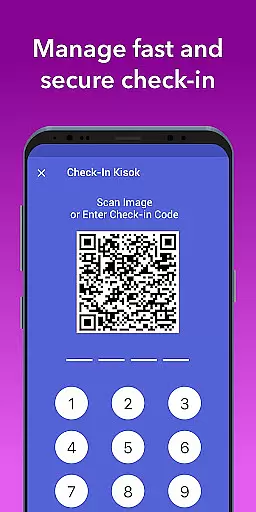
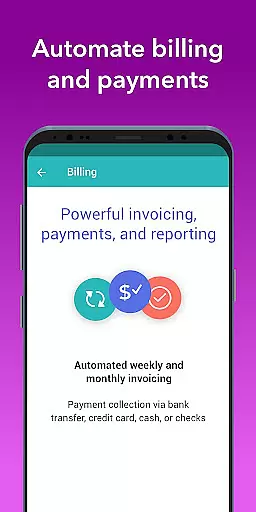
Administrative efficiency is maximized through automated billing systems, customizable financial reports, and attendance tracking with compliance tools. Educators benefit from digital lesson planning capabilities, assessment tools aligned with state standards, and real-time photo/video sharing with families. The app's two-factor authentication and robust data protection protocols ensure sensitive information remains secure.
What sets brightwheel apart is its commitment to continuous improvement. Regular updates and new feature releases based on customer feedback demonstrate the company's dedication to innovation in early childhood education technology.
In the realm of early education, content accuracy and authority are paramount. Brightwheel stands out by providing educators with tools that ensure precise and credible educational content. The platform offers pre-loaded state standards and a DRDP tool for assessments, ensuring that all educational materials align with recognized benchmarks.
Brightwheel's lesson planning feature allows teachers to add, customize, and share lesson plans with confidence. By integrating Experience Curriculum, educators can further enhance program quality through digital lessons and hands-on learning materials, reinforcing the app's commitment to authoritative educational resources.
The real-time syncing capability ensures that updates made on one device are immediately reflected across all platforms, maintaining consistency in educational delivery. This reliability supports educators in delivering accurate and up-to-date information to students and their families.
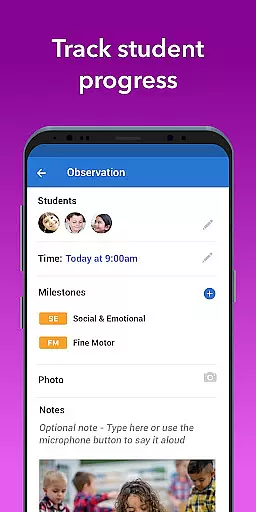
Creating personalized learning paths is essential for catering to individual student needs. Brightwheel excels in this area by offering features that adapt to each childu2019s unique learning journey. Through detailed reporting and observation tools, educators can track progress, achievements, and activities, tailoring educational experiences accordingly.
The platform's daily reports and activity logging enable teachers to monitor naps, meals, bathroom visits, and other activities. These insights help in crafting personalized plans that address specific developmental milestones, ensuring comprehensive growth for every child.
Moreover, brightwheel's family communication tools facilitate real-time interaction, allowing educators to collaborate closely with parents. This partnership fosters an environment where personalized learning thrives, as both educators and families work together to support each child's educational path.
User-friendly interface
Comprehensive feature set
Reliable performance
Strong security measures
Dedicated support team
Premium features costly
Learning curve present
Occasional bugs
Limited customization
Internet dependency

Latest TLC Practice Questions! Multiple languages available!
 4.50
4.50
A must-have app for mastering Japanese verb/adjective conjugations.
3.60
Quiz App to help case managers studying for CCMC Certification, 200+ Questions
3.40
Explore the City of the Sun in Augmented Reality
3.70
Stack the Countries makes learning world geography fun!
4.50
An aviator’s preparation, study and test tool for FAA Knowledge Exams.
3.80
Stack the States makes learning about the 50 states fun!
4.70
The "Go To" app for Airmen studying for promotion to SSgt and TSgt
4.30
Snap a dog photo to identify its breed instantly. Fast, accurate and easy to use
3.40
Explore myths and gods across cultures with in-depth insights and stories.
5.00
Perform physics experiments with your phone. (by the RWTH Aachen University)
4.70
Engage in learning science and math with the award-winning PhET simulations!
4.70
Universe simulator: Find & explore planets system, outer space, astronomy events
4.60
SkyView®, an augmented reality space app, brings stargazing to everyone!
4.40
Build math skills in: addition, subtraction, multiplication and division.
4.10
Learn to make peaceful contact with extraterrestrial civilizations
4.10
Hasbro’s classic CANDY LAND game is now a gorgeous interactive storybook app.
2.30
Pickleball guide complete with illustrated Pickleball drills and helpful info
4.0
Animals pop up and make sounds—learn names and noises in Peekaboo Barn!
4.2


User Reviews