

TeamSnap is a leading Sports Management app designed for coaches, sports organization administrators, and parents involved in youth sports. This powerful tool simplifies the complex operations of managing sports teams, clubs, or leagues by centralizing communication, scheduling, registration, and financial management.
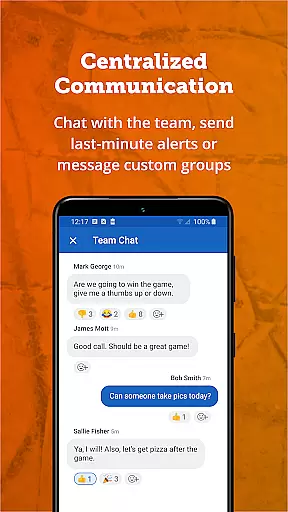
The app's standout feature is its ability to replace scattered group texts and separate payment apps with a unified platform. It enables efficient team communication through individual or group messages, push notifications, and SMS alerts. Coaches can manage rosters, track player availability, and create schedules effortlessly. For administrators, TeamSnap offers advanced capabilities like mass communication, automated scheduling, integrated registration, and streamlined financial management.
Whether you're coaching a local soccer team or managing a competitive ice hockey club, TeamSnap enhances productivity while allowing users to focus on player development and creating memorable experiences. Its comprehensive features make it invaluable for various sports including baseball, basketball, football, lacrosse, and volleyball.
TeamSnap stands out with its robust set of features tailored for both coaches and sports administrators. The app revolutionizes team management by offering seamless communication tools that keep everyone connected. Coaches can send targeted messages, notifications, and updates to specific groups or entire teams, ensuring no one misses important information.
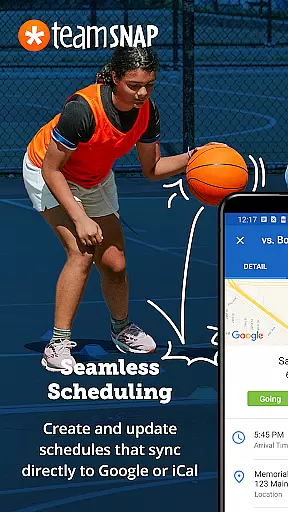
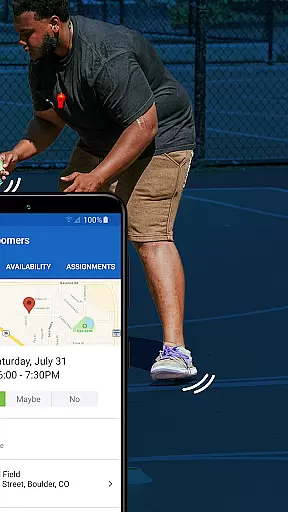
Scheduling is made simple with TeamSnap's intuitive tools. Coaches can build custom schedules or import existing ones, while the Availability feature helps track participant attendance for games and practices. Administrators benefit from advanced scheduling options across multiple teams within a club or league, supported by automated event creation and editing tools.
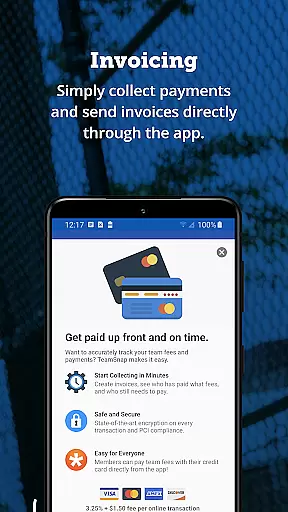
The app's registration and financial management capabilities are particularly impressive. Administrators can create customized registration forms, collect necessary documents, and process payments directly through the platform. The integrated payment system ensures timely transactions and provides detailed financial reports, giving administrators complete visibility into their organization's financial status.
Gameplay realism in sports management apps refers to how accurately the digital experience mirrors real-world sports management. For TeamSnap, this means providing tools that reflect the actual processes and interactions of managing a youth sports team. The app achieves this by offering features like real-time game updates, player statistics tracking, and availability checks.
TeamSnap's approach to gameplay realism is evident through its comprehensive scheduling system. Coaches can easily build or import schedules, ensuring everyone knows when and where practices and games are happening. This level of organization closely mimics the structured planning required in real-life sports management, enhancing the user experience.
The app also excels in physics accuracy, particularly in its communication tools. By enabling efficient communication via push notifications, SMS, and group messages, TeamSnap ensures that all team members are promptly informed about important updates. This immediacy of information flow is akin to the rapid decision-making needed during live sports events.
For users, these realistic and accurate features translate into tangible benefits. Coaches can focus more on player development and less on logistical challenges, while parents stay well-informed and engaged. Ultimately, TeamSnap's commitment to realism and accuracy helps create a seamless and effective sports management experience.
Control scheme intuitiveness relates to how easily users can navigate and utilize an app's features. In the context of TeamSnap, this means designing an interface that allows coaches, administrators, and parents to manage their sports teams with minimal effort. The app accomplishes this by centralizing various operational tasks such as registration, payment collection, scheduling, and team management into one intuitive platform.
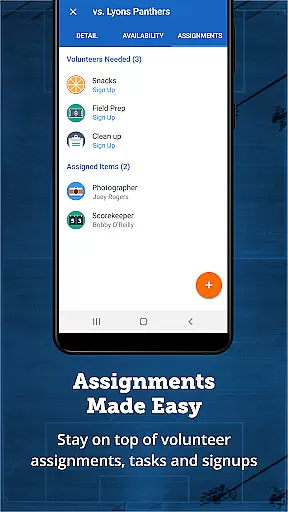
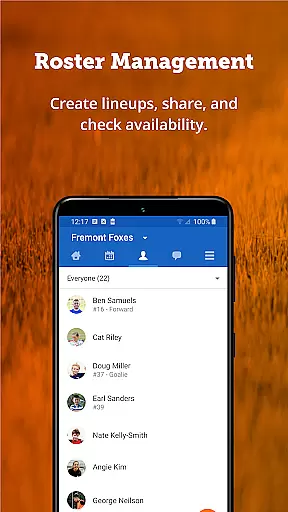
One of the standout aspects of TeamSnap's control scheme is its roster management feature. Coaches can effortlessly build their teams, collect player details, set game-day lineups, and manage contact info from a single location. This streamlined process eliminates the need for cumbersome spreadsheets or multiple apps, making it easy for users to keep everything organized.
Additionally, TeamSnap offers smart scheduling tools that enhance the app's intuitiveness. Administrators can import existing schedules across all teams in their club or league or use automated scheduling tools to create customized plans. These features ensure that even those with limited technical skills can efficiently handle complex organizational tasks.
By prioritizing an intuitive control scheme, TeamSnap empowers users to spend less time on administrative duties and more time focusing on what truly mattersu2014their players and the game itself. This ease of use not only improves productivity but also enhances overall satisfaction with the app.
User-friendly interface
Comprehensive scheduling tools
Integrated payment processing
Real-time communication features
Advanced administrative controls
Occasional syncing issues
Learning curve for new users
Limited free features
Subscription costs
Mobile-only limitations

Very fun billiards game.
 4.60
4.60
Join over 10,000,000 people in the only official PBA bowling game!
4.40
Exploring Football from a Unique Perspective
4.10
Build a football club from scratch and see if you can conquer the leagues!
4.70
Beat against 8 ball masters from around the world.
4.40
Build and play your own team! Baseball at your fingertips! BASEBALL NINE!
4.60
FIFPRO licensed soccer game
4.50
NFL & NBA Real Money Team & Player Picks
4.60
Kick into action! Score goals & climb 100+ levels to become a soccer super star!
4.70
Establish a stable of talented boxers to take on the world.
4.80
Trampoline backflips, frontflips & trick stunts! Ultimate adrenaline rush!
4.60
BE A SOCCER HERO! Pass, Shoot & Score your way to legendary status!
4.50
Fun multiplayer golf game! Prove you’re a golf legend and play with friends!
4.40
Play one of most famous lawn games in America called foot bag toss family games!
4.30
Master your shots and climb the ranks in the ultimate golf game!
4.30
Advanced Shotgun Shooting Simulator: Skeet, Trap, Sporting and Bird Hunting
4.20
The ultimate skateboarding sim
4.20
Rediscover the joy of the original Backyard Baseball 1997
3.70
Build your football city, train your team— no ads, no in-app purchases!
4.1


User Reviews