
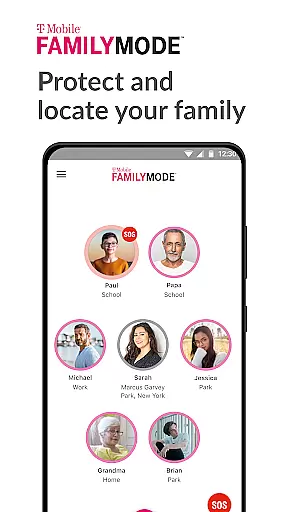
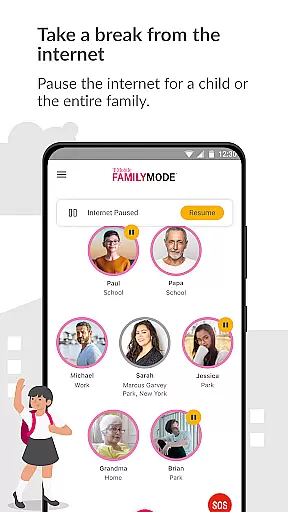
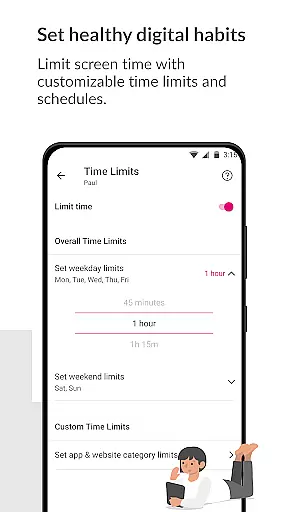
T-Mobile FamilyMode is a comprehensive family safety solution designed to help parents manage their children's digital habits while ensuring their safety. The app allows real-time location tracking of family members, helping you stay connected and informed about your loved ones' whereabouts. With features like pausing Internet access during dinner time or setting time limits for kids' devices, FamilyMode makes digital parenting more manageable.
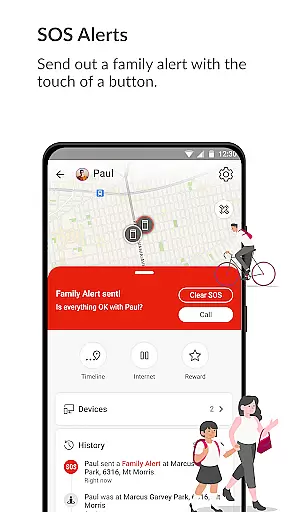
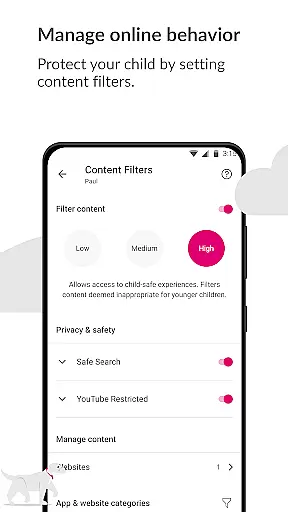
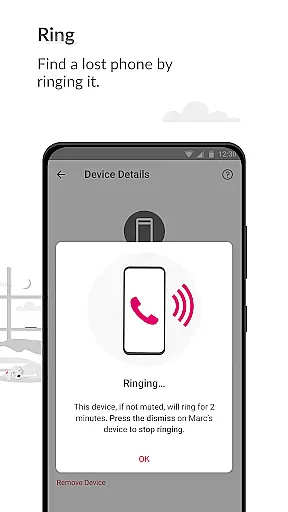
One of the standout capabilities of FamilyMode is its ability to set content filters. Parents can use pre-set or custom filters to ensure that children only access age-appropriate content online. Additionally, new features such as finding a lost device by ringing it or sending out an SOS alert with a single touch enhance family safety. These tools collectively provide peace of mind for parents who want to protect their families both online and offline.
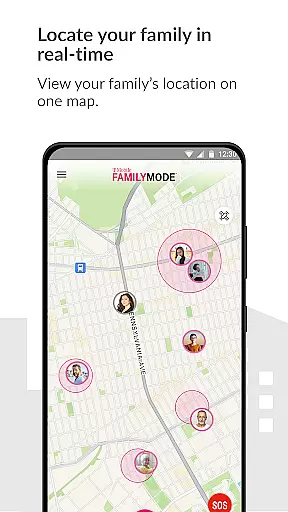
FamilyMode offers a rich set of features aimed at enhancing family safety and improving digital habits. One key feature is the ability to locate family members in real-time, allowing parents to know where their children are and the path they took to get there. This real-time tracking is complemented by the option to pause Internet access on kids' devices, which can be used to encourage healthier screen time habits.
In addition to these core functionalities, FamilyMode includes innovative features like the ability to ring a lost phone, send out an SOS alert with a single button press, and check-in with family members by sharing your location effortlessly. These features not only improve family safety but also foster better communication among family members. By combining these tools with customizable content filters, FamilyMode empowers parents to create a safer and more controlled digital environment for their children.
When it comes to parenting apps, the credibility of content and expert validation are paramount. T-Mobile FamilyMode takes these aspects seriously by providing features that are designed with both parental control and child safety in mind. The app allows parents to set healthy digital habits through time limits and content filters, ensuring that children only access age-appropriate material online.
The app's use of Google Accessibility Services API is strictly for enabling parental controls on childrenu2019s phones. This ensures that no information is processed or collected except for what the user defines, maintaining a high level of privacy and security. By allowing parents to customize filters, FamilyMode empowers them to create a safer digital environment tailored to their family's needs.
With real-time location tracking and SOS alerts, T-Mobile FamilyMode offers peace of mind for parents who want to stay informed about their children's whereabouts and safety. These features have been thoughtfully integrated to support families in maintaining open communication while providing tools that help manage digital lifestyles effectively.
Growth tracking accuracy in parenting apps refers to how well the application can monitor and report on a child's digital behavior and development over time. T-Mobile FamilyMode excels in this area by offering real-time location tracking and path history, which helps parents understand their children's movements and routines.
In addition to physical location tracking, the app provides detailed insights into online activities. Parents can set time limits for device usage, pause internet access during specific times like dinner, or reward good behavior with additional screen time. This level of control allows parents to guide their children towards healthier digital habits while monitoring progress.
T-Mobile FamilyMode also supports growth tracking through its content filtering feature. By using pre-set or custom filters, parents can ensure that their kids are exposed only to appropriate online content. This dual approach of behavioral guidance and content management enables accurate tracking of a childu2019s growth within the digital landscape, fostering responsible internet use from an early age.
User-friendly interface
Real-time location tracking
Customizable content filters
Pause Internet access feature
SOS alert functionality
Limited to T-Mobile users
Requires constant Internet
Some features need accessories
Premium features may cost extra
Dependent on Google API

Comprehensive Parental Control & Child Safety — Hear & Protect Your Child World
 4.30
4.30
SENSORYSOOTHE and SENSORSAFE: Making car seats smarter and families safer.
4.70
Track your pregnancy, kick & contraction counter, baby & mom's heartrate monitor
4.60
Real-time family location with consent, check-ins & SOS—private by default.
4.40
Learn according to the age of your child and consult with other moms.
4.20
The 10 development leaps of your baby | newborn milestones & leap days tracker
4.10
Track your labor contractions
4.90
Parental control App for Location, Remote Camera, Screen Mirroring, Block Apps.
4.60
Advanced baby tracking, expert sleep help & parenting support for every stage.
4.80
Introduce real food to baby with First Foods® Database, baby led weaning BLW
4.80
All-In-One Pregnancy Tracker, Your Baby's Milestones, Growth Stages & Parenting
4.70
Family GPS locator app — child location tracker. GPS kids tracker, family safety
4.70
Speech Therapy Exercises For All!
4.40
Find unique + popular baby names for your little peanut.
4.30
Fake call application designed for parents and adults to discipline their children through the children's police.
4.20
Limit screen time, Block Apps & Games, Monitor with Parental control app
4.20
Affirmations | Stories | Bible
4.10
A Coloring for the Whole Family! Discover the Joy of Family Love Through Colors!
3.60
Happiest Baby App replaces the SNOO App (the mobile companion to SNOO & SNOObie)
3.20


User Reviews