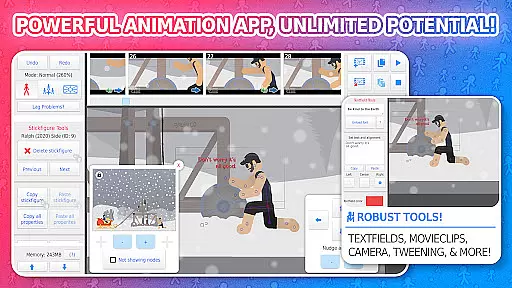
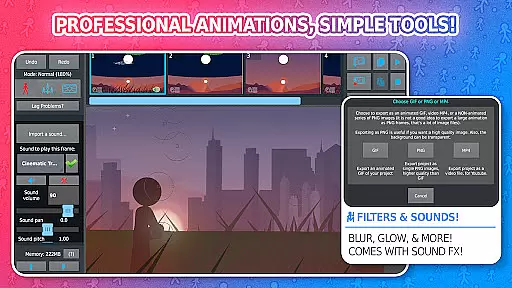
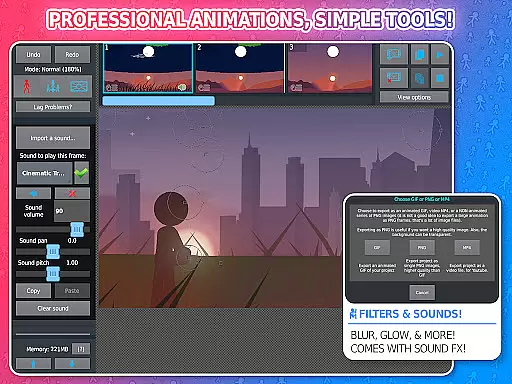
Stick Nodes Pro is a premier stickman animation application tailored for mobile devices, offering advanced features for creating professional-quality animations. Inspired by Pivot Stickfigure Animator, this app allows users to design intricate stick-figure movies and export them as GIFs or MP4 videos.
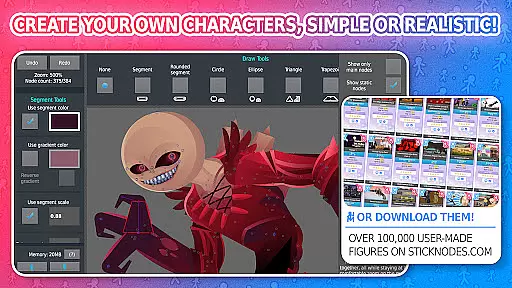
The PRO version enhances the experience with ad-free startup, watermark-free exports, sound effects per frame, and additional filters like blur and glow. With over 30,000 downloadable stick figures and compatibility with Minecraft skins, it provides endless creative possibilities for animators of all skill levels.
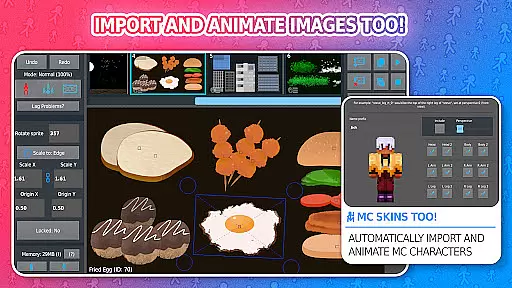
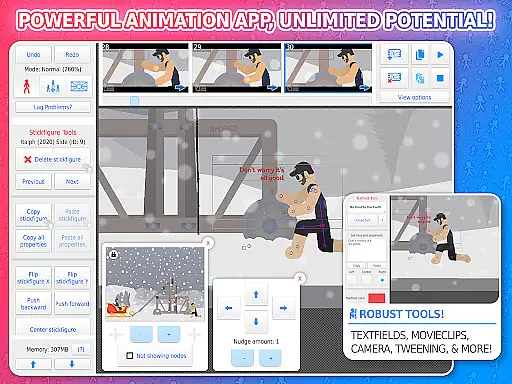
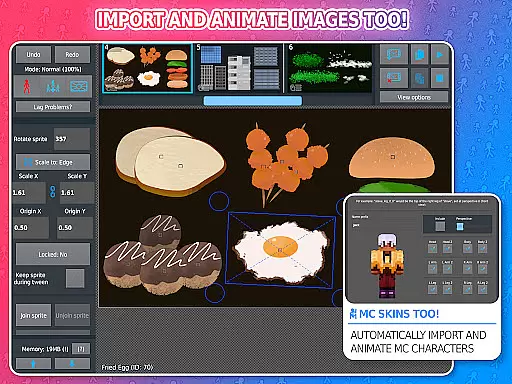
Stick Nodes Pro stands out with its comprehensive feature set designed for both novice and expert animators. The app supports importing and animating custom images, automatic frame tweening for smoother animations, and a virtual camera for dynamic scene manipulation.
Unique tools include movie clips for reusable animations, text fields for dialogue, and various filters to enhance stick figures. Advanced options such as transparency and joint connections allow complex animations. Additionally, the active community and vast library of stick figures foster creativity and learning.
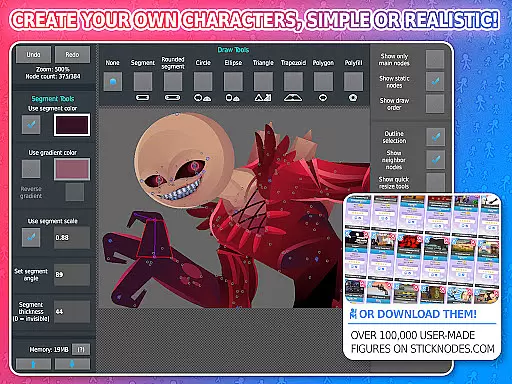
Stick Nodes Pro offers an extensive range of content that ensures users have access to a diverse selection of stick figures and animation tools. With over 30,000 stick figures available for download and the ability to import custom images, including Minecraft skins, animators can explore endless creative possibilities.
The app is regularly updated with new features and improvements since its initial release in 2014. These updates not only enhance performance but also introduce fresh functionalities such as sound effects, MP4 video export, and advanced filters like blur and glow, which are exclusive to the Pro version.
Users benefit from automatic customizable frame-tweening, text fields for speech integration, and movie clips for reusable animations. This continuous enhancement keeps the application at the forefront of entertainment by providing cutting-edge tools that cater to both novice animators learning the craft and seasoned professionals seeking robust capabilities.
User engagement is a key strength of Stick Nodes Pro, thanks to its thriving community and comprehensive feature set designed to captivate users' interest over extended periods. The platform fosters a collaborative environment where animators share their work, offer assistance, and create content for others, promoting sustained interaction within the app.
With options to save, open, and share projects alongside compatibility with pre-3.0 Pivot stick figure files, users find it easy to return to their work and build upon previous creations. Such continuity encourages longer sessions and repeated use, bolstering user retention rates significantly.
Moreover, educational applications make Stick Nodes Pro suitable for classroom settings, allowing students to learn animation effectively while enjoying themselvesu2014a factor that contributes greatly to maintaining high levels of user involvement and loyalty towards this top-tier Android animation app.
Ad-free experience
Watermark-free exports
Extensive customization
Vibrant user community
Cross-platform compatibility
Pro features locked behind paywall
Steep learning curve
Occasional performance issues
Limited free resources
Interface can feel cluttered

Ultimate VR movie player for android mobile videos
 4.1
4.1
Live TV, sports & holiday movies — stream on phone, tablet & TV
4.60
Stream Online TV - Watch Live IPTV Playlist & Channel with Built-In Player
4.50
Fun brain twisting challenge with trending Whirlpool Filter.
4.70
Best of icon for christmas
4.30
Scan sets, track your builds, and enjoy intuitive digital instructions.
4.70
Wodfix Air aggregates popular online content for you.
4.80
Unleash Your AI Imagination
4.60
Your Avatar, Endless Fun
4.60
Catch the latest episodes of The Voice or live stream NFL games with The NBC App
4.20
Himnario LLDM - Fast and Easy to read , updated Hymnal 2019 Edition Official
4.20
Start EVP/Spirit Box tonight: real EMF, offline, recording. One-time purchase.
4.10
Realistic Baby Simulator App
4.00
Binge-worthy short dramas on DramaRush—engaging stories that fit your day.
3.90
Your choice of 350+ networks plus movies and full TV series on-demand.
3.70
Connect. Discover. Control.
3.60
Watch whatever you want, whenever you want, wherever you want.
3.30
Music visualizer and party effects for your Nanoleaf devices
4.2
The classic game of rock, paper, scissors
4.1


User Reviews