
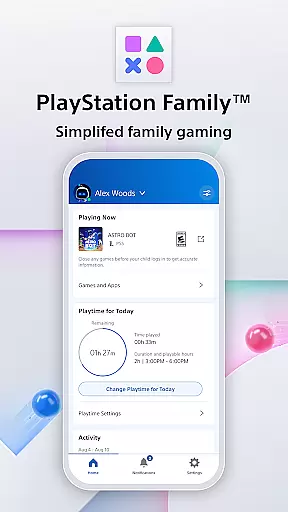
PlayStation Family is a comprehensive lifestyle application designed specifically for parents who want to manage their children's gaming activities effectively. The app provides detailed activity reports that give insights into your child's gaming habits, including playtime hours and current online status. It also features customizable parental controls that allow you to set age-appropriate gaming restrictions and manage social interactions.
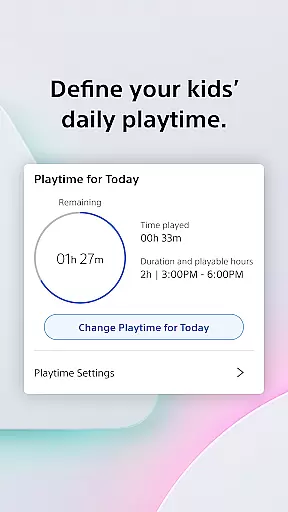
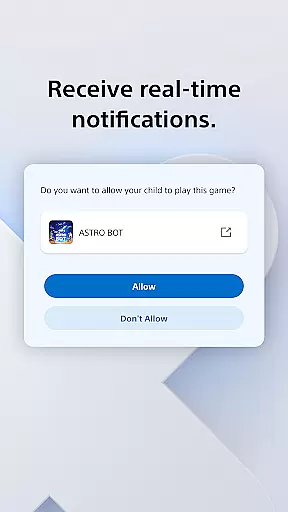
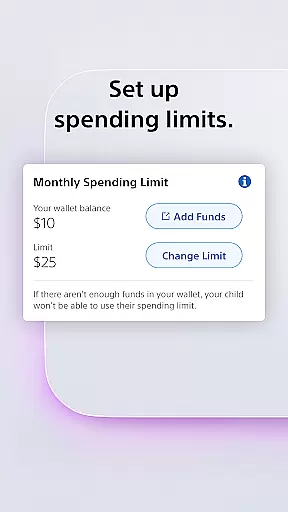
In addition to monitoring, the app offers flexible playtime management options. Parents can define specific gaming schedules that fit around family routines like homework or meal times. Real-time notifications ensure you're always informed when your child requests additional playtime, allowing you to make instant decisions from anywhere. The app also includes spending controls, enabling parents to set monthly budgets for PlayStation Store purchases.
This application is particularly useful for families with children who actively use PlayStation consoles. By providing centralized control over gaming activities, PlayStation Family helps parents maintain a healthy balance between digital entertainment and other important aspects of childhood development.
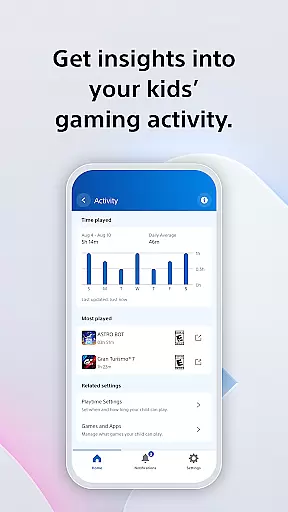
PlayStation Family stands out with its comprehensive set of features designed to give parents complete control over their children's gaming experience. The app's activity reporting system provides detailed weekly summaries of gaming activity, including information about played titles and session durations. This feature helps parents understand their child's gaming patterns and make informed decisions about appropriate playtime.
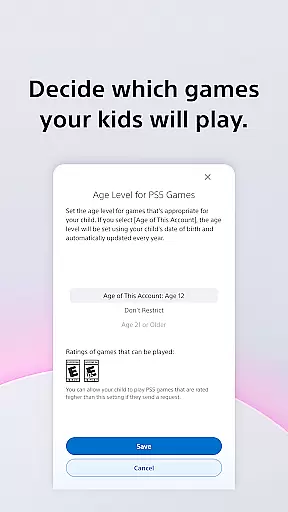
The parental control system is another key feature, offering multiple layers of protection. Parents can set age-based restrictions on game content, customize privacy settings for online interactions, and manage access to social features. The app's scheduling system allows for precise control over daily gaming sessions, while the spending management tool lets parents set monthly allowances for digital purchases.
What sets PlayStation Family apart is its seamless integration with both PS4 and PS5 consoles, though some advanced features are exclusive to newer models. The real-time notification system ensures parents stay connected with their child's gaming activities, even when they're away from home. These features collectively create a robust platform for managing family gaming in today's digital age.
PlayStation Family offers comprehensive lifestyle management specifically tailored for gaming families. The app covers essential aspects such as playtime scheduling, spending controls, and social interaction settings.
Parents can define daily routines by setting specific gaming hours that align with family activities like homework or meal times. This ensures a balanced approach to entertainment and responsibilities.
The application also provides detailed activity reports, giving parents valuable insights into their children's gaming habits. These reports include online status, current games being played, and weekly playtime summaries.
Additionally, real-time notifications allow parents to make immediate decisions regarding extra playtime requests, ensuring they maintain control over their child's gaming experience at all times.
Developed by Sony Interactive Entertainment, PlayStation Family guarantees authentic and credible content directly from the gaming industry leaders. The app implements official age-based parental controls recommended by gaming experts.
All features are designed in compliance with PlayStation's terms of service, which users can review on the official website. This ensures that every functionality, from playtime management to spending limits, adheres to professional standards.
The app's social interaction settings are crafted based on expert recommendations for safe online behavior. Parents can customize privacy settings knowing they're backed by professional guidelines.
With official trademarks and registered branding, PlayStation Family represents a trustworthy solution developed by recognized authorities in the gaming industry, providing peace of mind for parents managing their children's gaming activities.
User-friendly interface
Comprehensive activity tracking
Real-time notifications
Flexible scheduling options
Secure spending controls
Limited to PlayStation ecosystem
Some features PS5 exclusive
Requires constant internet
No cross-platform support
Monthly subscription fee

Do you want to communicate with spirits?
 3.80
3.80
The go to app for taking unlimited notes!
4.50
Zodiac & Horoscope Launcher: Daily Sign Predictions & Astrology
4.40
Colorful selection floral watch face with gyro for Wear OS
4.60
The cutest Autumn watchface featuring the adorable Mr. Squirrel
4.1
Digital smart watch face made for Wear OS.
4.70
Retro animated weather with hourly forecast Watch Face for Wear OS
4.60
LineLearner, the quick way to learn lines.
2.90
Redecor your home with Home AI interior design, room planner and home designer.
4.50
Simple, stylish & fresh watch face. Customize colors, gradients & complications.
4.70
Pay your rent, submit work orders and much more with the RentCafe Resident App.
4.70
Make money, get paid cash rewards & gift cards for every survey. Earn today!
4.60
A smart Siddur with halachic times
4.50
Paranormal Spirit Bell Trigger Device
4.30
Digital watch face design. Modern looking, hi-res & battery friendly.
4.00
BILT interactive 3D instructions help you get the job done right
3.50
Cute animated Thanksgiving watchface for your WearOS smartwatch
4.2
Bring the warm colors of fall directly to your wrist with Autumn Leaves!
4.2
Celebrate the holidays with Advent Calendar: daily surprises and festive fun!
4.4


User Reviews