
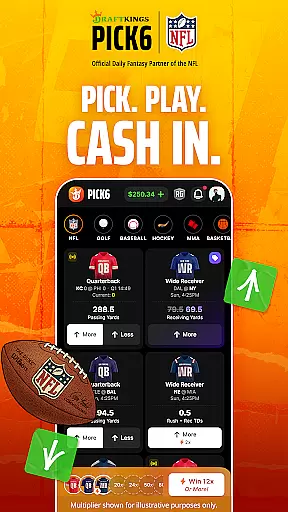
Gameplay realism in fantasy sports apps refers to how accurately the virtual experience mirrors real-world sports dynamics. DraftKings Pick6 excels in this area by offering users a platform where they can engage with actual player statistics and game outcomes from a variety of sports, including NFL Football, NBA Basketball, and MLB Baseball.
The app's projection system is designed to reflect true-to-life player performances, ensuring that users' fantasy picks are based on realistic expectations. This level of authenticity allows players to make informed decisions, whether they're predicting an MVP's continued dominance or an underdog's breakout game.
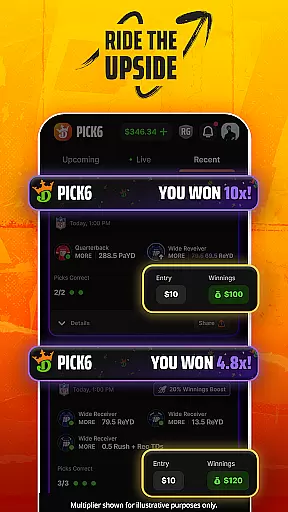
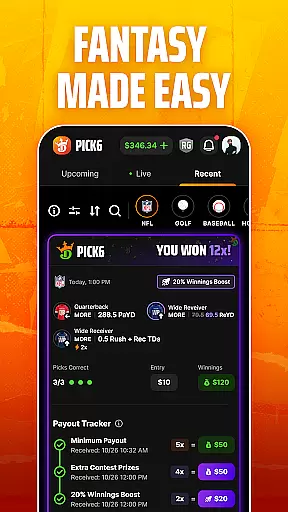
By integrating live tracking, the app provides real-time updates on how your picks are performing, further enhancing the sense of realism. Every drive, play, and moment is captured, giving users an immersive experience that stays true to the ebbs and flows of real sports events.
This commitment to realism not only makes the gameplay more engaging but also heightens the potential for users to win big, as their understanding of real sports can directly translate into successful fantasy strategies within the app.
An intuitive control scheme is vital for any app as it ensures users can easily navigate and utilize its features without a steep learning curve. DraftKings Pick6 offers a straightforward and user-friendly interface that simplifies the process of making fantasy picks across different sports leagues.
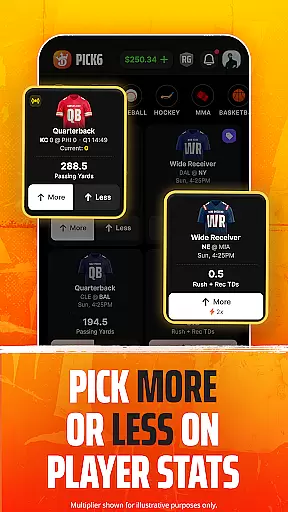
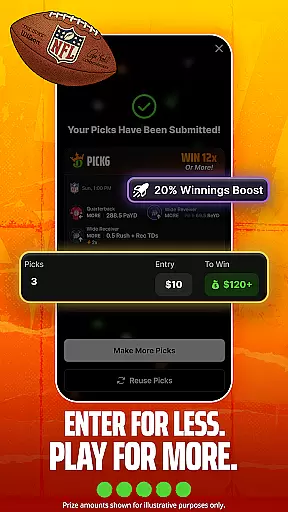
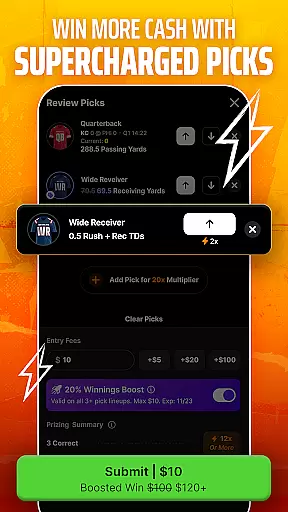
With clear options to choose 'More' or 'Less' on player stat projections, even newcomers to fantasy sports can quickly grasp the mechanics and start playing. The app requires a minimum number of picks, streamlining the entry process and allowing users to dive into the action swiftly.
Additionally, setting an entry fee and tracking standings during live games are seamlessly integrated into the user experience. This simplicity empowers players to focus on strategy rather than getting bogged down by complex controls.
Overall, DraftKings Pick6's intuitive design invites both seasoned fantasy sports enthusiasts and newcomers alike to enjoy a hassle-free gaming session while competing for real cash prizes.

Feel combo thrills in Challenge! Aim, strategize, and master your billiard skill
 4.60
4.60
Run the ball into the endzone in AR.
4.2
Extreme Downhill Freeriding
3.20
NEOGEO's masterpiece game is now available in the app!
4.20
Play one of most famous lawn games in America called foot bag toss family games!
4.30
Draft your NBA basketball game team. Authentic real-time online sports game.
4.20
Backflip Madness! Fast-paced, parkour-flavored extreme sports backflip game.
4.50
It’s time to play pool in the world’s No.1 arcade style Pool game on Android!
4.70
Build, manage & coach your NFL dream team in this American Football sports game!
4.40
Create your Ultimate NBA Team and experience realistic 2K Gameplay on Mobile!
4.70
Build a football club from scratch and see if you can conquer the leagues!
4.70
Very fun billiards game.
4.60
Play the hit multiplayer Carrom Disc Pool board game and become the best!
4.60
Play football like it's 1987! Classic retro arcade action and franchise mode.
4.60
Let's play catch and throwing game!
4.60
Realistic PvP Multiplayer Dart game blending sports games and simulation fun!
4.50
Out of the Park Baseball Go is a strategy & sports gaming fan’s dream come true.
4.40
Fun multiplayer golf game! Prove you’re a golf legend and play with friends!
4.40
The My Epic app unlocks the mountain and elevates your experience.
3.90


User Reviews