
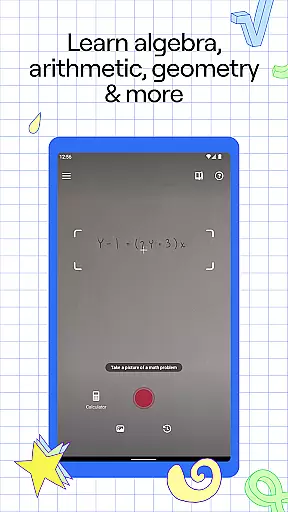
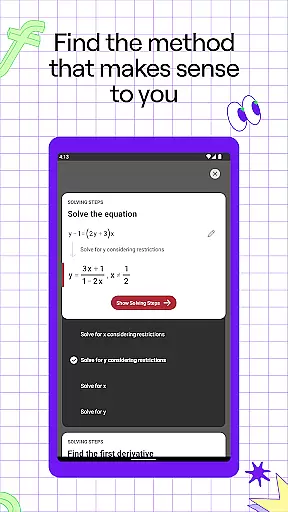
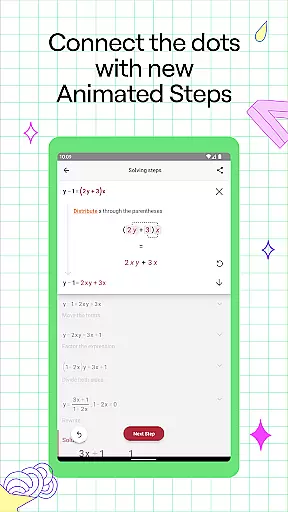
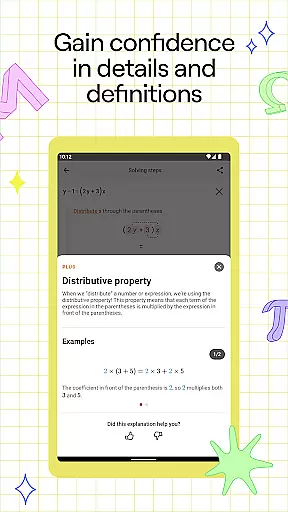
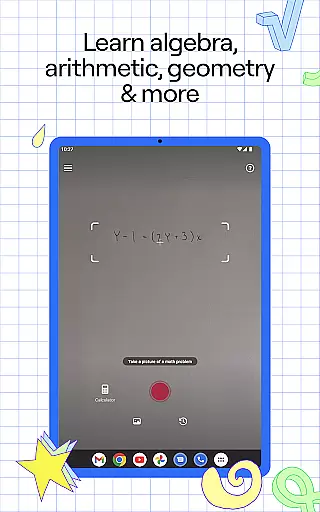
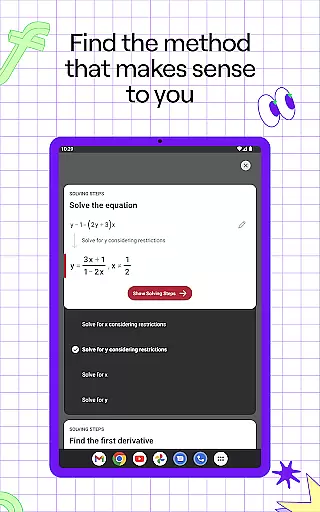
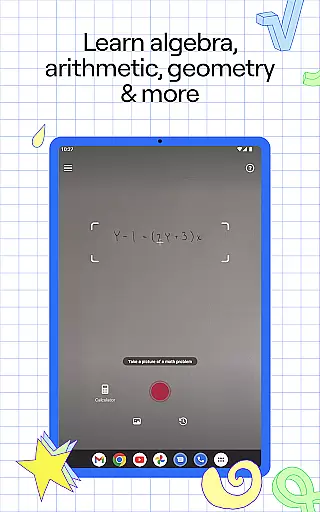
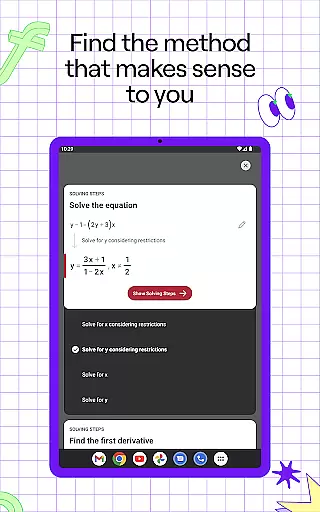
Photomath is an innovative educational app designed to assist students in learning and mastering mathematics. The app's core functionality lies in its ability to scan and solve math problems using a smartphone camera, providing step-by-step explanations and solutions. Whether you're dealing with basic arithmetic or advanced calculus, Photomath breaks down each problem into manageable steps, ensuring users understand not just the solution but also the underlying concepts.
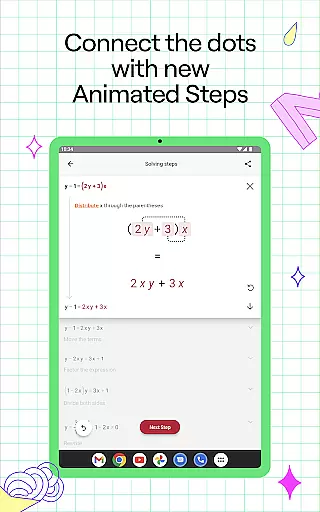
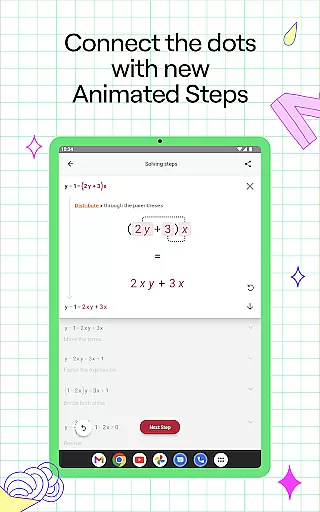
What sets Photomath apart is its comprehensive approach to math education. It supports a wide range of mathematical topics including algebra, geometry, trigonometry, and calculus. Additionally, the app offers interactive graphs, video learning modules, and multiple solving methods, making it a versatile tool for learners at all levels. With features like Animated Tutorials and Textbook Solutions available through Photomath Plus, students can deepen their understanding and explore various ways to tackle math problems.
The app's value extends beyond homework help; it serves as a 24/7 virtual tutor, empowering students to learn at their own pace. This makes Photomath particularly beneficial for those without access to private tutoring, offering them a reliable resource to improve their math skills anytime, anywhere.
Photomath stands out due to its rich feature set tailored specifically for math learners. One of its key features is the step-by-step explanation tool, which provides detailed breakdowns of math problems, helping users grasp the logic behind each step. This feature is available for free in the basic version, making quality math education accessible to everyone.
In addition to solving problems, Photomath includes specialized tools such as an advanced scientific calculator and interactive graphs. These tools allow users to visualize mathematical functions and better understand complex equations. The app also supports word problems, handwritten notes, and even textbook scans, catering to diverse learning needs and preferences.
For those seeking a more immersive learning experience, Photomath Plus offers exclusive features like Animated Tutorials and custom Textbook Solutions. These premium offerings provide dynamic, engaging ways to learn math concepts, further enhancing the educational value of the app. Overall, Photomath's combination of accessibility, versatility, and depth makes it an invaluable resource for anyone looking to improve their math skills.
Photomath stands out in the education category by providing highly accurate and authoritative math content. The app is designed to assist learners from basic arithmetic to advanced calculus, ensuring that every solution and explanation is vetted by experts.
The step-by-step explanations are crafted by a team of mathematicians and former math teachers, which guarantees that users receive reliable and educational content. This rigorous process ensures that each problem is not only solved correctly but also explained in a way that enhances understanding.
For students who do not have access to a tutor, Photomath's detailed guides serve as an essential resource. By breaking down complex problems into manageable steps, it reduces guesswork and stress, making learning more accessible and effective.
Moreover, Photomath offers multiple solution methods and interactive graphs, allowing learners to explore different approaches to solving problems. This variety enriches the learning experience and supports diverse learning styles, ultimately fostering a deeper comprehension of mathematical concepts.
Photomath excels in offering personalized learning paths tailored to individual needs. The app provides self-paced learning, functioning like a 24/7 virtual tutor that helps users understand math problems at their convenience.
With features such as Animated Tutorials and detailed Textbook Solutions available in Photomath Plus, users can dive deeper into mathematical concepts. These tools allow learners to explore various ways to grasp complex topics, catering to different learning preferences and speeds.
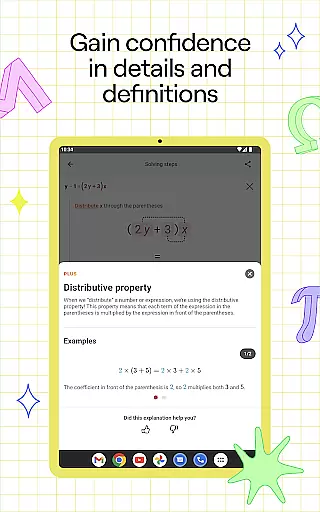
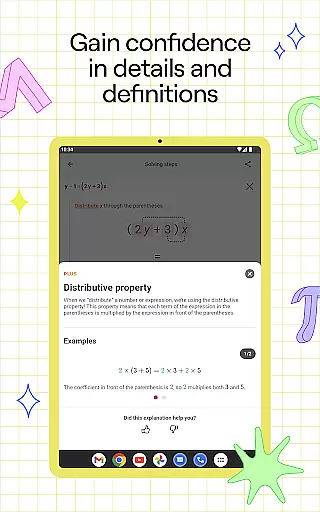
Photomath's instant support system enables users to tackle math problems whenever they need, whether it's checking homework before dinner or solving a tricky equation late at night. Each step includes definitions and rationale, empowering users to learn at their own pace without feeling rushed.
Furthermore, the app covers a wide range of mathematical subjects, including algebra, geometry, and calculus. This extensive coverage ensures that learners of all levels can find relevant content that matches their educational journey, promoting continuous growth and mastery in mathematics.
User-friendly interface
Comprehensive math coverage
Step-by-step explanations
Interactive learning tools
24/7 virtual tutoring
Premium features require subscription
Limited offline functionality
Occasional scanning inaccuracies
Advanced topics need Plus plan
Some features locked behind paywall

Learn and joke with the Silly Turkey!
 4.0
4.0
Universe simulator: Find & explore planets system, outer space, astronomy events
4.60
Latest TLC Practice Questions! Multiple languages available!
4.50
Hasbro's Classic Board Game - Make Cavity Sam better or get the buzzer!
3.50
Our most popular app series returns, better than ever!
3.90
An aviator’s preparation, study and test tool for FAA Knowledge Exams.
4.10
Snap a dog photo to identify its breed instantly. Fast, accurate and easy to use
3.40
Memorize anything efficiently with AnkiDroid! Many pre-built decks available.
4.80
Learn to pass DMV permit tests. Driver license practice test 2025.
4.60
Stack the Countries makes learning world geography fun!
4.50
An interactive enhancement of the Sesame Street classic.
4.50
Professional Award-Winning Astronomy Star Map App With Telescope Control
4.40
Learn to make peaceful contact with extraterrestrial civilizations
4.10
Watch and Play Elmo's World!
4.00
Explore numbers the Starfall way!
4.00
A must-have app for mastering Japanese verb/adjective conjugations.
3.60
scanner body part for fun Prank friends realistic scan effects
3.00
Your best partner for learning Japanese words. Based on a best-selling textbook.
2.80
Animals pop up and make sounds—learn names and noises in Peekaboo Barn!
4.1


User Reviews