
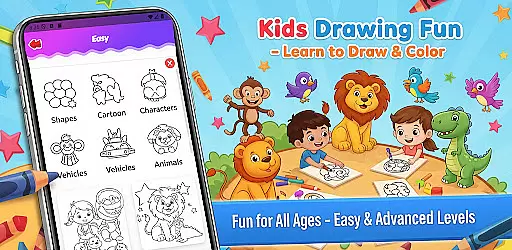
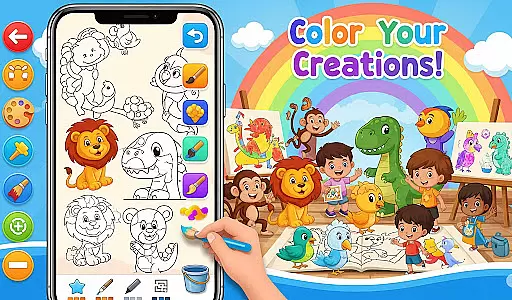
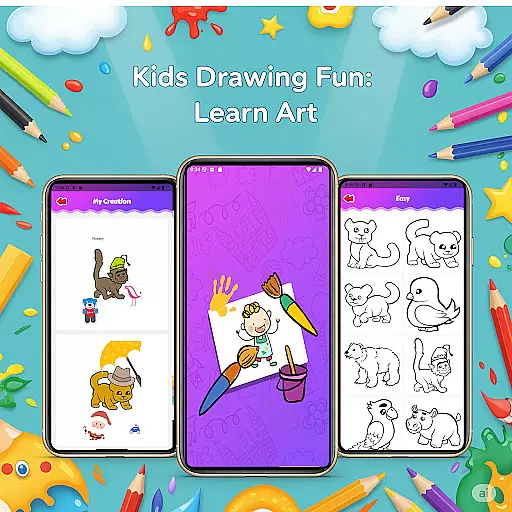
Fun Drawing & Color: Learn Art is an innovative educational app designed to make drawing and coloring both fun and instructional. This app caters to users of all skill levels, from beginners learning the basics to advanced artists seeking creative expression. With its comprehensive suite of drawing tools, step-by-step lessons, and vibrant color options, it provides a complete artistic experience without any ads or hidden costs.
The app offers a rich selection of features including customizable brushes, text styles, stickers, and a full palette for coloring. Users can easily correct mistakes with undo/redo functions, save their artwork in a personal gallery, and access lessons tailored to different skill levels. Whether you're using a phone or tablet, this app ensures a smooth and engaging creative process that fosters artistic growth and enjoyment.
Perfect for children and adults alike, Fun Drawing & Color: Learn Art creates an uninterrupted space for creativity. Its user-friendly interface and diverse functionalities make it ideal for anyone looking to explore their artistic potential while having fun.
Fun Drawing & Color: Learn Art stands out with its extensive range of features designed to enhance the creative process. The app includes step-by-step drawing guides that break down complex images into simple shapes, making it easy for users to follow along and learn new skills. These tutorials cover various subjects such as animals, vehicles, objects, food, and characters, ensuring there's something for everyone.
In addition to structured lessons, the app provides numerous customization options. Users can experiment with different brush types, pencil colors, and text fonts to personalize their creations. The inclusion of playful stickers adds another layer of creativity, allowing users to decorate their drawings with colorful elements. Advanced tools like the color fill and magic brush enable intricate designs while maintaining ease of use.
One of the key advantages of this app is its commitment to user experience. With no ads or subscriptions, users can focus entirely on their art. The ability to save and revisit artwork in a personal gallery encourages continuous learning and improvement. Compatible with both phones and tablets, Fun Drawing & Color: Learn Art delivers a seamless experience across devices, empowering users to express themselves freely.
In the realm of educational drawing apps, content authority and curriculum alignment are crucial for ensuring that learning is both effective and credible. Fun Drawing & Color: Learn Art positions itself as not just a creative outlet, but also an educational tool designed to impart foundational art skills.
The app offers step-by-step drawing guides that cover a wide array of subjects such as animals, vehicles, objects, food, and characters. These lessons are crafted with care, using simple shapes and instructions that align well with general art curricula, making it easier for users to follow along regardless of their current skill level.
Users benefit from multiple skill levels available within the app, ranging from beginner to advanced activities. This ensures that as users grow in proficiency, the app continues to provide appropriately challenging content that keeps pace with their development.
By focusing on structured lessons and skill progression, Fun Drawing & Color: Learn Art delivers a seamless blend of entertainment and education, reinforcing its credibility as a valuable learning resource.
Gamification has become an integral part of modern educational tools, enhancing engagement and motivation among learners. Fun Drawing & Color: Learn Art incorporates gamification elements to create an interactive and enjoyable learning environment.
One of the standout features is the inclusion of stickers and fun fonts which allow users to decorate their drawings creatively. This playful aspect encourages experimentation and personal expression, turning each drawing session into a joyful exploration rather than a mundane task.
Additionally, the app provides a variety of brush types and pencil colors, enabling users to experiment with different artistic techniques. The ability to add text with various font styles further enriches the creative process, allowing users to personalize their artwork with messages or names.
With all these engaging features combined in a completely ad-free space, Fun Drawing & Color: Learn Art successfully integrates gamification with learning. This approach not only sustains user interest but also fosters a deeper love for art, making education an enjoyable journey.
User-friendly interface
Wide range of drawing tools
Step-by-step tutorials
No ads or subscriptions
Suitable for all ages
Limited advanced features
Requires significant storage
No social sharing options
Lessons may feel repetitive
Premium version only

This will quickly become your kids' favorite animals game!
 4.40
4.40
Join the pirate math adventure!
3.60
Imagine, build and ride your own Rollercoaster!
3.90
Tons of kids safety games, cartoons, and stories are included in one kids app!
4.70
Explore Dopples World, build your avatar life & create endless stories!
4.70
Companion app for Cozmo, the educational toy robot who’s got a mind of his own.
3.30
Explore Fantasy Land, get to know the world and create stories!
4.30
Fun phonics & alphabet tracing game for toddlers, preschool & kindergarten kids!
4.60
Design dreamhouses and dress up creatively in the ultimate role-playing game!
4.70
Preschool learning games: 123 numbers game for kids, abc learning for toddlers
4.70
Fun educational games for kids that teach number tracing, counting with modes!
4.50
OG Munchers - Play classic Number Munchers game on Android
4.40
A cube building game for small (and large) builders.
4.40
Practice Early Literacy Skills and Build Vocabulary with Elmo & Cookie Monster!
3.90
Master your phonics letters and sounds with the Alphablocks!
3.80
Wind down, relax and snuggle up with your favourite Blocks characters.
3.30
Help your child improve their number literacy with Numberblocks: Card Fun!
2.60
Draw shapes, mix colors, and dodge traps to defeat foes in the vibrant Art Zone!
4.5
Join Rus and his friends to save Pear Island!
4.4


User Reviews