
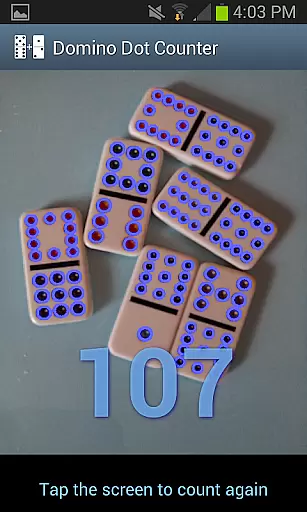
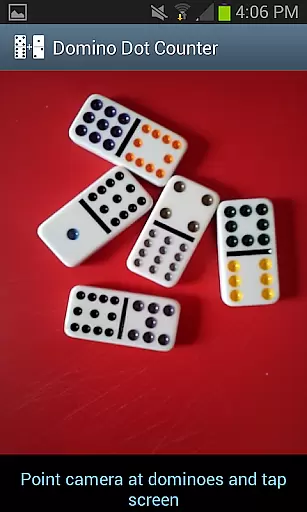
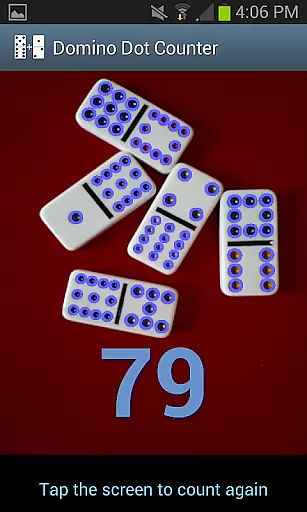
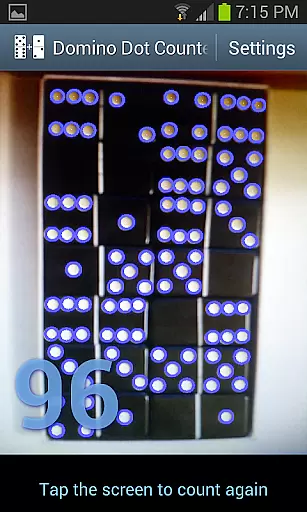
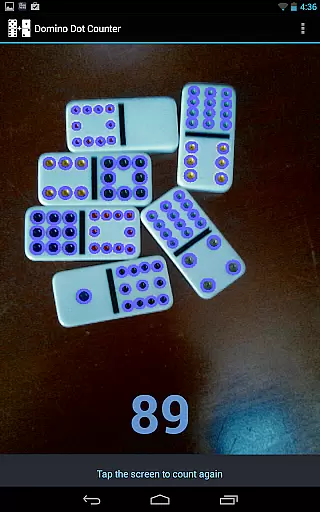
Domino Dot Counter is a casual gaming app designed to enhance your dominoes experience by automatically summing up the dots on a group of dominoes using your phone's camera. This innovative application not only simplifies the scoring process but also adds an element of fun and accuracy to your game.
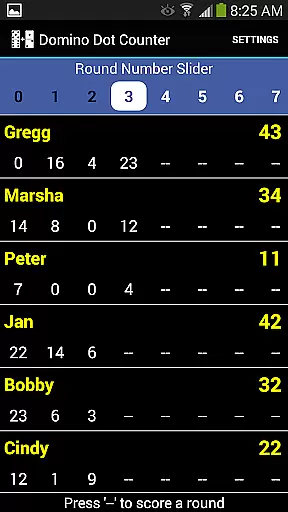
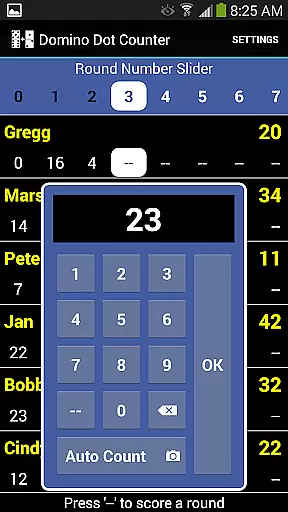
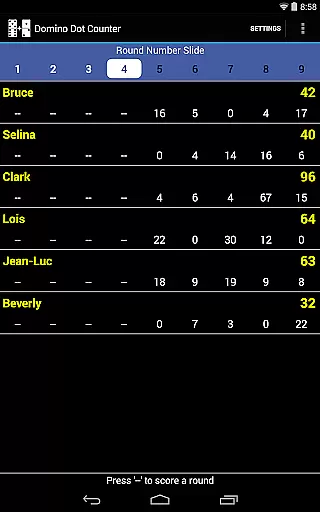
The latest version comes equipped with a complete score application, allowing you to keep track of scores for 2 to 8 players. With the AUTO COUNT feature, you can let your device do the heavy lifting, especially useful when dealing with a large number of tiles at the end of rounds in games like Mexican Train dominoes.
Whether you're playing on a solid-colored surface or need to customize player names mid-game, Domino Dot Counter offers versatility and ease of use, making it an essential tool for domino enthusiasts looking to streamline their gameplay and focus more on the enjoyment.
Domino Dot Counter stands out with its unique AUTO COUNT feature, which utilizes your phone's camera to count the dots (pips) on a group of dominoes. This functionality is particularly beneficial at the end of a round when numerous tiles need to be tallied quickly and accurately.
Beyond its primary function, the app provides comprehensive score management capabilities. You can add or delete players during a game, customize player names via a long press, and manage multiple rounds with ease. The app intelligently tracks completed rounds and warns against rescoring finished rounds, ensuring fair play.
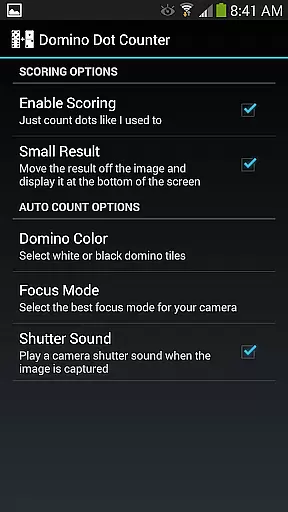
Additional features include the ability to adjust settings for optimal performance, such as holding the camera horizontally over dominoes and playing on a solid-colored surface. For users who prefer the original setup, scoring can be disabled in the settings menu, offering flexibility to cater to different preferences and play styles.
Domino Dot Counter exemplifies core gameplay simplicity by offering an intuitive solution to a common problem in domino games. The challenge of manually counting dots on a large number of tiles is streamlined through an innovative auto-count feature.
The application utilizes the phone's camera to automatically sum up the dots on a group of dominoes, making it easy for players to focus on their game strategy rather than getting bogged down with manual calculations. This seamless integration of technology enhances the overall gaming experience.
Players can enjoy uninterrupted gameplay with features that support 2 to 8 players, allowing for add or delete players mid-game and adding more rounds as desired. These functions ensure that the game remains fluid and adaptable to various playing styles and group sizes.
Session length flexibility in Domino Dot Counter allows players to tailor their gaming sessions according to available time and preference. Whether you have a quick break or an extended period to play, this app accommodates your needs without compromising on quality or engagement.
With the ability to keep track of rounds and scores over time, users can pause and resume their games as needed. Long press functionalities enable customization of player names while sliders help navigate through multiple rounds efficiently, ensuring no time is wasted on administrative tasks.
This flexibility extends beyond just timing; it also encompasses different play styles. Rounds can count up or down based on user settings, providing further customization options. Such versatility ensures that every session remains engaging regardless of its duration.
User-friendly interface
Accurate dot counting
Customizable player names
Supports multiple players
Intuitive round management
Requires solid-colored surface
Camera positioning crucial
Limited to domino games
May need good lighting
Occasional recalibration needed

Join Tom and friends and care for them. Create fun stories and play mini-games.
 4.30
4.30
Save the Candy Bears! Match, pop, and blast through fizzy match-3 puzzles!
4.60
"My PlayHome School" expands the PlayHome world into the classroom!
4.30
Keep Popgoes alive in a quirky collection of LCD minigame challenges!
5.00
InfinityLabyrinth it is the most valuable game in the universe.
4.5
Repair, Refit, Repaint. Customize your truck today!
4.60
Monster Attack! Hide and run cleverly or unleash your inner angry hunter!
4.20
Be the Coin Master: attack friends & collect coins in this fun adventure game!
4.80
Offline Games - Enjoy Endless Fun Anywhere, Anytime!
4.20
Fast, fun, and relaxing tap minigame challenges – anytime, anywhere!
4.70
Funny Italian Brainrot games for antistress. Unwind with Italian Meme games.
4.70
The award winning game where everything burns.
4.70
Manage a fish tank of guppies and other aquarium creatures
4.60
Freddi and Luther have arrived at the Founder’s day festival!
4.20
A cozy idle farming game, watch tiny guys do tasks around the terrace.
4.20
11 classic games featuring Freddi Fish, Pajama Sam, Putt-Putt, and Spy Fox.
3.80
Heads or tails? Coin Flipper in an idle game about flipping coins!
3.60
In My Favorites, a fun game where you choose what are your favorites.
4.4
Fun drinking & party game with dares, sips, timers, and a live leaderboard!
4.0


User Reviews