
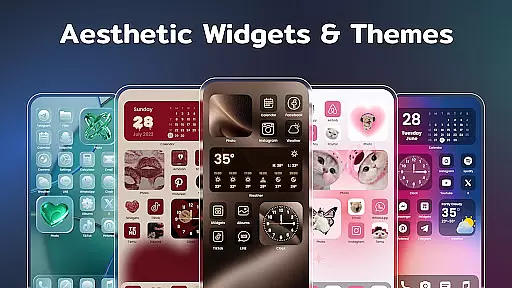
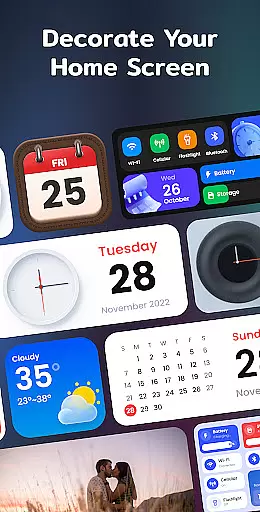
Color Widgets, Theme is a versatile lifestyle app designed to enhance your Android device's home screen with customizable widgets and themes. This app offers an extensive selection of aesthetic widgets including clocks, calendars, weather displays, and battery indicators, all available in multiple sizes to suit various user preferences.
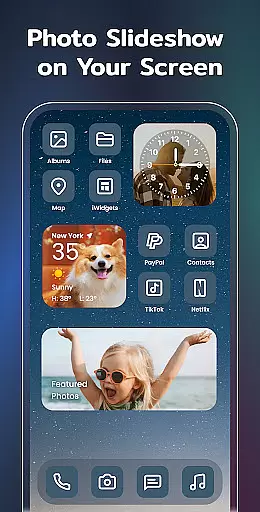
Beyond basic functionality, the app allows users to express their personal style through unique themes and custom icons. Whether you want to create a minimalist interface or a vibrant display, Color Widgets, Theme provides the tools to design a personalized smartphone experience. The intuitive X-panel widget consolidates essential phone information into one convenient location, while photo widgets let you showcase cherished memories directly on your home screen.
This application particularly appeals to users seeking both practical utility and creative expression in their mobile devices. By combining functional widgets with artistic themes, Color Widgets, Theme helps transform standard Android interfaces into customized digital workspaces that reflect individual tastes and improve daily productivity.
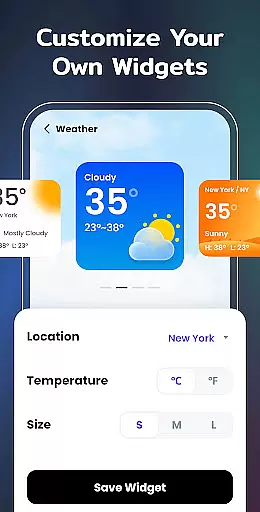
The app distinguishes itself through its comprehensive collection of customizable features. Users can choose from various widget categories including clock, calendar, weather, and battery status, each offering multiple style options. The innovative X-panel widget serves as a centralized command center, displaying crucial phone information such as network status, Bluetooth connectivity, and storage capacity while providing quick access to essential functions like flashlight and Wi-Fi controls.
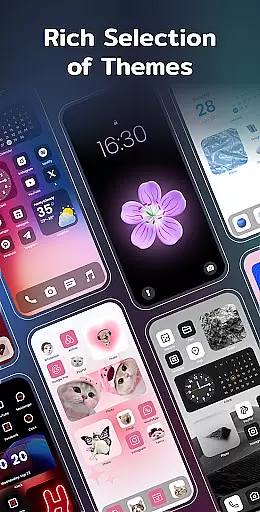
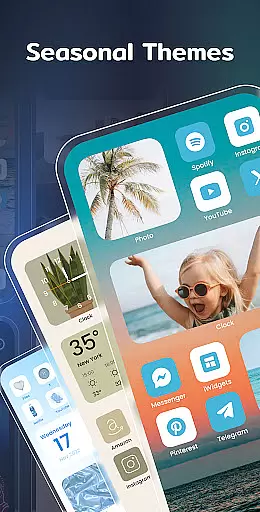
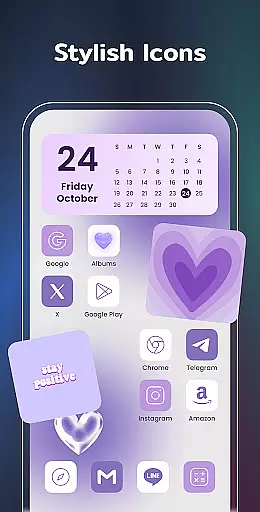
Color Widgets, Theme stands out with its advanced customization capabilities. The app enables users to redesign application icons, create event timers for important occasions, and apply preset themes across different styles including anime, neon, and vintage aesthetics. Particularly noteworthy is the photo widget feature, which supports slideshow functionality, allowing users to display cherished memories directly on their home screen.
What sets this app apart from competitors is its commitment to ongoing development. The developers regularly introduce new widget types, such as upcoming to-do lists and note-taking features, ensuring the app remains relevant and valuable to its user base. This dedication to innovation, combined with the app's user-friendly interface and extensive customization options, makes Color Widgets, Theme a standout choice in the lifestyle category.
In the realm of mobile personalization, Color Widgets, Theme stands out by offering an extensive array of widgets and themes that cater to diverse lifestyle needs. This application is designed to transform your Android device's home screen into a personalized hub reflecting individual tastes and functional requirements.
With features ranging from clock, photo, X-panel, calendar, weather, battery level, Bluetooth status, to event timers, it ensures that all aspects of your daily life are covered. Whether you need quick access to system settings via the X-Panel or want to keep cherished memories in sight with the Photo Widget, this app has got you covered.
The inclusion of upcoming widget types like to-do lists and notes further demonstrates its commitment to enhancing both productivity and personal expression. By providing multiple sizes and styles for each widget type, users can tailor their screens precisely as they wish, making every interaction with their device a unique experience.
Color Widgets, Theme prides itself on delivering authentic content curated to enhance user experience without compromising on quality. Each widget and theme undergoes meticulous design processes ensuring that aesthetics meet functionality seamlessly.
From elegant clock designs to intuitive weather displays, every element within the app serves a purpose beyond mere decorationu2014it aims at simplifying tasks while adding personality to your device. The availability of preset themes across various styles such as anime, neon, aesthetic, human, etc., showcases the depth of creative expertise behind this platform.
Moreover, practical tools like event timers not only help manage time effectively but also add emotional value by commemorating special occasions. Such thoughtful integrations underscore the app's dedication towards creating meaningful connections between technology and everyday living.
User-friendly interface
Extensive customization options
Versatile widget selection
Regular feature updates
Cross-device compatibility
Requires multiple permissions
Premium themes cost extra
May drain battery faster
Occasional loading delays
Limited iOS functionality

Chat, meet genuine singles in your area. Real connections start with being real.
 4.30
4.30
What is my face shape? Find out your face shape from picture, see fitting frames
3.90
Big bold hybrid watch face with 30 colors, 5 fonts & 5 complications.
4.2
Material You inspired colors with BIG and Bold looks for Wear OS watches.
4.20
Spirit Communicator is a real paranormal ghost hunting app with many fun modes.
3.90
Smart & Healthy Living
4.60
Play fun games, complete quick surveys, and earn money. It's fun and easy!
4.40
PARAVOX 4 is a professional ITC paranormal research application.
4.50
Control your Tapo smart devices from anywhere.
4.60
Retro animated weather with hourly forecast Watch Face for Wear OS
4.60
Stay connected with your loved ones & vehicles | Share live GPS location updates
4.60
This minimalist yet classic board design brings a futuristic twist to your wrist
4.20
Unique BIG BOLD TIME with amazing colors and customisations.
3.70
Take Hobby Lobby with you wherever you go!
3.40
Smart home security protection
3.20
Falling Fruit is a massive collaborative map of food in our cities.
3.20
Big bold digital watch face with 30 colors, 6 complications and AOD.
4.4
A watch face with transparency and fluid visuals inspired by liquid glass design
4.4
Futuristic watchface inspired by Back to the Future: sleek, retro, timeless
4.1


User Reviews